TL;DR: Grok is worth adding next to ChatGPT or Claude for trend research, X-native content and fast first drafts, not as a wholesale replacement. It has lower-cost individual access and direct X data, but fact checks still need human review and team controls vary by plan.
For a small business already using ChatGPT or Claude, the practical question is whether any task justifies adding Grok. Its X connection gives it a distinct role to test, but that does not automatically make a full account switch worthwhile. This guide compares the feature and plan differences, then offers a side-by-side test you can run before moving work.
What Is Grok, And Why Do Owners Keep Bringing It Up Next To ChatGPT?
Grok is xAI's assistant, built into the X app and available on its own, with plans ranging from free access to paid individual and team tiers. Its one real structural advantage over ChatGPT and Claude is live access to public X posts and trending topics, since neither OpenAI nor Anthropic ties their assistant to a social platform's firehose the same way. That single fact is why Grok keeps coming up in these comparisons even though most small businesses have never opened the app.
Owners usually hear about Grok through three doors: a founder who already pays for X Premium and notices Grok sitting there, a team member who heard its individual plan costs less than ChatGPT Plus, or a one-off need to know what people on X are saying about a brand, a competitor or a trending topic right now. None of those three doors require abandoning an existing ChatGPT or Claude setup, and that distinction matters more than picking a single winner.
Where Does Grok Actually Beat ChatGPT And Claude For A Small Business?
Trend and sentiment work is the clearest case. A guide to practical Grok business use cases, updated October 19, 2026, lists market research and trend monitoring, content brainstorming and customer-facing drafting as strong everyday jobs, specifically because Grok can read what is currently being posted rather than relying only on training data from months or years back. If you need a sense of how people are reacting to a product launch, a local event or a competitor's announcement this week, that live feed is a real edge neither ChatGPT nor Claude ships on its own.
Price is another possible edge for an individual user, depending on the plan. The xAI pricing page, checked November 26, 2026 lists Grok Plus at $8 a month and Teams starting at $30 per user monthly. That is lower for an individual entry plan than ChatGPT Plus at $20 a month and Claude Pro at $17 annually or $20 month to month, according to a ChatGPT pricing breakdown updated November 1, 2026 and Anthropic's pricing page. The Grok team plan starts above ChatGPT Business and Claude Team standard seats. A pricing tracker updated October 19, 2026 also describes the difference between Grok's personal and business plans. Image and video generation are available in Grok's paid plan ladder, so review current usage allowances before treating a low entry price as a lower total cost.
Grok also leans into an agentic mode xAI calls Grok Bot, bundled starting at its mid-tier plan, which can connect to outside tools over MCP and run multi-step jobs rather than only answering one prompt at a time. For a business that already has calling or messaging infrastructure wired up for AI agents, that connector layer is where Grok earns its place in the stack rather than competing head-on with ChatGPT or Claude for everyday writing.
Where Does Grok Fall Short For Marketing, Content Or Customer Replies?
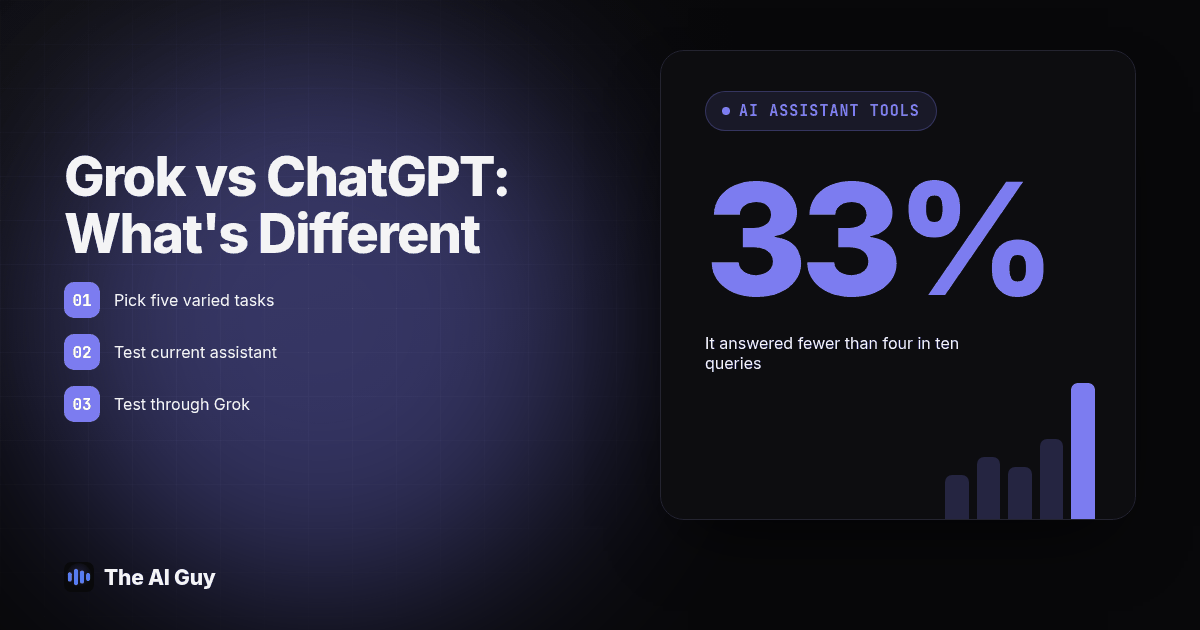
Accuracy is the sharpest weak spot, and it is not a minor one. An October 2026 study from Maldita.es and the University of Jaen tested Grok on 766 queries about 46 viral World Cup claims. It answered fewer than four in ten queries; among answers it gave, 33% to 40% were incorrect or partly incorrect. That fact-checking study is not a direct test of business prompts, but it shows why live access to current information is not the same as verified information. Check sources before a customer sees a factual claim.
Trust in how Grok handles sensitive or contested topics has also been a live concern since well before this year. A VentureBeat analysis from June 2025 argued that ownership pressure on Grok's outputs made it harder for enterprise users to treat its answers as neutral, particularly on anything touching the company's own public figures or rivals. That argument is dated, but nothing in the pricing or feature pages reviewed for this guide shows it resolved, so treat any Grok output that touches a sensitive public figure or an ongoing dispute with extra scrutiny before it reaches a customer.
Business tooling needs a plan-by-plan check rather than a broad assumption that Grok lacks administration. xAI's Teams pricing and feature page lists centralized billing, administration, team privacy settings, SSO, audit logs, spend controls and Grok Bot access controls. Claude's pricing page lists central billing, administration and SSO for Team, while its higher-tier security features differ by plan. OpenAI also lists business workspace controls on its ChatGPT pricing page. Compare the exact plan and controls your team can buy today, then read the data retention terms before adding customer information.
How Do Grok, ChatGPT And Claude Compare On Price And Plans?
| Assistant | Entry paid tier | Team or business seat | Context window | Live platform data |
|---|---|---|---|---|
| Grok (xAI) | Plus, $8/month | Teams, $30+/user/month | 500K tokens on Grok 4.7, 1M on Grok 4.3/4.20 | Direct, real-time X posts and trends |
| ChatGPT (OpenAI) | Plus, $20/month | Business Standard, $20 to $25/seat/month | Not published in directly comparable terms | Web search only, no native social firehose |
| Claude (Anthropic) | Pro, $17 to $20/month | Team Standard, $20 to $25/seat/month | Up to 1M tokens on supported models | Web search only, no native social firehose |
| rices and features checked November 26, 2026: Grok seat and individual prices come from xAI's pricing page, with context windows from Lindy's Grok pricing tracker, updated October 19, 2026; ChatGPT figures come from a pricing breakdown updated November 1, 2026; Claude figures come from Anthropic's pricing page. Prices and limits can change, so check the linked pages before budgeting |
Should You Replace ChatGPT Or Claude With Grok, Or Run It Alongside?
Running it alongside is the right call for almost every small business we have walked through this decision. Keep your existing ChatGPT or Claude account for the work it already does well: documents, saved context about your business, and team projects that need to survive past a single conversation. Our guide to setting up ChatGPT for a small business and our Claude skills guide both cover that foundational layer, and neither one goes away just because Grok enters the picture.
Add Grok specifically for the jobs it is built for: scanning what is being said about your business or your market on X right now, drafting content that references something currently trending, and fast, disposable first drafts you plan to edit anyway. If you have already weighed a straight Claude-versus-ChatGPT switch, our guide to switching from ChatGPT to Claude walks through the same context-loss questions that apply here; Grok does not solve that problem, it just adds a third account with its own separate memory to manage.
If your business already runs calls or texts through a voice platform, Grok's agentic Grok Bot mode can set up and manage that connection itself over MCP instead of you clicking through a dashboard by hand, which our sister site covers step by step in Give Grok Bot Its Own AI Voice Agent. That is a genuinely different use case from marketing content, and it is the clearest place Grok's agent layer earns real work rather than just being a cheaper chatbot.
For a broader look at how Grok measures up against Microsoft's assistant rather than OpenAI's, our Copilot versus ChatGPT comparison is the closer read if your team already lives inside Microsoft 365.
What Is The Right Way To Test Grok Against Your Current Assistant?
Do not swap tools on a hunch. Run this short test before you move a single workflow, using tasks you already know the right answer to so you can grade the output honestly.
- Pick five real tasks from the last two weeks: one marketing draft, one customer reply, one research question, one trend summary and one fact you can verify yourself.
- Run each task through your current assistant first and save that output as the baseline, unedited.
- Run the identical prompt through Grok, with no extra coaching beyond what you gave the first tool.
- Grade both outputs against the same three questions: was it factually correct, did it match your brand voice without heavy editing, and would you send it to a customer as written.
- For the trend or research task specifically, check whether Grok's real-time angle actually added something your current tool missed, since that is the one job it is built to win.
- Write down which tool won each task, not which tool won overall. The goal is a short, specific list of jobs for each tool rather than one overall winner.
- Repeat the test once a month for the first quarter, since both companies ship model updates often enough to shift the result.
Keep the baseline outputs. If a vendor changes a policy, a price or a model mid-quarter, you want the original comparison on file rather than a memory of how it felt the first time.
What Should You Check Before Letting Grok Touch Customer Replies?
Customer-facing text carries more risk than an internal draft, so treat it with a separate standard rather than the same bar you use for a blog post idea. Start by confirming which Grok plan and account your team is actually using, since free and paid tiers carry different usage limits and data handling, and read the current no-training language directly on Grok's own plan page rather than trusting a summary from any blog post, including this one.
Keep a human reviewing every customer-facing draft until you have at least two weeks of clean output logged, the same standard we recommend before trusting any new AI tool with a live conversation. Flag anything Grok states as a fact about a person, a company or a current event, and verify it against an independent source before it reaches a customer, and decide in advance which topics are off limits for Grok drafts entirely, particularly anything touching a contested public figure or an ongoing dispute, given the trust concerns covered above.
Log every correction your team makes for the first month, so you can see whether the error rate is actually dropping or just getting familiar enough that nobody notices anymore. None of this is a one-time setup step. Revisit the whole approach every time xAI changes a plan or ships a new model version, since the risk profile shifts with every update.
What FAQs Do Small Business Owners Ask Before Trying Grok?
Is Grok cheaper than ChatGPT or Claude for a small business team?
Grok Plus is $8 a month for an individual, while Grok Teams starts at $30 per user monthly, according to xAI's pricing page checked November 26, 2026. ChatGPT Business and Claude Team standard seats are listed at $20 to $25 per seat depending on billing cadence in a ChatGPT pricing breakdown updated November 1, 2026 and Anthropic's pricing page checked November 26, 2026. So Grok has a lower individual entry point, but its listed team starting price is higher. Check current usage limits and seat minimums before comparing total cost.
Can Grok replace the ChatGPT or Claude account we already use for marketing and content?
Rarely as a full replacement. Grok is strongest for trend research and fast first drafts that benefit from what is happening on X right now, while project and team controls differ by plan across all three tools. A practical starting point is to keep Grok next to an existing account instead of closing one.
Does Grok actually use live X posts, or is that just marketing language?
It is real. Grok's defining feature is direct access to public X posts and trending topics, and a small business use case guide updated October 19, 2026 lists market research and trend monitoring as one of its strongest everyday jobs, ahead of document-heavy work.
How accurate is Grok when a customer asks it something factual?
Not reliably accurate enough to leave unchecked on customer-facing work. An October 2026 study by Maldita.es and the University of Jaen found Grok answered fewer than four in ten queries about World Cup claims; of the answers it gave, 33% to 40% were wrong or partly wrong. Treat any fact Grok states as a draft to verify, not a finished answer.
How long does it take to add Grok to a workflow that already runs on ChatGPT or Claude?
Plan on one short week of side-by-side testing rather than a same-day swap. Run the same five or six real tasks through your current tool and through Grok, keep a log of what each one got wrong, then decide which tasks actually move.
What Should You Do With This Today?
Pick one job Grok is actually built for, most likely trend research or a fast first draft, and run it next to whatever ChatGPT or Claude already produces before you touch a single customer-facing workflow. If you want a second opinion on where Grok, ChatGPT or Claude actually fits in your specific setup, contact our team and bring the five tasks from the test above. We will tell you plainly which ones are worth moving and which ones should stay exactly where they are.