TL;DR: Claude for Small Business is a plugin for Claude Cowork that launched with 15 ready-to-run workflows and 15 skills across finance, operations, sales, marketing, HR and customer service, connected to tools like QuickBooks, PayPal and HubSpot. Do not turn on all six categories at once. Start with one informational skill, one low-judgment finance skill and one sales organizing skill, confirm each one against data you already trust, then expand.
A small business owner asking about this plugin usually wants one of two things: a plain list of what it actually does, or a straight answer on where to begin without breaking anything. We already covered the broader buy decision between Claude Cowork and a part-time assistant. This piece is narrower and more mechanical. It groups the 30 built-in pieces by business function, shows what each group actually touches, and gives you a specific order to turn them on in.
What Is the Claude for Small Business Plugin, Exactly?
It is a package that Anthropic shipped on May 13, 2026, built specifically for Claude Cowork, the desktop agent that can carry a task through several steps and across more than one application in a single run. Anthropic describes it as a bundle of tool connections and prepared business workflows (Anthropic). It runs inside Cowork rather than as a separate business application. You toggle it on inside Cowork, connect the accounts you already use, and the workflows and skills become available from there.
The split between a workflow and a skill matters less than marketing copy makes it sound. A workflow is a pre-built multistep job, like reconciling a cash position against payroll obligations. A skill, in Anthropic's own technical description, is "an organized package of instructions, executable code, and resources that gives Claude specialized capabilities for a specific task" (platform.claude.com cookbook). A workflow is the job; a skill is the reusable tool that job, or a similar one you define later, can call on again without re-explaining it.
Which Business Functions Do the 15 Workflows and 15 Skills Actually Cover?
Anthropic's launch announcement lists 15 workflows across six business functions, alongside 15 skills for recurring owner tasks (Anthropic). That six-function split is the real map of the product, and it is more useful than a flat list of 30 names nobody remembers after reading once.
Use the categories below to compare review responsibilities. The launch announcement confirms the finance, dashboard, campaign and lead-triage examples. The HR and service rows describe suggested pilot tasks within the announced categories, not verified menu labels. Check the current catalog before assuming a particular named workflow is installed.
| Business function | What the workflows actually do | Examples and suggested pilot scope |
|---|---|---|
| Finance | Reconcile a cash position, build short-range forecasts, chase money that is already owed, and draft the plain-English report a bookkeeper would otherwise type by hand | Planning payroll by settling cash against incoming PayPal payments and building a 30-day forecast; closing the month and generating a profit-and-loss summary; chasing overdue invoices; checking margins |
| Operations | Pull a status view across tools into one place so an owner is not logging into four dashboards before a Monday meeting | A business insights dashboard showing cash position, sales trends and the week's commitments; a recurring weekly briefing |
| Sales and CRM | Sort and clean up what is already sitting in the CRM so a rep opens the day with a ranked list instead of a scroll | Lead triage; a call list built from CRM data; CRM cleanup; a sales brief ahead of a call |
| Marketing | Turn CRM performance numbers into a campaign brief and generate the matching creative assets | Analyzing HubSpot campaign performance and generating promotional assets in Canva |
| HR | Draft the repetitive paperwork of hiring without taking the hiring decision away from a person | Suggested pilot: draft a job posting or onboarding checklist for manager review |
| Customer service | Read a backlog of tickets or messages and separate what needs a person from what is genuinely routine | Customer pulse; suggested pilot: classify tickets or draft a routine response for review |
Two columns of that table do different work for you. The middle column tells you what to expect if you turn a category on. The right column gives you a task to look for or request. Treat its suggested pilot descriptions as a scope for your test, rather than a promise that every phrase appears as a button in Cowork.
Which Tools Does Claude for Small Business Actually Connect To?
The launch announcement names Intuit QuickBooks, PayPal, HubSpot, Canva, DocuSign, Google Workspace and Microsoft 365. The current Small Business page also shows Slack and a broader tool catalog, including Shopify, Stripe, Gusto and Xero. Do not treat an early eight-tool list as the current limit.
QuickBooks and PayPal cover accounting and payments. HubSpot provides CRM context. Canva supports creative work, while DocuSign handles signature workflows. Workspace tools supply documents and team context. Choose the connection that supplies the records for your first test; connecting everything adds review work before you know whether the output is useful.
If your business uses a different package, check the current catalog before ruling it out. Anthropic now says workflows can also use spreadsheets, PDFs or forwarded emails. That makes a small exported sample a useful starting point, but it does not prove that a connector can read or write every field in your live system.
Installation and readiness are different milestones. Installing the plugin may be straightforward, while checking permissions, missing records and output accuracy takes longer. There is no verified typical setup time here. Reserve a supervised session and end it with a checked output, not simply a successful connection screen. Record which account supplied the data and whether its permissions match the task you intended to test.
How Is This Different From the Cowork Buy Decision We Already Answered?
Our earlier piece on Claude Cowork versus a part-time assistant answers a different question: should you replace a slice of a hire's job with Cowork at all, and what still needs a person regardless of which pre-built package you use. That question stands on its own whether or not Claude for Small Business exists.
This piece assumes you already decided Cowork is worth running and are now staring at 30 named items wondering where to click first. If you have not made that first decision yet, read that post before this one. If you have, the rest of this article answers the narrower question: not "is this worth trying," but "in what order."
Which Three Skills Should a Small Business Turn On First?
My recommended pilot order is these three task types. Leave the rest unused until each has run cleanly for at least a week. This schedule is an editorial test plan, not an Anthropic setup requirement or a measured outcome.
- The weekly business briefing. Configure this first pilot to read an approved sample and report back inside your session. Do not schedule delivery to Slack or another destination during the test; a briefing workflow is not inherently read-only just because its output is a report. Turning it on first lets you judge whether the QuickBooks and HubSpot connections are mapped correctly, because a wrong number in a read-only report is cheap to catch.
- Invoice chasing. Once the briefing has run clean for a week, move to a finance skill that touches the outside world but still requires sign-off before anything sends. Request a draft only, and verify the approval boundary before enabling delivery. Anthropic describes approval before sending, posting or paying, but its launch page also discusses letting an approved plan run end-to-end. Check the actual configuration rather than assuming every action always prompts again.
- Lead triage. This is the first sales skill, chosen last because it changes what someone on your team sees and acts on every morning, which means the team needs to trust the first two before a third one reshapes a daily habit.
Resist flipping on all six functions in one afternoon just because the toggle makes it easy. The order above exists so a mistake in step one, in the internal sample, gets caught before step three starts changing your sales team's mornings.
What Should You Hold Off On Until the First Three Are Working?
Two categories deserve a deliberate pause rather than a quick toggle, for the same reason a drafting tool is never an approval authority: a mistake here is expensive, and it rarely announces itself the way a wrong number on an internal report does.
Customer service skills that touch an actual customer message deserve the most caution, because a bad first draft read by a frustrated customer cannot be quietly corrected afterward the way an internal report can. Request an internal sentiment summary with no delivery action well before turning on anything that drafts a reply a person might forget to proofread under deadline pressure.
HR and contract-adjacent skills sit in the same category for a different reason: a job posting with a wrong requirement or a contract review that misses a clause surfaces weeks later, after a candidate has applied or a vendor has signed. Pilot these once your team trusts the first three, not on day one.
How Do You Test a New Skill Before Trusting It With Real Business Data?
Run every new skill through the same check before it ever sees a live customer, a live invoice, or a live contract.
- Pick one week or one record set you already know by hand, the same way you would check any new vendor's math against a number you already trust.
- Start with an approved export, synthetic sample or a test account where available. Do not assume every connector offers a sandbox or record-level restriction; verify the scope before granting access.
- Compare its output line by line against what you already know is true, and write down anything it got wrong or anything it flagged that a person would not have thought to flag.
- Check what happens at the approval step specifically: confirm the task actually stops and waits for a person to click approve before anything sends, posts, or moves money, under the settings you actually intend to use.
- Only after that comparison comes back clean should the skill touch anything live, and only with a named person checking its first several real outputs before anyone stops watching closely.
What Should Go on a Rollout Checklist Before You Toggle Anything On?
Copy this list before your team opens Claude Cowork for the first time.
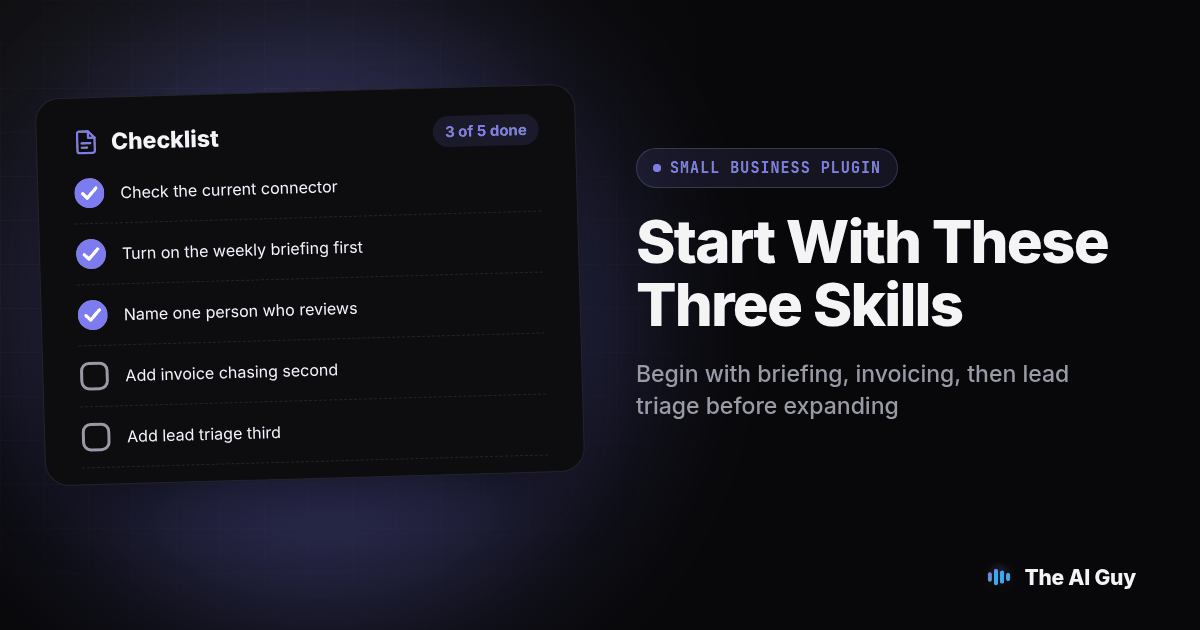
- Check the current connector catalog, confirm which accounts the pilot actually needs, and connect only those.
- Turn on the weekly briefing first and let it run for one full week before adding anything else.
- Name one person who reviews the briefing's numbers against your own books that first week.
- Add invoice chasing second, and confirm the approval step is actually stopping the message before it sends.
- Add lead triage third, after the first two have run clean.
- Hold HR and customer-facing reply skills until the first three are working without correction.
- Write down who can disconnect each connector and how, before you need to use that answer under pressure.
Where Does This Stop Being About Pre-Built Workflows and Start Being About Building Your Own?
Claude for Small Business is deliberately generic. It was built to fit QuickBooks, PayPal and HubSpot the way most small businesses already use them, not the way a specific business with a specific niche product actually runs. Once a team outgrows the pre-built list, the next step is usually connecting Claude directly to a line-of-business system over its own API or MCP connection, rather than waiting for Anthropic to ship a matching workflow. Our sister site RizzDial walks through exactly that kind of build for a different vertical: building a custom AI calling agent with Claude and the RizzDial API instead of a pre-packaged skill, for a business whose core workflow is outbound and inbound calling rather than invoicing or ticket triage. The pattern is the same lesson as the rollout order above: start with what is already built and tested against your own records, and only build custom once a specific, repeated need outgrows the generic version.
That build-versus-buy question comes up for owners comparing ChatGPT Projects against a custom GPT, and for owners weighing whether switching from ChatGPT to Claude for business is worth the lost context. Claude for Small Business does not change either decision on its own. Evaluate the plugin against your actual records and review process. A long catalog does not make an unsuitable workflow useful, and an available connector does not remove the need to check its output. Conversely, a missing native connection does not rule out a controlled file-based pilot.
What Are the FAQs About Claude for Small Business?
What should we check before installing the plugin?
Check that your Claude account supports the required Cowork features, that your administrator permits the plugin, and that each connected account has the permissions your pilot needs. Review current plan eligibility and connector requirements before installation.
How long does it take to set up Claude for Small Business?
There is no verified typical setup time in this guide. Installation is only one step; account permissions, data cleanup and checking a sample output determine when your team is ready. Finish one supervised test before adding another workflow.
Which business tools does Claude for Small Business actually connect to?
The launch announcement names QuickBooks, PayPal, HubSpot, Canva, DocuSign, Google Workspace and Microsoft 365. The current solutions page shows additional tools, including Slack, Shopify, Stripe, Gusto and Xero. Check the current catalog and the permissions available for your account.
Is it safe to connect Claude for Small Business to our bank feeds, CRM and signed contracts?
Anthropic describes approval before sending or paying, but that is not a guarantee that every configuration requests a new click for every action. Verify the actual permissions and approval behavior using a controlled sample before granting broader access. Treat sensitive connections like QuickBooks and DocuSign the way you would treat any other software with write access: start with a test file, confirm what it can see, and check that you can disconnect it.
What is the switching cost if we stop using Claude for Small Business?
Plan to preserve useful outputs, document schedules and revoke connector access when leaving. Verify where records and generated files are stored, and check each service's retention settings. Disconnecting access should not be treated as undoing earlier writes or deleting copies already created.
What Should Your Team Do This Week?
Open Claude Cowork, connect only the accounts the weekly briefing actually needs, and let that one skill run for seven days before anything else. Watch whether the numbers it reports match what you already know about your own cash position and pipeline. If they do, add invoice chasing next week with the approval step turned on, not off.
If you want a second set of eyes on which of the 30 items actually fits how your specific business runs, and which ones to skip entirely, contact us and tell us which tools from the connector list you are already using. We will tell you plainly where this plugin earns its place in your week and where it does not.