TL;DR: Google's new Gemini Business Hub, launched October 20, 2026, can connect to Shopify, Xero, Canva, Dropbox, Wix, Zoho, and Adobe, plus Google Business Profile, Google Ads, and Workspace. Some of those connections only read your data; at least two (Business Profile and Shopify) are documented to write and publish changes on their own. Run the small, reversible test below on each app before you connect a live store or a real set of books.
If someone on your team saw a new business landing page pop up inside the Gemini app this week, offering to link Shopify, Xero, or Canva, they found a real feature. Google announced the business landing page on October 20, 2026. It groups brand work, financial analysis, and customer insight in Gemini, alongside connections to Google Business Profile, Google Ads, Google Workspace, Adobe, Canva, Dropbox, Shopify, Wix, Zoho, and Xero. Digital Applied's review of the launch also summarizes the announcement and rollout. Google's announcement describes the hub and app list, while its Connected Apps help table now lists supported actions and account requirements by app. The useful answer is to review the named actions and the exact account prompt before connecting, then test one app at a time.
What Did Google Actually Launch in the Gemini App on October 20, 2026?
The feature Google announced is a business landing page inside Gemini, not a separate standalone app. The announcement groups its tools around brand style, financial insight, and customer insight. It names three Google services, Business Profile, Ads, and Workspace, plus Adobe, Canva, Dropbox, Shopify, Wix, Zoho, and Xero. Google says rollout is beginning globally for Gemini app users; availability still depends on app, account, location, language, device, and subscription requirements shown in its help table.
The list spans storefront, design, file storage, and accounting tools. Seeing them together in one Gemini page does not mean they share the same permissions or availability. Check each connection on its own.
How Is the New Business Hub Different From the June Business Notebook Feature?
If this sounds familiar, you may be thinking of a different Gemini feature. Google announced Business Notebooks and a Google Business Profile connection back on June 10, 2026, letting Gemini read reviews, customer questions, and profile performance data, then draft responses (PYMNTS' coverage of the June announcement). We covered that feature, including exactly what it can draft versus publish, in our guide to Gemini Business Notebooks.
The October 20 hub is a separate, later expansion. It keeps the Business Profile connection from June but adds the storefront, accounting, design, and file-storage apps, plus Brand Style and financial visualization. If a colleague says "we already looked at this in June," check which product they mean first. The naming overlap with Google's research tool, renamed from NotebookLM to Gemini Notebook in July, adds a second place to get confused; our explainer on that rename covers the research-notebook side, a different product from either business feature.
What Does Each Connected App Actually Let Gemini Read or Change?
The current Google help table is more useful than a general launch summary because it describes supported actions. It can change, and some entries describe a broad set of tasks rather than a complete permission record. For Shopify and Xero, the table and provider help make the distinction clearer:
| Connected app | Actions currently described by Google or the provider | What to verify before connecting |
|---|---|---|
| Google Business Profile | Manage the profile and create a business notebook; Google help describes profile edits and publishing actions | Confirm who can approve public edits and posts |
| Shopify | Manage storefront, orders, inventory, create product listings, and update shop settings | Check the current scope for existing products, order changes, and inventory |
| Xero | Monitor cash flow, unpaid invoices, bank balances, profit and loss, and summaries | Xero says its connector retrieves data only; confirm whether any separate task feature is offered |
| Canva | Create designs, manage assets, and collaborate | Check who can publish or share finished assets |
| Dropbox | Find, summarize, share, and manage files and folders | Confirm folder scope, sharing actions, and account eligibility |
| Wix | Design layouts and add functional widgets | Check whether edits publish directly to the live site |
| Zoho | Actions vary by app, including CRM, support, mail, and project tasks | Confirm which Zoho app and region apply to your account |
| Adobe | Work across Adobe products such as Photoshop and Creative Cloud | Check which files can be changed, exported, or shared |
| Google Ads | Get business advice and access content and tools | Confirm whether the connection can change campaigns or only provide guidance |
| Google Workspace | Find, manage, and summarize Workspace content | Review file, mail, calendar, and shared-drive access |
Google's help table says users can open an app's detail page in Connected Apps settings to review supported and unsupported actions. Xero's connector help article says the connector can view or retrieve Xero data but cannot make changes to the organization. Xero's October 14 announcement described task actions that would require confirmation in Xero. Treat that as an evolving task flow and check what your account actually offers. For Shopify, Google lists actions that include creating product listings and updating shop settings.
Use the table as a screening guide, then use the details page in your account as the final check. Do not infer an unlisted capability from the name of a connected app.
What Does the Brand Style Tool Do With Your Logo and Colors?
Brand Style is the design-facing side of the hub. Google says a business can provide its website, brand kit, fonts, or color palette, then generate visuals using Nano Banana 2.1 while Gemini retains that style for later requests. The feature can reduce repeated setup, but it does not make the result ready to publish without review.
In practice, that means a business that connects Canva and uploads a style guide should be able to ask for a social graphic or product image and get something closer to on-brand than a generic AI image, without re-describing the brand every time. It does not mean every generated asset is ready to publish untouched. Run the same check you would run on any AI-generated creative: does the color match your actual brand file, not just a plausible approximation, and does any text in the image spell your business name and offer correctly before it goes anywhere a customer will see it.
How Does Gemini Turn Receipts and Spreadsheets Into Financial Visuals?
Google says Gemini can turn spreadsheets, receipts, and purchase records into financial graphics and interactive models. Xero's connected app also describes live financial data and summaries. Those are useful starting points for a monthly review, but a chart or summary is not an audited report.
Before sharing a generated chart with an accountant, lender, or business partner, select several figures and trace each to the source spreadsheet, receipt, or ledger. A polished graphic can still reflect a misread column or an incorrect period. Ask Gemini to name its source and date range, then confirm both in the original record.
Is It Actually Safe to Connect a Live Shopify or Xero Account Right Now?
We hear a version of this question directly from owners we talk to: is it safe to give an AI tool access to a CRM or to bank-linked data at all, or are you handing over more than you think. That is the right instinct, and the answer is the same one we give about any new connected account, not a special rule for Gemini.
Safety is about the scope of access, the data shared, and which actions require your approval. Google lists Shopify actions that can affect a live storefront, orders, inventory, and settings. Google describes Xero as a way to inspect financial information, while Xero's connection help says it cannot change the organization. Keep the distinction clear: connecting an account is not a guarantee that every output is correct, and a write action can have consequences even when a person confirms it. Start with one account, use a test environment if available, and read each permission and confirmation screen before allowing an action.
What Should You Check Before You Tap Connect on Any Business Account?
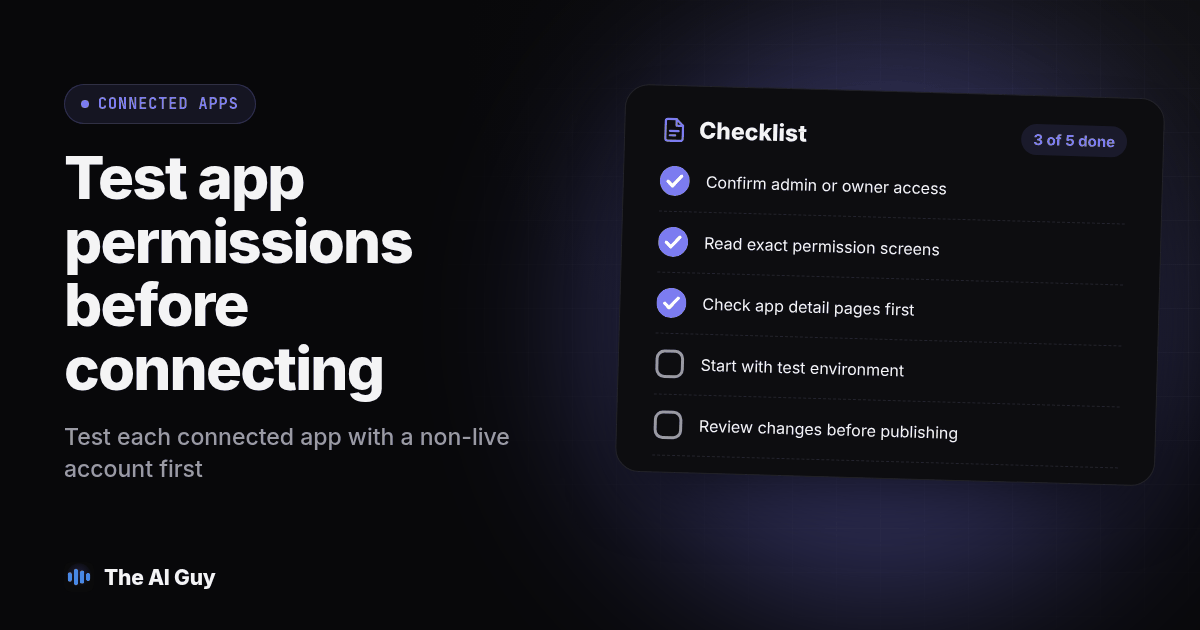
Use this as a literal checklist before you connect anything in the hub, one app at a time.
- Confirm who in your business holds admin or owner access to the account today, since the connection uses that access, not a new, more limited one.
- Read the exact permission screen Google shows for that specific app. Do not rely on this article's table once you are looking at your own account; the screen in front of you is the current truth.
- Check account type, region, language, device, and subscription requirements in Google's current help table. Connected apps do not all share the same eligibility.
- Confirm which Google account type the connection requires. The help table lists requirements separately for each app, so do not assume a personal account and a Workspace account behave alike.
- Note where Connected Apps settings live so you can review or disconnect the connection later.
- If the app touches money (Xero, Shopify, Google Ads), tell whoever reconciles your books or your ad spend that the connection exists, before they find an unexplained change.
If you already run a CRM or sales pipeline alongside your books, the same readiness discipline applies there too. We wrote a sister piece for MetaTechAi on what has to be true in a CRM before an AI sales system can use it safely; the questions it asks about clean, current, permissioned data are the same ones worth asking about Xero or Shopify before you point Gemini at either one.
What Is the Safest Way to Test the Gemini Business Hub Before You Trust It?
Run this before anyone on your team treats a Gemini-generated chart, brand asset, or data summary as ready for a customer, a lender, or your own decision-making.
- Pick one app to start with, not all ten. Shopify or Xero is a reasonable first test precisely because they touch money; starting with the highest-stakes connection forces you to read the permission screen carefully instead of skimming it.
- Connect that one app in a test store or a sandbox account if your provider offers one. If it does not, connect the live account but make no changes yet.
- Ask Gemini a read-only question first: a sales summary, an inventory count, or a recent invoice total. Compare the answer against the source system directly, not against your memory of the numbers.
- If the app is documented to write data, like Shopify's product-listing creation, ask Gemini to draft one new listing and stop before publishing. Check every field against what you intended before you approve it.
- Ask for one financial visual from an actual spreadsheet or receipt you already understand. Trace the top three figures on the resulting chart back to your source document by hand.
- If you use Brand Style, upload your actual guidelines and request one asset. Check the colors against your real brand file and read any generated text character by character.
- Record what you tested, what passed, and what you would not trust yet, in a shared document. Repeat steps 3 through 6 for the next app before connecting it, rather than linking all ten at once.
This is an acceptance test you run yourselves, not a report of what we found inside a live connected account. Keep the worksheet so the next person on your team does not have to repeat your testing from memory three months from now.
Who Should Connect This Now, and Who Should Wait a Few Weeks?
An owner with a reviewer for books and public creative can test one connection now using the procedure above. Wait if nobody owns approval for changes to products, finances, or public assets, or if your team cannot tell which Google account is connected. First assign a reviewer and document the actions you will approve.
Getting found by Gemini and other AI assistants in the first place is a separate project from what you do once you have connected your own accounts to one. If you are also weighing which assistant your team should standardize on day to day, our comparison of Microsoft Copilot and ChatGPT covers that decision from a different angle: which tool fits your existing software, not which one you should connect your books to first. If you want a second set of eyes checking exactly which permissions a connector like this touches before your team links a live account, contact us and tell us which of the ten apps you are considering first.
What FAQs Do Small Business Owners Ask About Gemini Business Hub Connections?
Does connecting Shopify, Xero, or Canva to the Gemini Business Hub cost anything beyond what I already pay for?
Google's October 20 announcement describes a business landing page and new Gemini tools, but does not state a separate price for connecting the named apps. App availability and subscription requirements can vary, so check the current Connected Apps screen and any terms shown for your Google account before connecting Shopify, Xero, or Canva.
Can Gemini actually change data in my Shopify store or Xero books, or does it only read it?
Google's current Connected Apps table says Shopify can manage a storefront, process orders, track inventory, create product listings, and update shop settings. It describes Xero actions for monitoring cash flow, invoices, balances, and financial summaries. Xero's connector help says the connection can view or retrieve data but cannot make changes to the Xero organization. Check your account's app detail page because supported actions and availability can change.
Is my financial data safe once I connect Xero or Shopify to Gemini?
No connection can be called safe for every business without reviewing its scope and data handling. Confirm what the app can access, which actions it supports, and what requires your approval. Test with a limited account or sample records where possible, compare financial answers with the original records, and have a person review anything that could affect a customer, supplier, or your books.
Can I disconnect an app from the Gemini Business Hub if I change my mind?
Google says a linked third-party app account can be unlinked, and its Connected Apps settings provide a place to review connected services. Before connecting, open those settings and confirm you can identify and remove the specific account you plan to link.