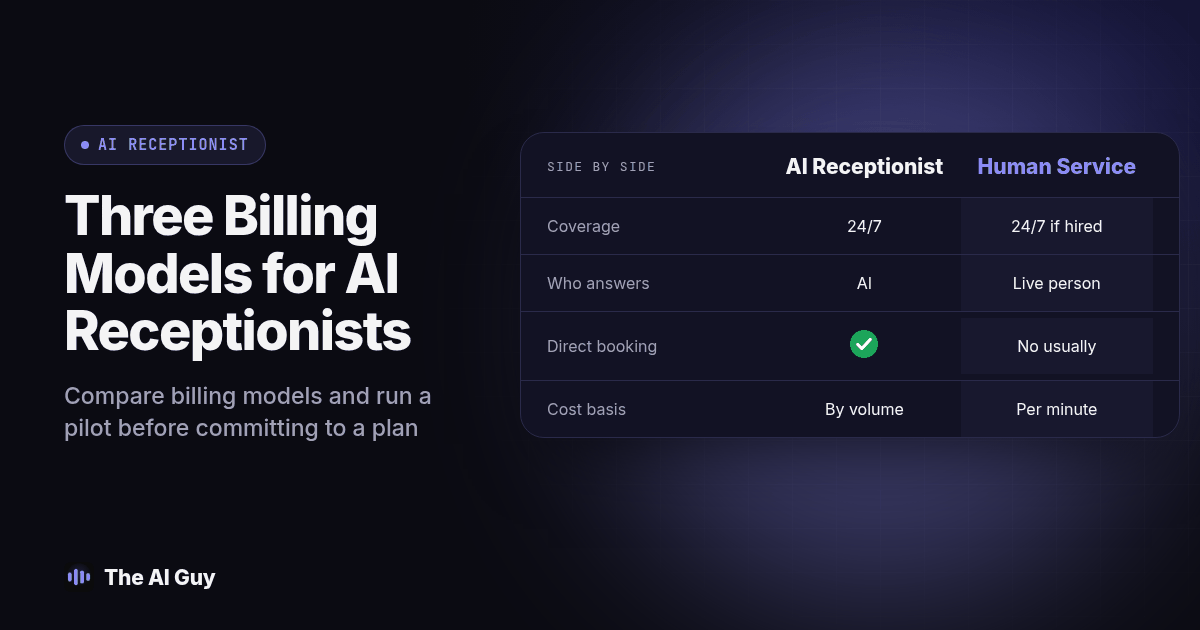
An AI receptionist for a landscaping or auto repair business can be billed by usage, by a monthly allowance, or by seat or location. To find the cost that matters, multiply your actual answered minutes or calls by the vendor's written terms, then include setup, integrations, overflow and staff review. A short, supervised pilot can show whether that total is useful for your call patterns.
Compare the full cost and coverage of calls you need handled, including what still requires a person. Landscapers need accurate service area and estimate intake; repair shops need vehicle details, drop-off rules and a firm boundary against phone diagnosis.
Small business owners are publicly asking whether an AI receptionist is useful: a recent r/Entrepreneur discussion asks whether people have used one for a small business. Replies debate its value and human handoff, which is why a call-specific pilot is more useful than a blanket promise.
What Does an AI Receptionist Do for a Landscaping Company or Auto Repair Shop?
An AI receptionist answers routine incoming calls using information and rules the business supplies. Depending on the product and setup, it may answer questions, collect job details, book against a connected calendar, or transfer to a person. Ask the vendor to demonstrate the exact workflow with your calendar, phone system and rules.
For landscaping, intake might collect the property address, requested work, access constraints and whether the caller wants recurring service or an estimate. A crew lead decides whether the property is in range and needs a visit before quoting. For auto repair, record the year, make, model, symptom in the caller's words and preferred drop-off window. An advisor decides what the symptom means and what repair to recommend.
The system can gather information and perform approved routine actions. A person should handle judgment, safety, disputed work and commitments that depend on inspection. Require the vendor to show how callers reach staff.
Which Costs Should You Include in an AI Receptionist Quote?
Ask for the complete billing basis, not a headline plan name. Vendors may bill by talk time, by a package with an included allowance and overage terms, or by seat or location. A quote may also separate onboarding, integrations, phone number fees, call transfers, recording or transcription, and support. These models are not interchangeable, so convert each proposal using the same expected call mix.
Public vendor pages illustrate why the terms need to be checked. Allo's auto repair page, opened November 24, 2026, describes a seat-based plan and says its example system can book drop-offs in a calendar and route status calls to an advisor. Voka AI's landscaper page, also opened November 24, 2026, lists monthly plans with included minutes and overage rates. Those are vendor-published offers, not a market average or a quote for your business. Check the Allo auto repair receptionist page and Voka AI's landscaping pricing page directly for current terms before comparing; product pages and offers can change.
Ask each vendor in writing:
- What event is billable: a connected call, talk time, attempted call, or another unit?
- What is included, and how is usage above the allowance charged?
- Are setup, number, transfer, recording, transcription, calendar or CRM connections billed separately?
- Does the quoted plan cover simultaneous calls and peak-season volume?
- Can you export call records and keep your number if you leave?
- What is the renewal and cancellation process?
Estimate cost for both a normal and busy period. If a vendor will not explain its meter, mark the cost unknown instead of guessing.
How Do the Three Call-Handling Options Compare?
| Decision area | AI receptionist | Human answering service | Voicemail with staff callback |
|---|---|---|---|
| Routine questions | Can answer only from approved instructions and available integrations | A person can follow a script and ask clarifying questions | Caller leaves a message if they choose |
| Booking | May book when connected to a current calendar with clear rules | May take a request or book if given access and instructions | Staff member books during callback |
| Judgment | Needs a defined transfer for unusual, sensitive or consequential calls | Human can use judgment within training and authority | Staff member applies judgment after listening |
| Peak or after-hours coverage | Depends on the plan's capacity and routing setup | Depends on contracted coverage and escalation instructions | Caller can leave a message; response waits for staff |
| Business context | Depends on the data and integrations the vendor can access | Depends on the script, training and information supplied | Depends on the caller's message and callback notes |
| Main review need | Check answers, routing, bookings and records | Check message accuracy, script use and escalation | Check message completeness and callback timing |
These are operating patterns, not guaranteed features. Ask providers to demonstrate the rows that matter. A booking tool may only collect requests if it cannot read your live calendar; a human service may do more than take messages only if its agreement and training include it.
When Does the Cost Make Sense for Your Call Volume?
Choose a billing unit you can verify in your phone records. Estimate billable minutes for usage plans, compare activity with allowances and overage rules for packages, and identify covered lines or locations for seat plans. Add all one-time and recurring quote items.
Include staff time for exceptions, complaints, estimate requests, calendar corrections and updating instructions. Use your own records to identify seasonal or daily patterns instead of assuming your volume matches another business.
Finally, compare the result with a human answering option and voicemail. A human can respond flexibly but requires coverage to be arranged. Voicemail has no answering service invoice, but it leaves follow-up to staff and relies on the caller leaving enough detail. An AI service can be useful when its approved tasks, call routing and price model match the gaps you have documented. That is a decision to test, not a claim that one option always costs less.
Use call records to label routine questions, new leads, existing customers, bookings, complaints and urgent issues. Check data handling and your policies before sharing caller details or recordings; use fictional examples for early tests.
What Should a Landscaping Business Configure Before Calls Go Live?
Write the rules a dispatcher needs: service area, hours, work offered, intake details, estimate process, calendar rules and escalation contacts. Check them with the estimator and scheduler. Distinguish collecting a design estimate request from quoting a price.
Test new mowing requests, missed-service reports and storm cleanup inquiries separately. Route a caller reporting a tree on a power line according to the business's safety procedure; the system should not improvise advice or promise an uncontrolled response time.
Some jobs fit an appointment window; others need a site visit or capacity check. If the system cannot see those constraints, it should pass a request to a scheduler instead of claiming a confirmed slot. Verify calendar entries and notifications before forwarding calls.
Owners weighing the broader office workflow can also review the existing AI for contractors guide and AI rollout plan for HVAC companies. The task boundaries differ by trade, but both pages can help frame what to keep under staff review.
What Should an Auto Repair Shop Keep With a Person?
Collect vehicle details and the caller's own description, not a guessed diagnosis, then route the notes to an advisor. Confirm which published fixed prices may be quoted. Estimates that require inspection go to staff.
Separate new repair requests from existing customer questions about readiness, parts or estimate approval. If the system cannot check shop software, transfer the call or take a message for the right advisor. It must not infer status from a calendar entry.
Define routes for unsafe situations, breakdowns, complaints, disputes and requests for a person. Test after-hours routing and ensure fallback messages promise only what the shop can honor.
How Should You Test an AI Receptionist Before Committing?
Use fictional caller details or another approved dataset. Run the same scenarios on each system and record results rather than relying on a sales demonstration.
- Set the test boundary. Choose one line, define the test period, name a staff owner, and decide which calls stay with a person. Keep the existing answering route available during the test.
- Collect baseline examples. Review recent call records and categorize the types of calls, call lengths if available, unanswered attempts and common follow-up work. Use the records permitted by your policies.
- Write approved answers. Document hours, service area, offered work, approved fixed prices if relevant, booking rules, and what the system must not answer. Have the responsible employee check every item.
- Map each handoff. Assign a person or team for an estimate, diagnosis, complaint, urgent situation, existing customer question and caller request to speak with staff. Confirm the destination is staffed during the hours the system will use it.
- Connect only the required tools. Configure the calendar or shop system connection needed for the test. Check permissions and data handling, then avoid adding unrelated access.
- Run a fixed call script. Ask a routine question, request a booking, describe an exception, ask for a price outside the approved list, request a person and simulate a complaint. Verify both the spoken response and the call record.
- Check every resulting action. Confirm whether the booking appeared in the right calendar, whether the correct employee received the summary, whether a transfer rang through, and whether an unanswered transfer had a safe fallback.
- Review the test log with staff. Mark each call correct, incomplete, incorrectly answered or incorrectly routed. Add the staff review and correction time rather than counting only calls the system handled.
- Compare the written bill with test usage. Check the vendor's usage report against the phone records and confirm any allowance, overage or additional line items from its current terms.
- Choose a bounded next step. Continue only with a named owner, accepted scenarios, a route for failures and a review date. Otherwise change the instructions, adjust the configuration or stop the test under the agreed terms.
This procedure cannot predict every call. Cover the scenarios that matter and keep a human route available during the test.
What Legal and Privacy Checks Belong in the Pilot?
For outbound AI voice calls, the Federal Communications Commission's February 8, 2024 declaratory ruling says TCPA restrictions for artificial or prerecorded voice include current AI technologies generating human voices. It also discusses consent and identification or disclosure requirements for calls using those voices. The exact obligations depend on the call and applicable rules, so have qualified counsel review your use case and scripts. Read the primary source, the FCC declaratory ruling FCC 24-17, rather than relying on a vendor's summary. This article does not provide legal advice.
If a vendor also offers outbound reminders or follow-up, confirm what it does, how consent and opt-outs are handled, and who configures and monitors those rules. An inbound setup does not establish that outbound calling is appropriate.
Check storage, access, retention, vendor use, export and deletion terms for audio, transcripts and caller details. Collect only what the workflow needs and use fictional information for early tests.
What Should You Ask Before Signing an AI Receptionist Agreement?
Review the written scope and ask:
- Which calls will it answer, and which will it transfer or take as a message?
- Which integrations are direct, and which actions are only notifications or webhook events?
- Can it read live availability, or does it only send a booking request?
- What happens when the calendar, internet connection or transfer recipient is unavailable?
- What are the unit of billing, usage report, overage rule and all separately billed items?
- Can you keep your existing number, export call records and cancel under the terms you need?
- Who configures the instructions, checks them after changes and responds when something fails?
- Can the vendor demonstrate your test scenarios on the system you will actually receive?
Put answers in the quote or contract. A demo does not define billing, support or cancellation terms. Resolve differences before forwarding calls.
For additional context on a complete voice workflow, RizzDial's AI receptionist overview explains one product approach. It is a separate product page, so verify its current features and terms with that provider before treating it as a fit for your shop. If you already use voice agents for outbound sales, this site's guide to AI voice agents for sales covers a different use case.
What Questions Do Owners Ask in This AI Receptionist FAQ?
What does an AI receptionist typically cost for a landscaping company or auto repair shop?
Vendors may bill by usage, by a monthly allowance with overage terms, or by seat or location. Ask for a quote based on your own call records and check which items are billed separately before comparing plans.
How long does it take to set up an AI receptionist for a landscaping or auto repair business?
A basic setup, covering your hours, service area or shop capacity, pricing ranges for common jobs and a transfer rule for anything urgent, usually takes a short working session once you have those answers written down. The harder part is writing the information the AI will actually use, not the software configuration itself, so block real time with the person who already answers your phones before you turn anything on.
Does an AI receptionist connect to the scheduling and CRM tools we already use?
Some products connect to calendars or customer systems through direct integrations or webhooks, but availability varies by vendor and plan. Confirm the specific connection and whether it can read live availability before relying on it to make confirmed bookings.
Does an AI receptionist have to tell callers they are talking to AI?
The FCC has ruled that AI generated voices count as an artificial voice under the TCPA, which brings disclosure, consent and opt out rules into play depending on how the call is placed. That ruling does not settle every scenario for every business, so confirm the disclosure language and consent handling with your vendor and your own counsel rather than assuming the software handles it correctly by default. Review the FCC's own declaratory ruling on AI generated voices before you launch, and do not rely on a vendor's marketing page to summarize it for you.
If we start with an AI receptionist and it does not work out, how hard is it to switch back or change vendors?
Check three things before you sign anything: whether you keep your existing business phone number if you leave, whether call recordings and transcripts export in a format you can keep, and whether you are locked into a term contract or can cancel month to month. A vendor that will not answer those three questions plainly is telling you something about how the rest of the relationship will go.
What Is a Sensible Next Step for Your Shop or Crew?
Start with call records, list repeat questions and assign exception routes. Compare written billing terms, then test calls, bookings, transfers and failures. Expand only after it passes your scenarios, with staff reviewing its actions.
If you want a second pair of eyes on the workflow or vendor quote, contact our team with the type of calls you receive and the systems you use. The goal is to understand the work and requirements before you commit, not to assume an AI receptionist belongs in every business.