TL;DR: Let AI answer hours, shipping status, and your top five repeat FAQs while you're closed for the holidays. Route refunds, complaints, and VIP accounts to a person, even if that means they wait a few days. Set up the handoff before your last staffed day, test it with real questions, and turn it back off in January before your normal rules quietly become permanent.
We get this question every November, usually from an owner staring at a calendar full of closed days between Thanksgiving and New Year's. Should the AI answer the phone and the inbox while everyone is out, or does that just trade a quiet holiday for a mess you're fixing in January? The honest answer sits in the middle: a holiday AI auto-reply for a small business earns its keep on repeat questions that have one correct answer, and it should hand off, immediately and visibly, anything that involves money, judgment, or an upset customer.
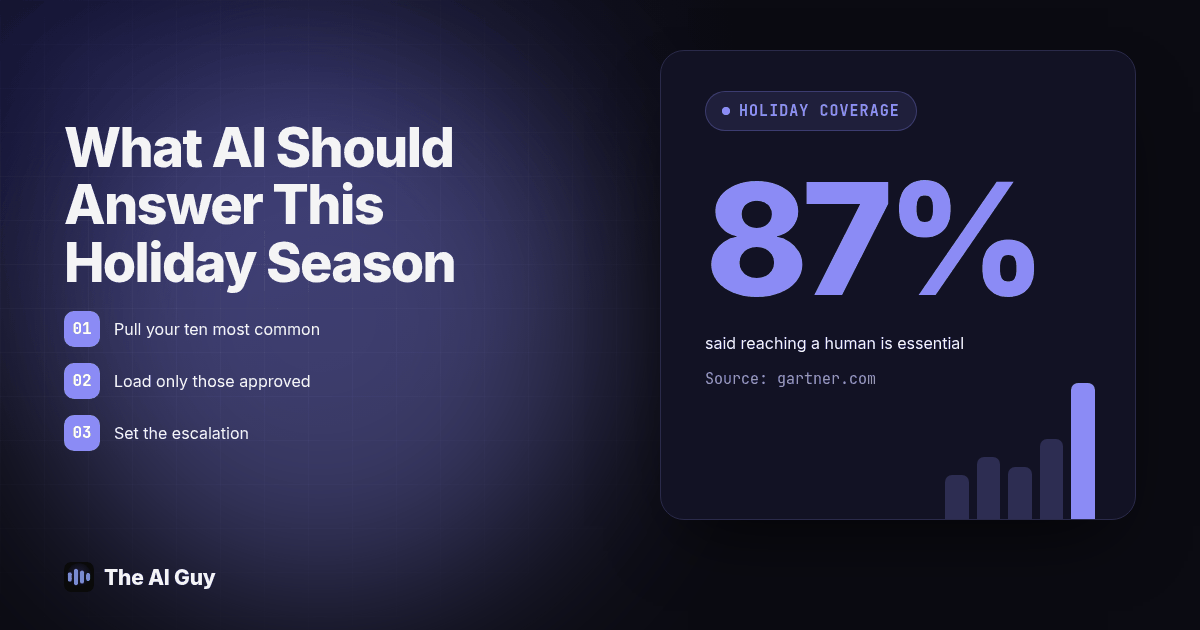
That split matters more this year than it did two years ago. Small business staffing is already tight heading into the season: NFIB's September 2026 jobs report found 32 percent of owners had job openings they could not fill, which is one reason an owner might consider an AI auto-reply instead of letting calls and messages pile up. At the same time, a Gartner survey of 3,566 customers found 87 percent said reaching a human is essential when a company uses generative AI, even though half said the AI made the interaction easier. The Gartner survey was conducted in February and March 2026. Both findings support building coverage that respects both needs.
What should AI answer during a holiday closure, and what should wait for a person?
Sort every message type into one of two buckets before you write a single auto-reply line. The test isn't whether AI can produce an answer, it's whether a wrong answer in that category costs you almost nothing or costs you a customer.
| Message type | Safe for AI to answer alone | Why |
|---|---|---|
| Store hours and holiday closure dates | Yes | One correct answer that rarely changes once you've set it |
| Shipping cutoffs and order status lookups | Yes, if connected to your order system | Pulled from a system of record, no judgment involved |
| Your top five repeat FAQs (returns window, parking, gift cards) | Yes | Same documented answer every single time |
| Appointment or callback requests | Yes to collect the info; a person confirms anything time-sensitive | AI can log the request; committing a slot still needs judgment |
| Refund or billing disputes | No | Involves money and discretion, not a lookup |
| Complaints or anything emotional | No | Needs empathy a canned reply can't fake convincingly |
| VIP or long-standing customer accounts | No | A few days' delay costs less than a generic reply to a relationship you've built for years |
| Anything outside your approved answer list | No | A confident guess is worse than an honest "we'll get back to you" |
Thryv's holiday automation guide lands on a similar split: auto-reply messages, synced hours across your Google Business Profile and other listings, and chatbot answers to FAQs about shipping and closures are the pieces it recommends automating first, while anything that needs a judgment call stays with staff (Thryv). Notice what's missing from that list: refunds, complaints, and account changes. That's not an oversight. Those are exactly the categories every source we checked agrees belong with a person.
How do you write a holiday away-message handoff that actually routes urgent issues to a person?
A good handoff message does three things in order: it tells the customer they're talking to an automated reply, it answers what it safely can right there, and it gives a clear, low-friction way to reach a person for anything bigger. Most handoffs fail on that third part. They either bury the escalation path in a paragraph nobody reads, or they promise a callback with no real queue behind it.
Here's a template you can copy into your website chat widget, your texting tool, or your email auto-responder and edit the bracketed parts:
"Thanks for reaching out. We're closed for the holidays from [date] to [date] and back to normal hours on [date]. For store hours, order status, or [your top FAQ], I can usually help right here. If this is about a refund, a complaint, or anything that genuinely can't wait, reply with the word 'person' and [name or team] will see it first thing we're back, or call [emergency number] if it truly can't wait that long."
Before you publish that message anywhere, decide four things on paper, not in your head:
- The exact list of questions the tool is allowed to answer, written down, not implied by what it happens to know.
- The escalation trigger: a keyword like "person," a detected refund or complaint phrase, or both.
- Who checks the escalation queue, and how often, while the business is closed.
- What counts as "urgent enough to call," versus urgent enough to just wait for the queue.
Skipping that last point is how a small business ends up with an away message that sounds reassuring but has no real person behind it until three business days later.
What's a test procedure to run before the holidays start?
Testing an away message against your own imagination catches almost nothing, because you already know the right answers. Testing it against real questions, sent the way a customer actually sends them, catches the gaps. Run this seven-step check before you hand coverage to AI for the closure:
- Pull your ten most common customer questions from the last 60 days of messages and write down the one correct answer to each.
- Load only those approved answers into the tool's knowledge source, and deliberately leave everything else unanswered rather than letting the tool guess from general training.
- Set the escalation trigger, a keyword, a detected refund or complaint phrase, or both, so it routes to a queue a real person checks.
- Block your actual closed dates on the calendar the tool reads from, not just in the greeting text, so booking requests can't slip through on a day you're not there.
- Send ten real test messages from a phone, not the admin screen: an hours question, an order status question, a refund request, a complaint, a VIP-sounding message, and a question outside the approved list.
- Confirm every risky message from step five, refund, complaint, VIP, and unknown, lands with a person and not a confident but wrong reply.
- Turn the coverage on a couple of days before your last fully staffed day, so a staff member is still around to fix anything that breaks on the first real messages.
That last step matters more than it sounds. Aibizvoice's holiday checklist recommends a similar dry run, including sending one message asking whether you're open, one requesting an appointment on a date you've blocked, and one asking for a person outright, and checking that each lands the way you expect before customers ever see it (aibizvoice). A broken handoff discovered on December 23rd with nobody around to fix it is the exact failure this test exists to prevent.
Which messages are too risky for AI to handle alone, even with a good auto-reply?
Refunds and billing disputes top the list for an obvious reason: they involve money, and a generous or stingy AI guess either costs you margin or costs you the customer. Complaints are close behind for a less obvious reason. An angry customer isn't usually looking for the fastest correct answer; they're looking for evidence that someone registered how annoyed they are, and a well-formatted auto-reply often reads as the opposite of that, even when the facts in it are right.
VIP or long-standing accounts deserve the same caution for a different reason. The cost of a short delay on a loyal customer's message is small. The cost of that same customer getting a generic reply that ignores their history is bigger than it looks, because it's the kind of thing people remember into next year's buying decision.
Aibizvoice frames this well: treat phone coverage, appointment availability, and human availability as three separate decisions, not one setting you flip on or off (aibizvoice). You can answer the phone with AI while still keeping zero appointment slots open and zero staff on call, and that combination is honest. What's not honest is a cheerful auto-reply that implies someone is standing by when nobody is. If your team runs any live phone coverage alongside the AI layer, especially a seasonal mix of AI handling routine calls with a person as the fallback for anything a caller actually needs resolved now, RizzDial's guide to human and AI hybrid answering walks through how that split works on the call side specifically.
How do you turn the holiday AI coverage back off in January without losing messages?
Holiday coverage has a start date in most owners' heads and no end date, which is how a temporary auto-reply quietly becomes the permanent customer experience. Build the shutdown into the plan from day one, not as an afterthought in the first week of January.
- Set a hard calendar reminder for your actual reopening date, not "sometime in January," to review and retire the holiday-specific answers.
- Pull the escalation queue one more time before switching anything off, and confirm every message in it has been answered by a person, not just marked read.
- Revert the approved answer list to your normal, non-holiday version, since hours, shipping cutoffs, and seasonal promotions from December are the wrong answers to give in February.
- Keep the escalation habit, a person checking a flagged queue daily, even after the holiday auto-reply itself turns off, since the underlying need for a human fallback doesn't go away just because the season ended.
That last step is the one most businesses skip, and it's usually the valuable one. The holiday rush forces you to build a clean habit of routing hard questions to a person. Keeping that habit running year-round, even with simpler everyday message volume, tends to outlast the holiday season itself.
Is a simple auto-reply enough, or do you need a fuller AI chatbot for the holidays?
For most small businesses, a holiday auto-reply, scheduled text and email replies plus a short approved-answer list, is enough. It's narrow by design, it's fast to set up, and it's fast to tear back down in January. A fuller AI chatbot, one that can hold a back-and-forth conversation and pull live data from your systems, makes sense when your holiday volume is high enough that a one-shot auto-reply keeps generating the same follow-up question over and over.
If you're not sure which side of that line your business is on, start with the narrower question first: does your small business actually need an AI chatbot at all, holiday season or not. The answer usually comes down to whether you have documented answers for repeat questions and someone to maintain them, which is the same groundwork a holiday auto-reply needs anyway. And if you already run a chatbot and it's been giving customers wrong answers outside its scope, holiday season is the worst time to discover that; here's how to scope and test one before you trust it again.
When does holiday coverage turn into something closer to a full AI agent?
A seasonal auto-reply is a narrow, temporary tool. It becomes closer to a full AI agent when it starts taking actions on its own, booking appointments, updating order records, issuing partial refunds, rather than just answering questions and routing the rest. If you're considering that heavier lift for the holidays or beyond, treat it with the same caution we recommend for any first AI agent a small business deploys: one job, limited access, and a weekly human review of what it actually did. The same discipline applies if holiday call volume has you looking at an AI appointment setter to book meetings while your team is out; test it on low-stakes slots before you hand it your calendar for the busiest week of the year.
What FAQs do business owners have about AI holiday coverage?
Will customers know they are talking to AI during the holiday closure?
Say so in the first line. A greeting like "This is our holiday auto-reply, a person will follow up on anything it can't answer" sets the right expectation and keeps a wrong guess from reading like a broken promise.
How long does it take to set up holiday AI coverage properly?
Plan on a few hours spread across a week, not one sitting the night before you close. Writing the approved answer list and the handoff message is quick; the real time goes into testing it with real questions before your last staffed day.
Does this work with the chat and text tools I already have, or do I need a new platform?
Most website chat widgets, GoHighLevel workflows, and business texting tools already support a scheduled auto-reply or a rules-based assistant, so you likely do not need a new platform just for the holidays. The setup inside your existing tool matters more than which tool you pick.
What happens to messages the AI could not answer while we were closed?
They should land in a queue a person checks, not disappear. Build the handoff so every escalated message, and every message outside the approved list, sits somewhere visible with a timestamp, so nothing is still unread a week after you reopen.
What should you do before your last staffed day?
Screenshot: a split-screen mockup showing the same incoming message handled two ways, left side a refund request answered instantly by AI with a wrong dollar amount, right side the same request routed to a "holiday escalation" queue with a person's name and a timestamp next to it, to make the cost of the wrong default visible at a glance.
Most of this comes down to writing the boundary down before the holidays start, not discovering it live on December 23rd. If you want a second set of eyes on your approved answer list, your escalation rules, or whether this is the year to go further than a simple auto-reply, talk to us before your last staffed day, not after the first complaint lands in the wrong queue.