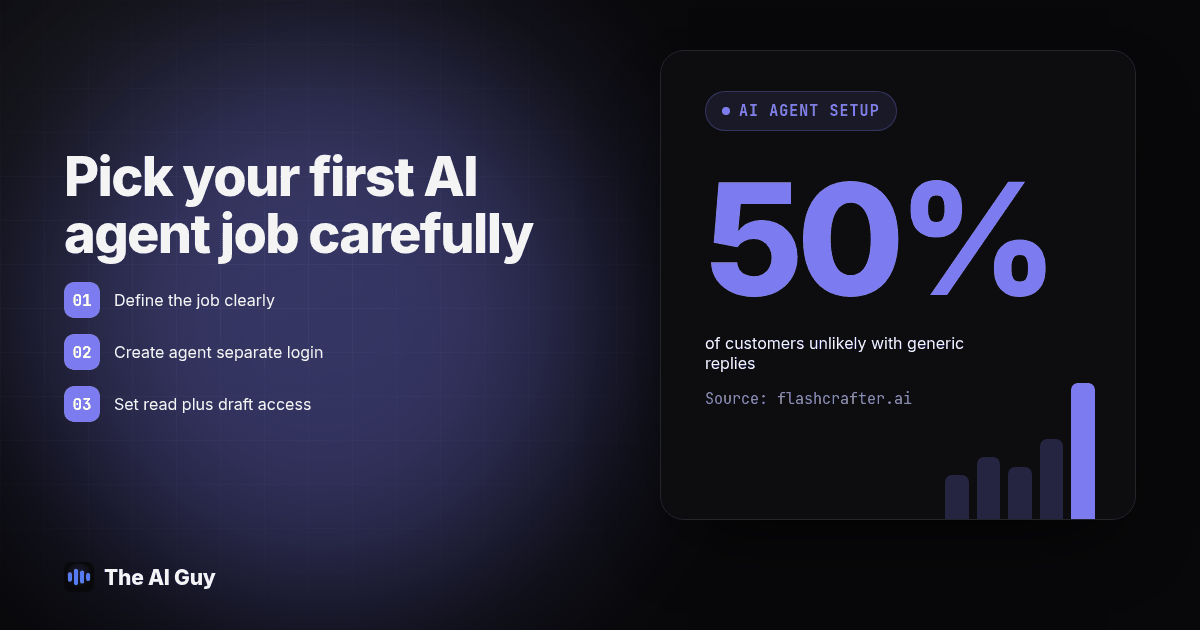
TL;DR: Pick a single job where a person can check the output against a record you already trust, such as a calendar, an inbox or a confirmed order, before you connect anything else. Give that agent its own login, limit it to read access plus a draft it cannot send on its own, and run a short weekly review that compares a sample of its work against the actual outcome. Expand to a second job only after a few clean weeks.
Most small business owners who have already decided to buy an AI agent get stuck on the same next question: which job goes to it first, and how much access does that job actually require. The honest answer is narrower than most vendor demos suggest. Start with one task you can check against something real, keep its access to that one task, and build a short weekly habit of looking at what it actually did, not what the dashboard says it did.
This picks up after the buying decision, not before it. If you have not settled on a vendor yet, our AI agent buying checklist covers what to check before you sign anything. If you are still unsure whether the thing you are buying is really an agent or a plain automation workflow, this explainer walks through the difference. Here, we assume the contract is signed or close to it, and the question in front of you is what to do on day one.
Which Job Should You Hand to Your First AI Agent?
Rank candidate jobs by one question: can a person check the output against a record that already exists, in under a minute, without guessing. A job that passes that test is safe to learn on. A job where "correct" is a judgment call, like deciding whether a customer complaint deserves a refund, is not a good first job no matter how confident the demo looked.
| Candidate first job | What it needs to touch | How fast can you verify it | Good first pick? |
|---|---|---|---|
| Draft replies to inbound leads or customer emails | Inbox, read and draft only | Compare the draft to the original message in seconds | Yes, strong default |
| Confirm or remind about booked appointments | Calendar, read only | Match every claimed confirmation to the calendar entry | Yes, if scheduling is a real pain point |
| Summarize internal reports from your CRM | CRM read access, one report | Spot-check numbers against the CRM directly | Workable, lower urgency for most owners |
| Reply to customer reviews in your voice | Review platform login | Read the published reply next to the original review | Wait until job one is stable |
| Anything that decides refunds, pricing exceptions or hiring steps | Financial or HR systems | Not fast, requires judgment | No, not a first job |
For most owners, drafting replies to inbound leads or existing customers is the strongest starting point. The agent only needs to read one inbox, the draft sits next to the message that prompted it, and a person can approve, edit or kill the draft before anything reaches a customer. That matches the same draft-first logic our buying checklist recommends for any vendor demo, applied now to your own rollout instead of a sales pitch.
Confirming or reminding people about booked appointments is a strong second choice if missed or unclear bookings already cost you real time. The job stays easy to check because every claimed confirmation either matches a calendar entry or it does not, with no gray area in between. Either job works as a first deployment. Pick whichever one already wastes the most hours in your week.
What Should That First Agent Be Allowed to Touch?
Once you have picked the job, write down the access list before you open the settings screen, not after. Keep it to three lines:
- The one system the job needs. An inbox for reply drafting, a calendar for confirmations, nothing beyond that in week one.
- Read access, plus draft output it cannot send on its own. The agent prepares the message or the update; a person sends it. This single setting catches most first-week mistakes before a customer ever sees one.
- Its own login, not a copy of an employee's. A separate credential means you can see exactly what it touched in a log, and you can cut its access in minutes without locking a staff member out of their own account. AONA's deployment guidance for agent rollouts makes the same point from the security side: grant only the minimum permissions a task needs, default to read-only, and require a real reason before adding write access (aona.ai, 2026).
Resist the pull to connect a second system in week one because "it would only take a minute." Every additional connection is a new thing to review, and a first job that only touches one system is the easiest kind to actually check. If the first job eventually grows into something that needs to place or receive phone calls, that is a separate setup decision with its own access questions, and our sister team at RizzDial has a practical walkthrough of giving an AI agent its own phone number and call access once you reach that point.
Diagram: a simple access map. A box labeled "First AI agent, own login" has one line connecting to a box labeled "Inbox, read plus draft." A second, grayed-out line labeled "Not yet" points toward three boxes: "CRM," "Calendar writes," "Billing," showing which systems stay off-limits until the first job has run clean for a few weeks.
How Do You Set It Up Without Creating a Mess on Day One?
Work through this in order. Each step closes a gap that causes most of the avoidable problems in a first deployment.
- Write the one job in a single sentence: what triggers it, what it produces, who approves the output.
- Create a separate login or API credential for the agent. Never reuse a staff member's personal account.
- Set permissions to read plus draft only. Confirm the send or write toggle is off before you load any real data.
- Ask the vendor directly whether anything the agent reads is used to train their model, and get the answer in writing.
- Pick a reviewer by name, not "whoever has time." That person owns the first thirty days of output.
- Decide the stop rule now: what kind of message, booking or request always gets routed straight to a human, no matter how confident the draft looks.
- Confirm you can disable the agent's access in a couple of minutes if something looks wrong. Test the kill switch once before you need it for real, the same way you would test a smoke detector rather than trust the box it came in.
- Run it for three to five real cases with a person watching every output before you let a full week go by unsupervised.
- Put the first weekly review on the calendar before the agent goes live, not after you notice something odd.
Step seven matters more than it sounds. AONA's checklist for agent rollouts recommends confirming you can disable an agent quickly and re-testing that control on a schedule, rather than assuming it still works months after setup (aona.ai, 2026). A small business version of that same habit is simple: know exactly which screen revokes the login, and check it once before day one.
How Do You Review Its Work Every Week?
This is the habit most first deployments skip, and it is the one that catches problems before they become a pattern. A weekly review does not mean reading every single output. It means pulling a sample and checking it against something you already know is true.
- Pull every output the agent produced since the last review into one list, drafts and sent items together.
- Pick a random sample, not just the ones that already looked wrong, since a quiet failure hides in the ones nobody flagged.
- For reply drafting, reread each sampled draft next to the original message it answered. For confirmations, match every claimed booking against the actual calendar entry.
- Note anything a person edited heavily before sending. A draft that needs a full rewrite every time is not saving the hours you expected, even if it is never flatly wrong.
- Check for stale information in the agent's answers, old hours, an outdated price, a staff member who left, since a draft can read perfectly and still be wrong for that reason alone.
- Log every error or near-miss in one running sheet: what happened, what the correct answer was, and whether it is a one-off or a pattern.
- Decide, in writing, whether the job stays as-is, gets a narrower scope, or earns a second task next week.
Guidance built for monitoring live customer-facing agents backs the sampling approach here: one published routine checks a random handful of recent interactions on a short cycle, then runs a deeper weekly pass that reconciles bookings against the calendar directly rather than trusting the summary a dashboard shows (flashcrafter.ai, 2026). The same source cites a BrightLocal survey showing generic, templated replies make 50% of customers unlikely to choose a business (flashcrafter.ai, 2026), and the risk is not limited to review replies. If your weekly sample keeps turning up the same templated phrase regardless of what the customer actually asked, that is worth fixing before the job expands.
Keep the first thirty days on a tighter leash. AONA's deployment framework recommends a structured review at the thirty day mark before loosening oversight further, with a less frequent audit cadence afterward once the agent has a track record (aona.ai, 2026). Treat your weekly check as the thing that fills that first month, then decide, with real data in hand, whether weekly stays necessary or a lighter touch is enough.
What Does a Weekly Review Template Look Like?
Copy this into a shared doc or spreadsheet and fill it in every week for as long as the agent runs.
Weekly AI Agent Review, week of: ______
| Field | Fill in |
|---|---|
| Job reviewed | ______ |
| Total outputs since last review | ______ |
| Sample size checked | ______ (aim for at least ten, or every output if volume is under ten) |
| Outputs that matched the correct record exactly | ______ |
| Outputs that needed a small edit before sending | ______ |
| Outputs that needed a full rewrite or were wrong | ______ |
| Stale or outdated information found | yes / no, details: ______ |
| New stop-rule case discovered this week | yes / no, details: ______ |
| Decision | keep scope as-is / narrow scope / ready to add a second job |
| Reviewer name and date | ______ |
A template only works if someone actually fills it in. Assign the reviewer by name in step five of the setup list above, and put the weekly slot on their calendar as a recurring block, not a task they get to when things are quiet.
When Should You Add a Second Job?
Only after the first one has cleared a few consecutive weekly reviews with no pattern of repeat errors, no stale data surprises, and no edited-to-death drafts. That is a judgment call, not a fixed day count, because a reply-drafting agent handling a handful of emails a day builds a track record more slowly than one handling dozens. Use the sample size in your weekly template as the guide: once you are reviewing a healthy weekly volume with a clean sheet for a stretch you are comfortable with, the first job is proven enough to free up time for a second one.
When you do add a second job, repeat the same three-line access list from scratch. Do not simply widen the first agent's permissions to cover new ground, since that quietly turns a narrow, checkable deployment into a broad one nobody fully mapped. A second, separate scope keeps the weekly review just as fast as the first one was.
What Are the FAQs About Turning On a First AI Agent?
What does the first AI agent typically cost to run?
There is no single number, because vendors bill per seat, per task completed, or per outcome, and the real total depends on your volume, not the demo price. Ask for a projection built from your own expected monthly activity before you compare two quotes, since a light pilot month almost never matches what you pay once a team actually uses the tool.
How long does it take to set up the first AI agent?
A single, narrow job, drafting replies to one inbox or confirming one type of appointment, can be live within a day or two once you have picked the task, written the stop rules and given it its own login. Expanding it to a second job or a second system takes longer, because each new connection needs its own permission review before you turn it on.
Does the first agent need to connect to our CRM, calendar or email right away?
No, and it should not. Start it on the single system the first job actually needs, usually just an inbox or a calendar, with read access and draft-only output. Add a second connection only after the first one has run clean through at least a few weekly reviews.
What compliance or data access review do we need before turning it on?
Decide in writing which fields it can read, block anything with customer financial, health or payment detail unless the job truly requires it, and confirm whether anything it reads could be used to train the vendor's model. None of that requires a legal department, just a short written answer from the vendor and a person assigned to check it.
If the first agent does not work out, how hard is it to shut off or switch?
If you set it up correctly, it is a two minute job: revoke its separate login and the agent loses access immediately without touching any employee's account. Switching vendors is harder and depends on whether you can export your prompts and history in a format another tool can read, so test that export before you need it, not after you have decided to leave.
Where Do You Go From Here?
The first AI agent you deploy sets the pattern for every one that follows, so it is worth getting the scope and the review habit right before speed. One checkable job, its own login, read plus draft only, and a weekly sample against a real record will tell you more in a month than a long list of features ever will.
If you want a second set of eyes on which job to start with, or help setting up the access list and the first review cycle, talk to our team and we will walk through your specific setup. And if the vendor conversation itself is still open, our buying checklist and our explainer on what actually makes something an AI agent are the right places to start before you sign.