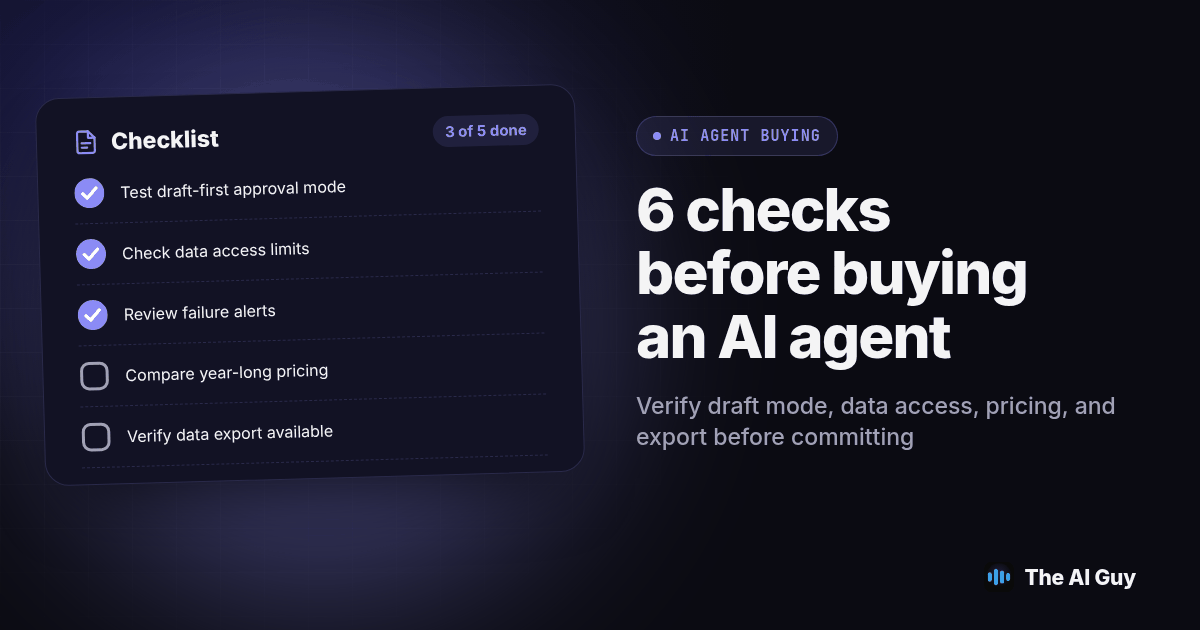
TL;DR: Before you buy, confirm whether the tool drafts for your approval or acts on its own, what data it reads and whether that data trains the vendor's model, what actually happens when it fails, the full pricing structure over a year, and whether you can export your data if you leave. Start with a draft-first trial, then measure review time and errors before deciding whether more autonomy helps your business.
Walk into almost any software demo this year and the word "agent" shows up within the first five minutes, whether the product books appointments, writes emails, screens job applicants, or just answers a chat widget with slightly better grammar than last year's version. That label alone tells you nothing about what you are buying. What matters is a short list of specific checks, and you can ask for evidence of each one during the demo.
This is a buying checklist, not a definitions lesson. If you are still sorting out what separates an agent from a plain chatbot or an automation workflow, we cover that ground in our guides on the difference between an AI agent and a chatbot and AI agents versus automation tools. Here, we assume you already know roughly what the tool claims to do, and we walk through what to verify before money and access change hands.
Why Is Every Vendor Suddenly Calling Its Product an "AI Agent"?
A tool that chooses its next action presents a different buying decision from a tool that only drafts text. But the product name does not establish which behavior you are getting. Ask the vendor to distinguish a fixed workflow, a suggested action and an action the software can execute independently. Use that explanation to decide which permissions you will test.
Justin McKelvey's guide to AI agents for small businesses puts it plainly: the category label does not tell you the risk profile, the data footprint, or the failure mode of a specific product, and those are the things that actually determine whether a tool belongs in your business (justinmckelvey.com, 2026). That is the frame for everything below. Treat "agent" as a marketing word until a vendor shows you, concretely, what their system does when it is wrong, who approves its actions, and where your information goes.
The label decides nothing. The six checks below do.
Check One: Does It Work in Draft-First Mode, or Does It Act on Its Own?
This is the single most important question, and it is also the easiest one for a vendor to dodge with a vague answer. Ask whether the tool can run in a mode where every output, every email, every customer reply, every record change, lands in a queue for a human to approve before it goes anywhere. McKelvey's advice to buyers is direct: "Draft-first is the safe default for anything a customer will see" (justinmckelvey.com, 2026).
Some tools are built this way from the ground up. Others only offer full autonomy, where the system sends the message, books the slot, or updates the record without anyone looking first. Autonomy is not automatically bad, but it raises the stakes on every other check on this list, because a mistake in the data it reads or the logic it follows reaches a real customer before anyone catches it.
During the demo, use a fictional customer request and leave its draft unapproved. Check the destination inbox or record to confirm nothing arrived. Then approve that specific draft and inspect what changed. Repeat with a rejected draft so you know rejection actually prevents the action.
Ask to see that toggle live. A slide describing it is not the same thing.
Check Two: What Data Does It Read, and Does That Data Train the Vendor's Model?
Before an agent can act, it has to read something: your CRM records, your inbox, your calendar, maybe a spreadsheet of customer accounts. Ask the vendor to name every system it connects to and every field it pulls from each one, in plain language, not a generic sentence about "integrations." Then ask the harder question: does any of that information get used to improve the vendor's own model for other customers, and is that answer different on a cheaper plan than on an enterprise one?
Get delegated, revocable credentials for the agent rather than a shared login, so you can see exactly what it touched and cut its access the moment something looks wrong without locking a staff member out of their own account. We walk through the broader version of this judgment call, which tasks are safe to automate and which still need a person's eyes, in where you can actually trust AI in your business.
Check Three: What Actually Happens When It Fails?
Every agent fails sometimes. The useful question is not whether it will, but what the failure looks like and how fast you find out. McKelvey frames the test this way for a vendor demo: ask them to "show me what a bad day looks like" rather than the polished happy-path walkthrough every sales call starts with (justinmckelvey.com, 2026).
A good answer names a specific recent incident, shows you the log that caught it, and describes who got notified and how fast. A vague answer, something like "it rarely happens" with no example, does not establish that the product has a working failure alert.
Push on this one harder than feels comfortable. The vendor's comfort with the question is itself useful information, and a team that has never had to answer it before tends to look a little too surprised that you asked.
Check Four: What Is the Real Pricing Structure Over a Full Year?
A demo quote may use a different workload from yours. Ask which of these billing structures applies, whether the contract combines them, and what happens when usage changes. Compare the units and limits before comparing proposals.
| Pricing model | How it is billed | What tends to surprise owners |
|---|---|---|
| Per seat | A flat amount for each person with a login | The bill holds steady even in a slow month, so light users cost the same as heavy ones |
| Per usage | A unit charge for each task, call or message the agent completes | The total can climb fast once the team actually relies on it day to day, and that is the point where owners get the surprise bill |
| Per outcome | A rate tied to a completed result, such as a booked appointment | How the contract defines "outcome" matters more than the headline rate; a loose definition lets the vendor count things you would not |
McKelvey makes the usage-based warning specific: costs can climb sharply "as the agent actually gets useful," which is exactly backwards from how most owners budget for new software (justinmckelvey.com, 2026). Ask for a twelve-month projection built from your actual expected volume, not the demo month, before you compare it against a competing tool's quote.
Check Five: Can You Get Your Data, Prompts and Settings Out If You Leave?
Lock-in rarely shows up as a signature on a long contract anymore. It shows up as a format you cannot open anywhere else, a prompt library with no export button, or a setup so specific to one vendor's quirks that rebuilding it elsewhere means starting over. Our sister team at MetaTechAi covers this in detail, including the specific contract language to watch for before you sign, in their guide to AI vendor lock-in and contract red flags; their core point is that a compliant storage location does not make migration easy if the data inside cannot be exported in a format another system can actually use.
Ask for a working export today, while you are still deciding whether to buy, and open the file yourself rather than trusting a vendor's description of it. A tool that treats your configuration, your prompts and your historical data as something you are entitled to walk away with is telling you something different than one that treats an export request as a retention negotiation.
Check Six: Does a Draft-and-Approve Setup Already Get You Most of the Value?
Test the reviewed version against the same task done manually. Record preparation time, review time, corrections and the final result. A draft that takes longer to repair than to write has not passed your buying test. A useful draft still needs a reviewer who understands the underlying task. Decide what counts as acceptable before the trial, so a polished demonstration does not quietly move your standards.
That framing is worth testing against your own situation before you pay for full autonomy. If the draft-first version of a tool already saves your team the bulk of the time you were hoping to buy back, autonomy is a feature to add later, deliberately, for one narrow step at a time, not a default to start with. We cover how to pick that first automation candidate in which business tasks to automate with AI first, and the same scorecard logic applies here: start small, measure, then expand.
Mind Core's governance guide for small and midsize businesses adds a related operating rule worth borrowing even at draft-first stage: treat the agent as its own identity with its own credentials, not a shared login, and scope its access to only what the current task needs, then reassess that access after it has actually been running for a while (mind-core.com, 2026). Include the setup and review effort in your trial plan, whether the tool stays draft-first or eventually earns more autonomy.
What Does a One-Page AI Agent Buying Checklist Look Like?
Copy this list into a note before your next vendor call. Work through it in order, and do not let a vendor skip ahead to the pitch before you have answers to the first four.
- Ask for a live demo in draft-first mode: every output goes to a queue for your approval, and nothing sends automatically during the demo.
- Get a plain, written answer on whether your data trains the vendor's model, and whether that answer changes on a cheaper plan.
- Ask the vendor to narrate a real recent failure, a wrong amount, a missed message, a bad calendar hold, and show you the log that caught it.
- Request a twelve-month cost projection built from your actual expected volume, not the demo month's light usage.
- Ask for a working data and prompt export today, before you sign, and open the exported file yourself.
- Confirm the agent gets its own login and credentials, separate from any employee's personal account.
- Write down exactly which systems, your CRM, your inbox, your calendar, your payment processor, it needs to touch, and limit it to that list.
- Set a date thirty days out on your calendar to review what access it actually used and remove anything it did not.
- Decide in advance which actions always need your approval, sending money, deleting a record, messaging a customer directly, and which steps can run unattended.
- Pilot with one workflow and one clear owner before connecting a second one, so a rough first week stays contained to a single process.
This list will not catch every vendor's specific quirks, but it catches the ones that cost owners the most time and money after the contract is already signed. Keep a written result beside each check: demonstrated, documented, or still unanswered. Assign a person to every unresolved item and hold the affected permission until that person has reviewed the evidence. A demo is useful only if your team can repeat the test with its own workflow.
What FAQs Should Small Business Owners Ask Before Buying an "AI Agent"?
What does an AI agent for a small business actually cost, and will the price change later?
There is rarely one price. Vendors charge per seat, per task completed, or per usage, and usage-based pricing tends to climb once your team actually relies on the tool day to day. Before you sign anything, ask the vendor to model your real monthly volume over a full year, not just the pilot month, so the number you see in the demo is the number you can expect to keep paying.
How long does it take before we can trust an AI agent to work with less oversight?
Most small businesses are better served starting with a draft-first setup, where the tool prepares the work and a person approves it before anything reaches a customer or a system of record, and staying there for weeks rather than days. Move toward less oversight only for the specific steps that have run clean for a stretch you are comfortable with, not for the whole workflow at once.
What should we check before connecting an AI agent to our CRM, email or calendar?
Ask for a separate login for the agent, not a copy of an employee's credentials, so you can see exactly what it touched and shut off its access without locking out a staff member. Then limit what it can reach to the systems that task actually needs, and plan to review and trim that access again after it has been running for a while.
Can we get our data, prompts and settings out if we switch to a different AI agent vendor later?
Ask this before you sign, not after you decide to leave. Request a real export, not a marketing promise, and open the file yourself to confirm it is something another system could actually use. A vendor that cannot show you a working export today is telling you what switching will cost later.
Will the vendor use our business data to train its own AI model?
Ask directly, in writing, whether anything your agent reads or sends gets used to train the vendor's model, and get a plain answer rather than a link to a long policy page. If customer information, pricing or anything you would not want a competitor to see passes through the tool, that answer should matter as much as the price.
Where Do You Go From Here?
None of these six checks require a technical background, and none of them require you to distrust every vendor on sight. They just require you to ask specific questions before you sign, instead of after something goes wrong. A vendor with a genuinely good product will usually welcome the questions, because a draft-first demo, a real export and an honest failure story are easy things to show when they actually exist.
If you are weighing a specific tool right now and want a second set of eyes on the contract or the demo before you commit, talk to our team and we will walk through what to ask next. And if you have not yet picked which task to hand over first, our scorecard in which business tasks to automate with AI first is the right place to start before you buy anything labeled an agent at all.