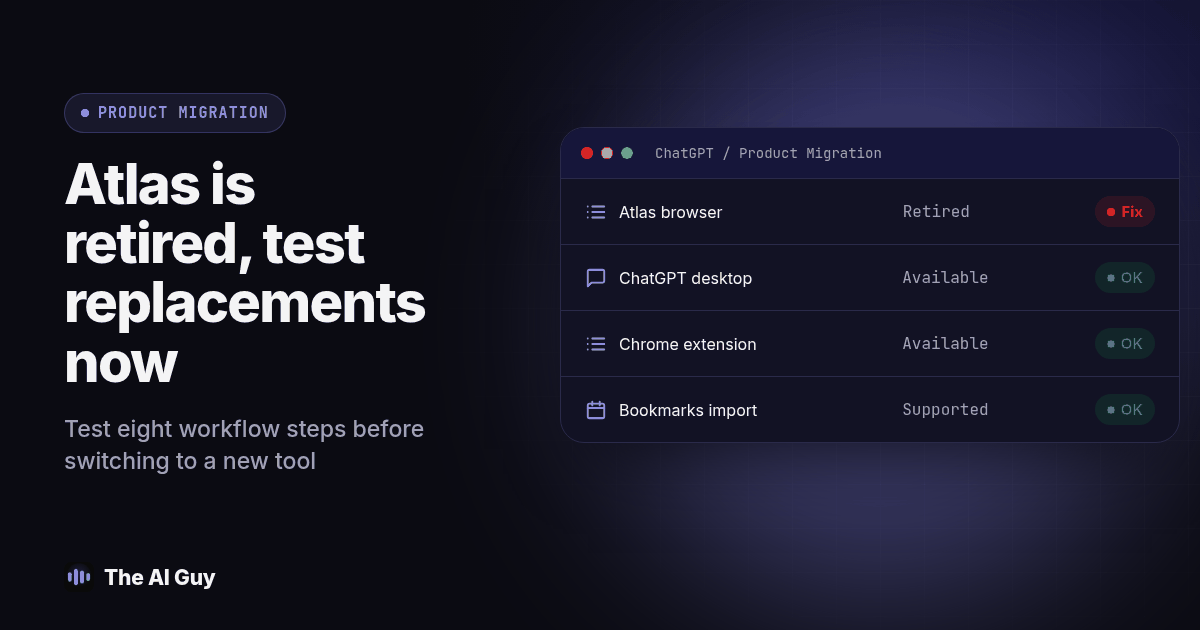
ChatGPT Atlas is retired. Start with a supported browser for ordinary browsing, then test the new ChatGPT desktop app for deeper research and browser tasks, or the Chrome extension or sidebar where available. OpenAI's release notes set August 9, 2026 as Atlas's stop date and describe those replacement paths; check access in your own workspace before choosing one.
If you built research habits or automated tasks around Atlas, your job is to confirm each workflow still produces an acceptable result in its new home. Installing another app is only the beginning. You also need the right source pages, business instructions, account permissions, and a clear way to tell whether a task finished correctly.
This guide keeps those decisions separate so you can restore useful work without guessing. The comparison and eight-step test below are practical recommendations, not claims that every Atlas feature moved unchanged or that every business can finish the switch on the same schedule.
What Happened to ChatGPT Atlas, Exactly?
OpenAI's current Atlas retirement guidance confirms that Atlas is retired and no longer receives updates. Previously exported bookmarks can be imported into another browser. If important data remains inaccessible, contact OpenAI Support before deleting local browser data; recovery is not guaranteed.
That changes the order of operations for someone reading this in October. Advice to export everything before the August deadline is no longer a useful first instruction. Start by checking what you already saved, which tasks still matter, and whether anyone on the team has a usable copy of the research inputs.
There is visible interest in this transition beyond a product announcement. In an OpenAI community discussion about keeping Atlas, users asked for the browser and the new app to coexist. OpenAI Support confirmed the discontinuation on September 8. That documents a real user concern, without implying any particular search volume or number of affected businesses.
Why Did OpenAI Shut Down Atlas Instead of Fixing It?
OpenAI describes the transition as bringing browser-based agentic capabilities into ChatGPT and Codex. Its release notes mention multiple tabs, downloads, navigation improvements, and account login support where available. That supports a consolidation explanation. It does not establish that every old routine will work unchanged, or that a particular criticism caused the retirement.
For a small business, the practical question is what your process needs now. Separate reading and summarizing from actions that change an account. A supplier comparison needs reliable source links and accurate notes. A booking routine also needs the correct account, dates, confirmation, and a way to stop before an unintended submission.
Write those requirements down before comparing app interfaces. Otherwise, a familiar sidebar can look like a complete replacement even when the task behind it has changed. The goal is to preserve the business outcome, with enough evidence for a person to verify it.
What Should Replace Atlas for Everyday Research?
For simple reading, keep your team's approved browser as the starting point. OpenAI's transition release notes point to the ChatGPT Chrome extension or sidebar, where available, for help while browsing. Verify that your workspace allows it before installing anything. Do not treat an extension with a similar name as an official replacement without checking its publisher and the provider's installation guidance.
If your research involves several sources and a deliverable, evaluate the new desktop app. OpenAI's desktop migration guidance describes Chat for questions and search, Work for research and creating documents, and Codex for software development. It documents macOS and Windows. This guide does not assume a supported Linux desktop release.
Test a familiar assignment first. For example, use public supplier pages to prepare a short comparison for your team. Give the assistant the same questions you previously asked in Atlas, then open the cited pages yourself. Check whether the answer distinguishes an explicit vendor claim from an inference.
Keep your reusable business instructions outside a single browser session. Our guide to ChatGPT Projects vs custom GPTs covers the separate decision about organizing recurring work. Review the current options in your workspace instead of assuming that changing browsers also resolves how your team shares context.
What Replaces Atlas's Agent Mode for Automated Tasks?
The replacement direction is browser-based work in ChatGPT and Codex, rather than continued use of Atlas. Availability and the exact behavior need to be checked in the account your team actually uses. Choose the work surface that matches the task; ordinary business research does not require adopting a software development workflow merely because Codex appears in the same app.
Practically, you cannot assume an Atlas routine will run unchanged elsewhere. Start with a task that can be rehearsed without submitting real information. Ask the assistant to explain what it intends to do, identify the destination, and stop at a review point you define.
Suppose the old task gathered appointment options. Your replacement test should verify the location, date, time zone, and whether the options remain available. A polished summary is not evidence of a completed booking. Check the destination system before treating any claimed action as finished.
For account access and approval boundaries, use our AI browser agent safety guide. Keep a manual route available while testing so a blocked automation does not leave an employee unable to complete the day's work.
How Do You Check Whether a Workflow Still Works After the Switch?
Run this original eight-step acceptance procedure for each Atlas-dependent workflow. Keep the results in a shared worksheet with the task, owner, inputs, expected output, observed result, and unresolved issue. A single successful demonstration should not stand in for checking every routine your team depends on.
- List the work Atlas actually supported. Name each research routine, bookmark collection, or automated task. Write one sentence describing its business outcome. Remove abandoned experiments from the migration list so they do not consume the same attention as a task someone needs this week.
- Locate saved inputs before changing tools. Gather previously exported bookmarks, saved source links, prompt instructions, and approved example outputs. Record what is missing. If you need inaccessible Atlas data, follow the retirement support guidance rather than deleting local files in an attempt to fix the app.
- Restore and check your reference pages. Import a saved bookmarks HTML file into the chosen browser if you have one. Open the links you actually depend on. Check that they reach the intended page and that a moved page has not silently changed the meaning of your research source.
- Retest a simple research request. Use a public page and the same question you previously asked in Atlas. Require the answer to identify its source and acknowledge missing information. Compare facts and omissions with the source page, not merely with your memory of the previous assistant's answer.
- Test the deeper research deliverable. Give the desktop workflow a small set of approved sources and a specific output format. Check whether its conclusions can be traced to those sources. Note any manual copying, file preparation, or context you had to supply to complete the assignment.
- Rehearse each automated action separately. Use a test account or a harmless draft where possible. Set a stopping point before a real submission. Verify the selected account, destination, fields, and approval request. If a safe rehearsal is unavailable, keep that action manual until you can establish a suitable test.
- Compare the result against written acceptance criteria. Mark a routine as passed, passed with manual steps, or blocked. Record the exact reason. A task that requires a person to confirm a field may still be useful, but the person and the responsibility must appear in the instructions.
- Hand over only the routines that passed. Have the employee who will own the task repeat it from your written instructions. Record the approved tool, review point, fallback, and where finished work belongs. Keep blocked routines on a separate list with an owner and a next action.
Treat that list as a checklist you keep. If another tool changes later, the same logic applies. Your portable asset is the task definition and evidence of an acceptable result, not a screenshot of where a button used to be.
ChatGPT Desktop App or Browser Extension: Which One Fits Your Workflow?
Use this table to choose a test route, not as a promise of identical capabilities across accounts. The product distinctions follow OpenAI's linked release notes and desktop migration guidance; the acceptance checks are our recommendations.
| What you need | Atlas now | Replacement to evaluate | What must pass your test |
|---|---|---|---|
| Help while reading a web page | Retired | Chrome extension or sidebar where available | Correct page context and supported claims |
| Research with a finished document | Retired | Work in the new ChatGPT app | Traceable sources and a usable deliverable |
| Browser actions across several steps | Retired | Available browser-based agentic workflow | Correct destination, approval, and result |
| General questions and search | Retired | Chat in the new app | Accurate answers and usable source links |
| Software development work | Retired | Codex view | Developer review of changes and checks |
| Everyday browsing and saved links | Retired | Your approved supported browser | Accessible reference pages and working sign-ins |
If you are a one-person shop whose research meant reading an article and asking a follow-up question, start with that small test. If several employees relied on multi-step tasks, assign each workflow to an owner. Do not make the whole team wait for a complex automation before restoring ordinary reading and research.
What Should You Do With Your Atlas Bookmarks and Saved Browsing Data?
OpenAI distinguishes ChatGPT conversations from Atlas browser data. Bookmarks, tabs, and browser history do not automatically transfer; previously exported bookmarks can be imported. Sign in to websites again rather than sharing cookie or session files. Those are the relevant facts from the retirement guidance linked above.
Build a reference folder for the team from the pages you can actually recover. Give each important link a short label explaining what it supports. A folder called “weekly supplier research” is more useful than an unexplained pile of URLs, especially when another employee must take over.
This is also a reasonable moment to decide whether your business needs a more durable process behind its chat tools. Service businesses repeatedly rebuilding sales workflows can review MetaTechAi's AI infrastructure services when scoping implementation help. Start that conversation with the task list and failed checks, so the proposed work addresses an observed gap.
Review shared instructions and account ownership while you are updating your process. Our guide to setting up ChatGPT for business covers that broader setup. Keep the browser transition focused enough that essential work can resume while larger improvements are considered separately.
What If You Are Considering a Different Assistant Entirely?
Replacing Atlas and changing your main assistant are separate decisions. If your existing assistant still handles the task well through an approved route, test that route before rebuilding everything elsewhere. If it fails your written requirements, use the same inputs and acceptance criteria to evaluate alternatives.
Read switching from ChatGPT to Claude for business if that larger move is on your list. Compare the effort to recreate business context, review outputs, and train the people who use it. Avoid choosing on the basis of a single impressive answer that nobody has checked against the original sources.
What Are the FAQs About Replacing ChatGPT Atlas?
Is ChatGPT Atlas still supported?
No. OpenAI says Atlas is retired and no longer receives updates. Use a supported browser for ongoing work.
How long should a team allow for the transition?
Set the schedule after inventorying your workflows. A bookmark import and a multi-step account automation need different tests. Finish when each essential routine has a verified result, an owner, and a documented fallback, rather than promising a fixed migration time.
Does the new desktop app work on Windows?
Yes. OpenAI's desktop migration guidance lists macOS and Windows. Check the available features in your own workspace before assigning a business task to the app.
What if I never exported my Atlas bookmarks?
Contact OpenAI Support if needed data is inaccessible. Recovery is not guaranteed. Preserve local browser data while seeking help.
Does a successful research test mean an automated task is ready?
No. Research and account actions need separate checks. Verify the destination, permissions, approval point, and final result before allowing a routine to affect real business records.
Where Should You Go From Here?
Choose one task your business needs this week and run the acceptance procedure. Keep its inputs, prompt, source checks, and reviewed output together. Use that record to teach the next person, then repeat the process for the remaining tasks.
If you want a second set of eyes on which workflows are dependable and which rely on an untested tool assumption, talk to our team. Bring your actual task list and the results of your first test so the conversation starts with the work your business needs done.