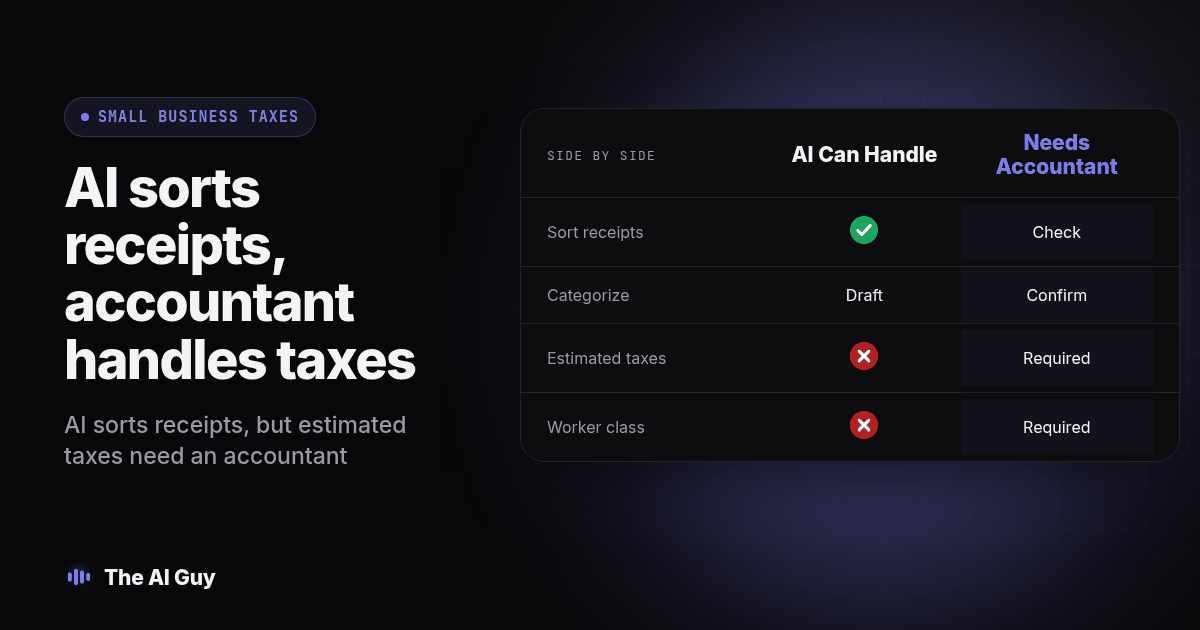
TL;DR: AI can help with supervised prep work around your taxes: sorting receipts, drafting transaction categories, pulling numbers into a form. It should not decide your estimated tax payments, your worker classifications, your multi-state filing exposure, or anything tied to an income-based credit phaseout, because those are the spots where a hallucinated answer is expensive and a preparer carries responsibility AI does not. Use the checklist below before you submit anything AI drafted.
Key Takeaways
- AI is good at sorting, categorizing, and drafting from documents you already have.
- AI can misinterpret which rule applies to your specific situation, especially across states.
- Estimated taxes, worker classification, multi-state nexus, and credit phaseouts are the four places a wrong AI answer costs real money.
- "Hallucination" here means AI can confidently cite a rule that expired or invent one that never existed.
- A named reviewer should check every AI-drafted number before it reaches a filed return.
After a weekend sorting a shoebox of receipts, an owner might ask: can I just hand this to AI and skip the preparer bill? The honest answer splits the work in two. AI is genuinely useful for the grunt work that eats a preparer's billable hours, and genuinely risky for the decisions that determine what you actually owe. Knowing which side of that line a task falls on matters more than which AI tool you pick.
Can AI Actually Do My Small Business's Taxes?
Do not treat a chatbot as an autonomous tax filer. AI can do the preparation that sits underneath a filing: reading documents, sorting transactions, drafting the numbers that go into a form. Aprio's 2026 rundown on AI and tax prep puts it plainly, AI is strongest at "entering and validating routine data," detecting duplicates, and flagging inconsistencies across a high volume of documents (Aprio). That is exactly the work a small business owner dreads doing by hand every January.
What AI does not do is take a position and stand behind it. A tax return is a set of positions, this expense is deductible, this worker is a contractor, this income belongs to this state, and somebody has to be able to defend each one if a taxing authority asks. Aprio also calls for human oversight when interpreting tax law, credits, incentives, and multi-state filings. Those stay with a person, every time.
This is workflow guidance for a U.S. small business, not a claim that every owner must hire a licensed preparer. Owners may prepare their own returns, and paid preparers have different credentials and representation rights. The IRS explains preparer qualifications. Hiring help does not make an unchecked AI answer reliable or remove your responsibility to review the return.
So the real question is not "can AI do my taxes." It is "which specific task am I about to hand it, and does a wrong answer there cost me a little time or a lot of money."
Where Can AI Safely Help With My Small Business Taxes?
Three tasks are candidates for supervised AI assistance when you preserve the original records and catch errors before they affect a return.
Document intake. Feed it a folder of receipts, invoices, and bank statements and have it extract the vendor, amount, and date into a structured sheet. We walk through exactly how to check that extraction before it goes anywhere near a real import in our invoice extraction guide, and the same review habit, check the source, flag what is missing, hold what looks wrong, applies directly to tax document prep.
Sorting transactions into categories. This is the same task we cover for day to day bookkeeping: AI proposes a category from the vendor name and history, a person confirms it, nothing posts without that confirmation. Our bank-matching walkthrough is built for exactly this review loop, and it transfers directly to sorting a year of transactions before tax season.
Drafting the numbers that go into a form. Once your categories are confirmed, AI can pull them together into a draft profit and loss statement, a draft Schedule C, a draft set of totals for your preparer to check against their own software. A draft is not a filed position. Keep that distinction explicit in your own head and in how you talk to your preparer about what you handed them.
Notice the pattern: every safe task ends with a human confirming the output. That review makes them more manageable starting points than independent tax decisions.
Where Is AI Too Risky to Trust Without an Accountant?
Four areas come up again and again as the places where AI confidently gets it wrong, and where the dollar cost of being wrong is real.
Estimated tax payments. Creative Planning identifies estimated tax guidance as a risky use of AI (Creative Planning). The IRS estimated tax guidance explains that payment obligations depend on your circumstances and that underpayment can trigger a penalty. Have a qualified reviewer check the payment schedule, current income, prior-year tax and applicable exceptions. A confident answer is not evidence that the model used all those inputs.
Worker classification. The IRS worker classification guidance considers behavioral control, financial control and the relationship between the parties. Do not let AI decide from a job title or a contract label alone. Ask a qualified adviser to examine the actual working arrangement and any separate state requirements before changing payroll treatment.
Multi-state filing and nexus. Creative Planning also warns that state sales tax rules are a poor fit for unchecked AI advice. For a practical review, list where you operate, where sales occur and which activities might create obligations. Ask your adviser to check the relevant state authority's current guidance. A sales tax answer does not resolve every possible income or payroll tax obligation in that state.
Income-based credit phaseouts. Credits that phase out above certain income levels require the model to apply the current threshold to your specific numbers, correctly, every time. Get the phaseout math wrong in either direction and you either underpay and owe penalties, or overpay and leave money on the table that a preparer would have caught.
The common thread is not that these topics are hard to explain. AI explains any of them fluently. Fluent and correct are different things, and none of these four areas forgives the gap between them.
Why Does AI Get Tax Rules Wrong in the First Place?
The mechanism matters because a plausible answer can hide missing evidence. A model can generate an explanation without establishing that the cited rule is current, that it applies to your entity, or that the inputs are complete. Opening a current source is only the first check. You still need to match the tax year, jurisdiction and business facts to the guidance.
There is also a records problem that no fluent explanation fixes. Duplicated receipts, missing invoices and unclear transfers can produce misleading totals even when the arithmetic is correct. Before testing a tool, reconcile the sample records and mark unresolved transactions. Keep an exception list beside the draft so a reviewer can see what remains uncertain instead of mistaking a tidy sheet for a complete record.
We have written about this checking discipline before for AI in general: a fluent answer is not evidence that it is correct, and the only way to know is to check it against a source you already trust, the way our accountant-replacement piece lays out for the broader bookkeeping question. The same logic applies when you evaluate a vendor's claims about what their AI tax tool can do. MetaTechAi's guide to verifying AI sales vendor ROI claims before buying walks through the same verify-before-you-trust habit for a different kind of purchase: ask for the specific claim, ask for the source, check it yourself.
How Does AI-Safe Tax Prep Compare to Accountant-Required Tax Decisions?
Use this table as a starting sort for your own tax season, not a universal rule for every business.
| Task | Can AI handle it today? | Who should sign off |
|---|---|---|
| Sorting receipts and invoices into a structured sheet | Yes, with source checking | You or your bookkeeper, checking source records |
| Categorizing transactions for the year | Yes, draft only | You or your bookkeeper confirms each category |
| Drafting a profit and loss or Schedule C summary | Yes, draft only | Your preparer reviews before filing |
| Estimated tax payment amount and timing | Not independently | Your accountant, checking current income and applicable rules |
| Worker classification (contractor vs. employee) | Not independently | Your accountant or an employment tax specialist |
| Multi-state sales tax nexus and filing obligations | Not independently | Your accountant, checked against current state thresholds |
| Income-based credit phaseout calculations | Not independently | Your preparer, applying the current year's threshold |
| Filing or signing the actual return | Not independently | You as the taxpayer, with qualified help where needed |
What Is the Never-Submit-Without-Review Checklist for AI and Small Business Taxes?
Keep this list next to whatever AI tool you use during tax season. Before anything AI drafted leaves your hands, whether it is headed to your preparer or into a form yourself, run it through these seven checks.
- Never submit an AI-drafted estimated tax payment amount without comparing it to your actual prior-year liability and current-year income trend with your accountant.
- Never accept an AI worker classification without checking the current test your state and the IRS actually apply, not a general explanation of the difference between a contractor and an employee.
- Never file in a new state based on an AI nexus answer without confirming that state's current threshold directly, since these change more often than a model's training data does.
- Never trust an AI-calculated credit phaseout without re-running the math by hand or having your preparer confirm the threshold that applies to your actual income this year.
- Never let AI categorize a transaction it flags as ambiguous, related-party, or unclear. Pull those out for a human to decide before they enter any draft.
- Never treat a fluent, confident-sounding AI explanation of a tax rule as proof that the rule is current. Ask it for a source, then check that source yourself.
- Never connect an AI tool to a live bank feed or payroll system before testing it on a copy of a redacted, independently checked set of prior-year records.
Skipping any one of these is how a sorting tool quietly becomes the thing that decided your tax position, a decision it is not qualified to make.
How Do I Test an AI Tax Tool Before I Trust It With Real Numbers?
Run this test on last year's return before this year's documents ever touch the tool.
- Pull your already-filed return from last year and the source documents behind it, after your reviewer has checked the expected answers against the source documents.
- Feed the AI tool your redacted receipts and invoices from that same year and have it sort and categorize them from scratch.
- Compare its categories line by line against what you actually filed, and mark each one correct, wrong, or unclear.
- Hand it one transaction you know is ambiguous on purpose, an owner draw that reads like a vendor payment, and see whether it flags the uncertainty or guesses with confidence.
- Ask it directly what the current threshold is for one rule relevant to your business, a mileage rate, a filing deadline, a nexus dollar amount, and verify the answer against the actual current-year source before trusting any future answer from that tool.
- Have it draft a summary total and check that total against your filed numbers, not just the categories underneath it.
- Only after steps one through six come back clean should you move this year's real documents through the tool, with a named reviewer, either you or your preparer, checking every output before it reaches a form.
That is the same test-against-something-you-already-know approach we recommend for any AI tool before it touches a live record, because a clean demo tells you nothing about how the tool handles your specific business.
What Are the FAQs About AI and Your Small Business Taxes?
Can I skip hiring a tax preparer and just use AI this year?
You can use AI to do the prep work a preparer would otherwise bill hours for: sorting transactions, drafting categories, pulling together the documents a filer needs. We would not file a return, set an estimated tax payment, or decide a worker's classification on AI output alone, because those are the areas where a wrong answer costs real money and a preparer carries professional responsibility that a chatbot does not.
How long does it take to set up an AI tool for tax document intake?
Setup time depends on document volume, scan quality, access permissions, and how many entries need correction. Start with a small redacted sample and time both extraction and review before estimating the full job. Allow time to gather missing documents and agree on categories with your preparer.
Does an AI tax tool connect to my accounting software or do I have to export everything by hand?
Connection options depend on the tool: verify whether it supports your accounting software, a bank feed, or an exported CSV. Use the same source-checking review process described in our bank-matching guide. Check what the tool can write back before you connect it to a live ledger, not just what it can read.
Is it safe to upload bank statements and payroll data to an AI tool?
Treat it the same as any other vendor that touches financial data: read what the tool stores, who else at that company can see it, and whether you can revoke access. A tool that looks convenient is not the same as a tool with a data policy you have actually checked.
What is the switching cost if I start with AI and decide I need an accountant mid-year?
The handover may be easier if you kept source documents attached to every AI-drafted entry, but the work and cost depend on the records and the accountant. An accountant picking up mid-year wants to see what each category or draft form was based on, not just a clean-looking spreadsheet. Missing originals or unexplained entries can create extra reconstruction work.
What Should You Do Before Tax Season Starts?
Pick one task from the safe column, document intake or transaction sorting, and run it through the seven-step test above against last year's already-filed return before this year's documents go anywhere near it. If the draft holds up clean, keep using it for that one task and leave the four risky areas, estimated payments, worker classification, multi-state filing, and credit phaseouts, with your accountant where they belong.
This question comes up constantly in our broader look at where AI deserves your trust and where it does not, and taxes are the clearest version of that split: reversible, low-stakes drafting on one side, and decisions you must be able to substantiate, with qualified professional help where needed on the other. For help designing a supervised document workflow, contact us and describe the manual intake work you want to reduce. AI Guy can help scope the automation; your qualified tax professional should decide tax treatment and filing positions.