Build your 2027 AI budget from actual tool usage, renewal dates, staff time, and the work required to fit each tool into a process. Keep experiments separate from tools the team already depends on, and review each expense against a named task and a result you can verify. That gives you a number grounded in your business rather than a generic percentage.
The useful question is not how much a small business is supposed to spend. It is which work the planned spending supports, what else the tool requires, and what evidence will tell you whether to renew it. The steps below turn that into a budget you can revise as usage changes.
How Much Of Next Year's Budget Should Actually Go To AI Tools?
Begin with your own records. Add up AI related software charges from the current year, then check invoices and vendor billing pages for annual renewals, usage charges, add ons, and trials that may convert. Do not assume every tool labeled AI belongs in one category: a feature inside software you already use may be included in an existing plan, while another product may bill according to activity.
External forecasts can provide context, but they are not a budget formula for a small business. A Biz Tech Insights summary of 2027 AI budget forecasts discusses wider spending projections, but those figures are not a recommendation for an individual shop. Gartner's public 2026 AI spending forecast concerns worldwide spending, not the right amount for an individual shop. It is not a substitute for your invoices, expected workload, or cash constraints. Treat analyst forecasts as market context, not a recommended spend target.
Make three versions of your working plan:
- Current use: recurring tools and usage based on what the team actually did this year.
- Planned additions: specific experiments or workflow changes that have an owner, purpose, and review date.
- Higher use case: what happens to variable charges if the planned workflows see more activity than expected.
You do not have to predict which version will happen. Writing them down shows which costs are fixed, which can change with use, and what you would pause if the year becomes tighter. Keep any estimate tied to a source such as a current invoice, contract, vendor usage page, or written quote. Mark anything else as an assumption to confirm.
What Categories Should Actually Get A Line Item?
Resist putting every expense into a single software bucket. A useful budget shows both the vendor charge and the people and process work needed to use the tool responsibly.
- Software and consumption: subscriptions, seats, usage charges, add ons, and paid integrations. Record billing frequency and the usage unit where applicable.
- Training and operating time: staff time to learn the tool, prepare inputs, review outputs, and handle exceptions. Estimate hours from the workflow owner rather than treating this as free.
- Process redesign: time to change handoffs, templates, approval points, or customer service steps so the tool has a defined job.
- Data preparation and oversight: time to organize source information, set access rules, and decide who checks customer facing or consequential output.
- Integration and transition: setup, maintenance, exports, and testing if a tool must connect to a CRM or replace something already in use.
A Bond Consulting Services planning article also emphasizes that a tool purchase can require staff learning and workflow preparation. These are planning categories, not claims that every AI project needs a separate paid service. Some costs may be absorbed into existing staff time or software. The point is to make those assumptions visible so a low subscription charge does not disguise a workflow that takes substantial effort to operate.
For each item, capture the current source of the estimate and who can verify it. A vendor invoice supports the current charge. A contract supports renewal and cancellation terms. A staff estimate supports internal time, but it remains an estimate until compared with a real task. The worksheet should distinguish confirmed amounts from placeholders.
How Do We Separate Experimental Spend From The Tools We Actually Depend On?
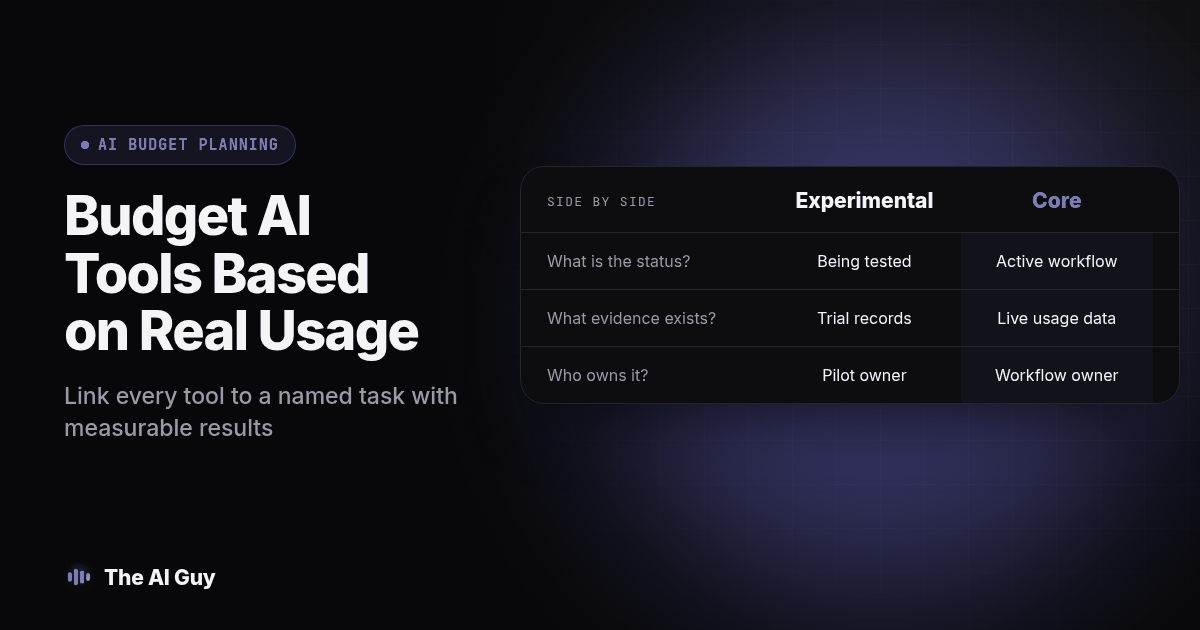
Label each tool either experimental or core. Experimental means the business is still checking whether the tool fits a task. Core means an owner can identify the active workflow, explain why the tool is used, and point to evidence that the work is acceptable. A trial does not become core simply because the team has paid for it for several months.
This distinction matters for usage based products as well as subscriptions. If more employees start using an assistant or an automated workflow handles more records, the bill may move with that activity. Write down the billing unit, how the vendor reports usage, and who reviews the statement. The SpendHound AI budgeting playbook discusses separating experimental and production use; use that as one planning perspective, then verify each vendor's actual billing terms directly.
Set an end date for each experiment before it starts. At that review, ask whether the tool completed the intended task, how much human review it needed, and whether the result fits the team's process. If evidence is incomplete, extend the experiment only with a reason and a new date. Otherwise, pause it rather than allowing a temporary test to renew by default.
Do not use a single time saving claim as proof of value. Record the task, the steps that remain with a person, errors or rework, and whether output met the acceptance criteria. Our guide to measuring whether AI saves business time lays out a way to include review and correction work instead of counting only the automated portion.
What Should Get Cut First If Money Gets Tight?
Use a review order that looks for unclear ownership, overlap, and avoidable risk before removing tools tied to important work. Treat these steps as a decision procedure. A usage signal should prompt a check, not automatically trigger cancellation.
- List every recurring charge and its owner. Reconcile card statements, invoices, app store subscriptions, and vendor billing pages. Ask the owner what task the tool supports and when it was last used for that task.
- Check whether the usage is real and current. Review available activity records, including background automations and API activity. If the tool is seasonal, note the next expected use instead of treating a quiet period as proof it is unnecessary.
- Identify overlap by task. Write down the job each tool performs, such as drafting proposals or summarizing meetings. Compare actual outputs and required review, not just product descriptions.
- Test a proposed consolidation before canceling. Use a representative, non-sensitive example. Check output quality, permissions, exports, integrations, and the handoff to the next person. Keep the existing workflow available until the replacement passes.
- Pause experiments without a clear decision. If the team cannot name the task, owner, review result, or next test, stop renewal while you clarify the need, subject to the actual contract terms.
- Review add ons and plan levels. Confirm which features are used and whether a different plan still supports the required workflow. Check the vendor's current terms rather than assuming a downgrade is available.
- Read cancellation and renewal terms. Confirm notice windows, data exports, access changes, and any remaining commitment in the contract or vendor account.
- Protect tools tied to verified work. A tool connected to a measured task should be reviewed for cost and alternatives, but do not remove it solely because the invoice is visible while its operational contribution is not.
The procedure may lead to cancellation, consolidation, a smaller plan, or keeping the current stack. The evidence and the contract decide which action makes sense. Our quarterly AI subscription audit provides a repeatable worksheet for checking usage, dependencies, and renewal dates.
How Do We Compare Core Tools And Experiments Fairly?
Use one comparison table for every candidate. Separate what is known from what has not yet been tested. This prevents a persuasive demo or a low starting tier from being mistaken for the full operating cost.
| Budget question | Experimental tool | Core tool |
|---|---|---|
| What is the status? | Fit is still being tested | The workflow is active and accepted |
| What evidence do we have? | A limited trial with recorded criteria | Usage and output records from the real workflow |
| Who owns the decision? | A named pilot owner and review date | A named workflow owner and budget approver |
| How do we plan the charge? | Confirm trial end, billing unit, and possible usage | Use current invoices and verify expected activity |
| What happens next? | Continue with a reason, pause, or cancel under the terms | Renew, renegotiate, replace after testing, or retire with a transition plan |
Fill in the table using information from your account and contract. “Core” is not a permanent label. If a workflow changes or the evidence no longer supports the tool, move it back into review. Likewise, an experiment can become core once the task, owner, quality checks, and cost are understood.
How Is This Different From A Quarterly Subscription Audit?
A quarterly audit checks the tools already on your statements and flags usage, overlap, and upcoming renewals. An annual budget sets the boundaries for the year ahead: likely recurring expenses, planned experiments, staff time, and work that may change how a process runs.
Use the audit to supply the budget with current evidence. Then use the budget as a reference point for later audits. If a planned experiment is still inconclusive at a review, the owner can explain whether to fund another test or release that amount for another need. This keeps the two activities connected without making them the same decision.
What Should We Ask Before We Add A New Line Item For 2027?
Send the vendor questions before approving a trial or treating a tool as a core expense. Ask for answers that match your expected workflow and account configuration. If a proposed expense is outside an internal tool budget and involves a consultant or agency, compare scope and billing terms using our guides to AI consultant costs and AI agency pricing. Treat those pages as decision context; confirm the specific scope and terms with the provider.
We are reviewing a possible AI tool for our 2027 plan. Please confirm the billing unit and what usage is included in the plan we are considering; how usage is reported; what happens to charges if our activity changes; the renewal and cancellation notice terms; what data we can export; and whether this workflow requires an integration, setup, or ongoing maintenance. Please point us to the current contract or documentation for each answer.
Keep the response next to the budget line. If the vendor cannot estimate a variable charge for your expected use, record that uncertainty and decide how you will monitor it before the workflow goes live. Avoid entering a precise number based only on a low advertised tier if the actual workflow may incur other charges.
Also ask the staff owner what work sits outside the vendor quote. Who prepares the input? Who reviews the output? Who handles a failure or customer correction? These answers help distinguish a tool that is simple to test from one that changes several existing roles or processes.
Where Does This Fit With Bigger Infrastructure Decisions?
Individual subscriptions are only one part of an AI system. As tools begin to exchange customer information or trigger work in other applications, budget attention should include the connections, data access, oversight, and fallback process. The decision may still be to use separate products. The important part is to understand how the workflow behaves when a connection fails or a vendor changes a feature.
MetaTechAi's guide to AI infrastructure discusses the broader planning question of how connected AI systems fit together. It is a separate sister-site guide, while this article focuses on budgeting and review for a small business tool stack. If your plan includes custom integrations or process changes, contact us to discuss the work and what should be scoped before committing funds.
What Are the FAQs About Budgeting For AI Tools in 2027?
How much should a small business actually set aside for AI tools in 2027?
There is no single number that fits every business. Start with current invoices, usage, renewals, and internal time, then add only the experiments and workflow changes you can describe. Keep estimates tied to records or label them as assumptions to verify.
How long does it actually take to put together a realistic AI budget for next year?
The time depends on how quickly you can find billing records, renewal terms, usage details, and tool owners. Gather those items first, then schedule time to resolve missing information. Avoid choosing a deadline that skips checking integrations or contract terms.
Does switching AI tools mid-year create integration problems with our CRM or phone system?
It can. Before consolidating tools, list connected workflows, webhooks, extensions, and CRM automations. Test the replacement with a representative example and confirm the handoff before ending access to the current tool.
What is the real switching cost if we cancel an AI tool partway through the year?
Include staff time to export needed work, learn a replacement, and rebuild or test connected automations. Check the current contract for notice or remaining commitments, and confirm what happens to saved data and access after cancellation.
Do we need a written AI budget policy, or is a spreadsheet enough?
A spreadsheet can be a useful starting point if it names an owner, records the evidence behind each line, and has a scheduled review date. Add written rules when staff need clear guidance about approved tools, sensitive information, or required review.
What Should We Do This Week?
Pull this year's AI related invoices and usage records into one sheet. Add an owner, workflow, renewal date, billing unit, dependencies, and evidence for every tool. Separate experiments from core use, mark unknowns for follow up, and decide which renewal needs attention first. Then use that record to build the 2027 plan and revisit it when usage or workflows change. If you want help deciding what a connected AI workflow should include, contact us with the task and the constraints you are working within.