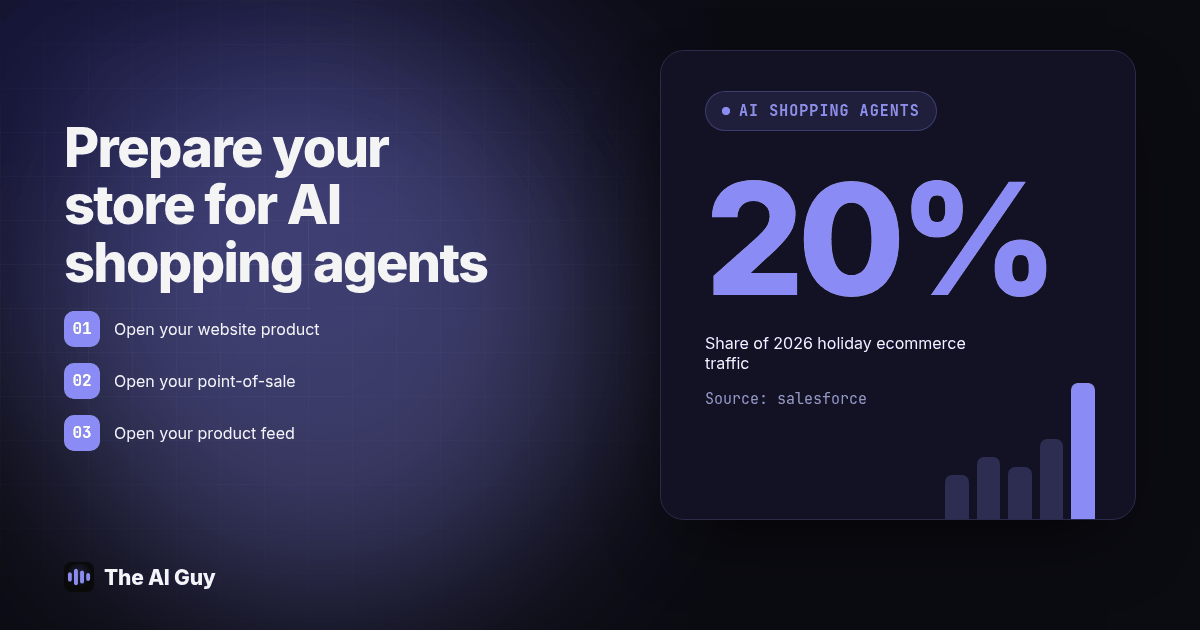
TL;DR: Before Thanksgiving week, check that your product data matches across your storefront, inventory system and feeds, your public pages are accessible to relevant search crawlers, and your shipping and return policies are clear. AI shopping agents can help shoppers compare products, but feed eligibility, search visibility and checkout support are separate checks. Salesforce forecasts that AI chat agents will originate 20% of 2026 holiday ecommerce traffic, including automated tasks and scrapers as well as shopper queries; that is a forecast, not your expected sales share.
If you sell online this holiday season, a shopper may ask an assistant to find a gift before visiting your store. That assistant needs enough reliable information to decide whether your product fits. Forbes' October 21 coverage asks how small businesses can appear in those recommendations. Together with the October 6 retailer interview below, it documents a timely business question, not a measured search volume or a promise of traffic.
This is not a rewrite of the general case for agentic commerce. We already covered what the Agentic Commerce Protocol and Universal Commerce Protocol actually let an agent do in our agentic commerce guide. This piece is narrower on purpose: a seasonal, dated checklist for the next sixty days, built around what retail press and retail technology vendors are telling small businesses to fix right now before Black Friday.
What Changed Between Last Holiday Season and This One?
In an October 6 interview with Small Business Currents, Swiftly co-founder Sean Turner describes assistants moving beyond product research toward multi-step shopping tasks. He discusses comparing options, building lists and helping consumers move closer to a purchase. That does not mean every assistant can buy every product or verify every delivery promise.
For a small retailer, the useful response is to make product information easy to check. Treat accurate stock, recognizable variants and clear fulfillment limits as operating requirements. A polished description cannot fix a feed that offers an unavailable item. Nor should you assume that a correct previous order makes an agent trust your store or prioritize it in future recommendations.
Start with one product and follow its information through your systems. Ask who owns each field, which system overrides the others, and what happens when an update fails. This turns a broad AI visibility discussion into a task your staff can finish and verify. Keep the wider platform strategy separate from the holiday repairs that customers need immediately.
Is My Product Data Actually Ready for an Agent to Recommend Me?
Before touching any platform setting, test the data itself. Product names, descriptions, availability, identifiers, images and seller information need to describe the same item. Check required and conditional fields against the current OpenAI product feed specification, rather than relying on a fixed field count copied from an older checklist.
Use a hypothetical gift bundle as your test: the storefront shows a six-item bundle, the inventory record tracks individual units, and the feed uses an older product name. Even without an AI assistant involved, that discrepancy can confuse a customer. Your audit should distinguish harmless wording differences from different quantities, variants or stock promises. Record the actual error instead of treating every formatting difference as a rejection signal.
Run this three-way check on your ten top-selling holiday items this week:
- Open your website product page for the item and write down the price, the stock status and the exact product name shown.
- Open your point-of-sale or inventory system for the same item and write down the same three fields.
- Open your product feed (Google Merchant Center, Shopify, or whatever file you submit to a shopping channel) and write down the same three fields again.
- Flag differences in quantity, variant, availability or meaning; "6-pack" and "pack of 6" may describe the same item and do not automatically need correction.
- Fix the source system first, not just the feed, so the mismatch doesn't reappear on the next sync.
- Confirm your feed includes brand, seller name and a working image URL for each item, and check the channel's field requirements before submitting it.
- Add a genuine GTIN, UPC or MPN where applicable, following the channel specification. Do not invent an identifier just to fill a blank field.
- Set or confirm your feed refresh schedule. Check the supported update method and verify that a stock change reaches the destination; do not assume a scheduled job succeeded because it ran.
- Repeat this check weekly through December, not just once in November, since holiday stock levels move faster than your normal refresh habit.
- Write down today's date next to each item so you know exactly when it was last verified, and can tell a staff member "recheck anything older than seven days."
Is My robots.txt Accidentally Blocking the Agents I Want to Reach?
Crawler access and submitted feeds are separate routes. A robots.txt block can prevent a compliant search crawler from reading your public pages, but it does not prove that a merchant feed has stopped working. Check both routes independently. Your goal is to let the search services you choose inspect public product information while keeping private customer and account pages protected.
OpenAI's crawler documentation distinguishes OAI-SearchBot for search from GPTBot for model training. Their controls are independent. For Google Search, including AI Mode, Google's AI feature guidance says ordinary search eligibility applies. Do not treat Google-Extended as the switch for inclusion in Google Search.
Open yourdomain.com/robots.txt and look for an unintended block such as this example:
User-agent: OAI-SearchBot
Disallow: /
This example blocks OAI-SearchBot. Ask whoever maintains your store to review the full file, including wildcard and more specific rules, before changing it. A wildcard block does not necessarily override a matching specific group. Also check hosting security rules, bot challenges and response errors, because a readable robots.txt alone does not prove that a crawler can fetch your pages.
Keep a short verification record: the product URL tested, the applicable crawler rule, the response received and the date. Have the owner confirm that public catalog access works after a fix. Do not remove protections from account pages, checkout records or customer data just to make a crawler test pass. An allowed request is evidence of access, not a guarantee of recommendation or ranking.
ChatGPT Shopping vs Google AI Mode vs Shopify Agentic Storefronts: Which Should I Set Up First?
Each channel has its own eligibility and delivery path. Shopify documents how its catalog and Google channel connections work, while OpenAI explains merchant onboarding. Check your actual account settings before treating any channel as active.
| Channel | How you connect | Feed you already might have | Approval needed |
|---|---|---|---|
| ChatGPT Shopping | Shopify's built-in connector, or a direct merchant feed application to OpenAI | Partially; Shopify stores reuse their catalog, others need a new file | Confirm integration eligibility or direct merchant approval |
| Google AI Mode / Gemini | Google Merchant Center feed, same one used for Google Shopping ads | Likely yes if you already run Shopping ads | Check account, product and feature eligibility |
| Shopify Agentic Storefronts | Native to Shopify stores; syndicates to multiple AI channels at once | Yes, if you're already on Shopify | Active by default for eligible stores; check channel settings and terms |
If you already run Google Shopping ads, your fastest win is auditing the Merchant Center feed you already have rather than starting a new integration from zero. If you're on Shopify and haven't checked whether Agentic Storefronts is active on your plan, that's worth five minutes before you tackle a direct OpenAI application.
What Should I Fix in the Next 60 Days Before the Holidays Hit?
Use this proposed schedule as an internal planning tool, not a platform approval deadline. Assign one person to each task and save evidence of completion. Finish the checks in order so you are not testing visibility against a catalog that still contains known errors.
- This week: run the three-way product data check above on your top ten holiday sellers.
- This week: open your robots.txt and confirm search and shopping bots aren't blocked by a blanket rule.
- Within seven days: confirm shipping cutoffs and return windows are clear and accessible from product pages. State relevant exceptions near the item and link the complete policy so customers can check the details.
- Within seven days: list every channel you're already eligible for (Google Merchant Center, Shopify, an existing OpenAI feed) so you're not setting up something you already have.
- Within two weeks: fix any pricing or naming mismatch you found in step one at the source system, then re-check the feed reflects the fix.
- Within two weeks: set a recurring calendar reminder to re-run the three-way check weekly through December, since stock changes faster during the holidays than your normal update habit.
- Within three weeks: if you qualify for a direct feed application and haven't applied, submit it now; approval and indexing both take time you won't have in late November.
- Within three weeks: test your own visibility by asking ChatGPT, Gemini or another assistant a shopper-style question about your product category and your city, and note whether your business comes up at all.
- Within four weeks: brief whoever handles customer service on what an AI-referred customer's conversation might have included, so a confused shopper calling about an agent's promise doesn't hit a blank stare.
- By Thanksgiving week: repeat the checks and avoid unnecessary catalog restructuring through Cyber Monday. Continue all necessary stock, availability, fulfillment and policy updates; freezing those would make the information less trustworthy.
What FAQ Answers Do Small Business Owners Need About AI Shopping Agents?
Do I have to pay OpenAI or Google just to be eligible for AI shopping agent recommendations?
Do not assume that buying ads is required for organic product discovery. Check the current merchant onboarding and channel eligibility rules for your platform. Feed preparation, catalog maintenance and any integration work still need an owner, and an eligible product is not guaranteed a recommendation.
How long will it actually take to fix our product feed before Black Friday?
Start by auditing a small sample and use the errors you find to estimate the remaining work. A clean catalog and a catalog with conflicting source systems need different schedules. Assign owners and retest corrected records before expanding the audit; do not promise a fixed turnaround before seeing the data.
Does showing up in ChatGPT Shopping replace running Google Shopping ads?
No. Treat AI shopping discovery as another channel to verify alongside your existing campaigns. A product feed may support multiple destinations, but eligibility and performance differ. Keep measuring qualified visits and completed orders in each channel before deciding whether to change your advertising activity.
What if we don't use Shopify? Can we still show up in AI shopping results?
Shopify is not the only route. OpenAI documents onboarding for approved merchants, and Google Merchant Center supports product data beyond a single storefront platform. Check the route available to your business and its current requirements before building a connector or assuming approval.
If our robots.txt is blocking AI crawlers today, how fast could that change once we fix it?
Editing a rule and getting a page crawled are separate events. First verify that the intended crawler can reach the public product page. Then monitor for recrawling and accurate results. Do not promise a fixed indexing or recommendation date, and leave time to investigate hosting blocks or stale information.
Where Do You Go From Here?
Begin with a limited audit instead of assuming you need to rebuild your store. Compare your systems, verify public page access and make shipping and return details understandable. Record unresolved issues and their owners. The result should be a checklist your staff can repeat, with clear evidence that each correction reached the live destination.
If your product catalog, pricing or holiday marketing already touches more systems than you can audit by hand this week, talk to our team and we'll walk through what's actually fixable before Black Friday versus what should wait until January. And if you're running paid ads or a sales team alongside your holiday push, RizzDial, which we build, covers how AI calling fits into a fast-moving seasonal sales process, separate from the shopping-agent side covered here.
For the broader explanation of what AI shopping agents can and cannot complete at checkout, including the protocol names you'll see mentioned in vendor pitches, read our agentic commerce guide. And if your bigger goal is getting named in AI answers generally, not just inside a shopping feed, our guide on getting named in ChatGPT answers covers the wider version of that problem. If you'd rather show shoppers your products on video than fix a feed first, our piece on AI video ads for small business can help you plan a separate creative test while your feed work is in progress.