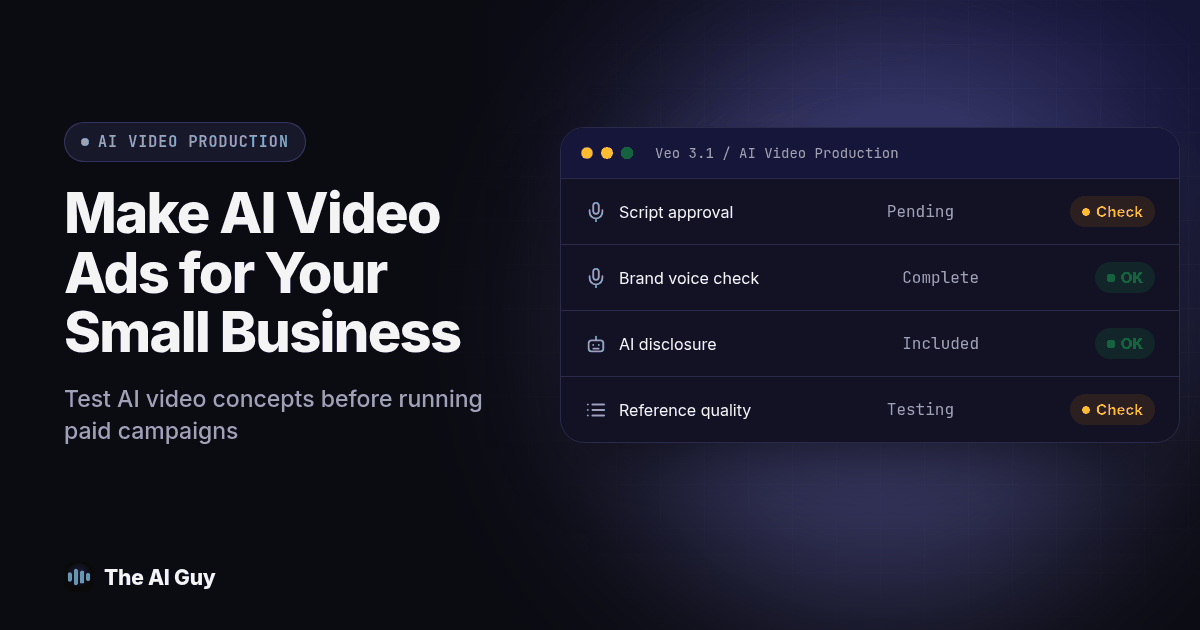
Yes. A small business can make its own AI video ads by generating supporting footage, adding real branding in an editor, and testing the finished ad before increasing spend. A person still needs to approve the script, factual claims, permissions, and customer experience. Start with one offer and one short concept, then compare the result with footage you could shoot yourself.
A small business owner asking this usually has a specific scenario in mind: limited production time, a slow season coming up, and a feeling everyone else already found a shortcut. AI can help with production, but a usable clip and a useful advertisement are different deliverables. This guide keeps the decision practical: what to generate, what to record, and what to check before paying for impressions.
What Has Changed About Sora 2 and Veo 3.1?
Older comparisons describe Sora 2 and Veo 3.1 as two current buying options. That is no longer a sound starting point for an October 2026 campaign. OpenAI lists September 24, 2026 as the shutdown date for its Sora 2 models and Videos API in its official API deprecation notice. Do not build a new production workflow around that retired API.
Google still presents Veo 3.1 as a video generation model, with audio and controls that use reference images. Its Veo product page links to Gemini, Flow, and developer access. Those entry points can expose different controls, so check the actual interface available to your account before planning a production schedule.
This availability check matters more than an old ranking. A video tutorial can keep circulating after the product changes. Before following one, open the vendor's own page, confirm the named model is available, and try exporting a sample. Keep the source assets and finished exports somewhere your business controls so a tool change does not strand your campaign.
What Should You Generate Instead of Filming Yourself?
Use generation for scenes that illustrate an idea without pretending to document your business. A stylized seasonal background, an abstract transition, or an imagined setting can support a real offer. Use real footage when the viewer needs to see your actual staff, premises, product, or finished work. That distinction gives the owner a clear boundary before prompting starts.
For example, imagine a local maintenance company preparing a seasonal reminder. It could use an illustrated weather scene to introduce the problem, then cut to genuine footage of its team explaining the service. It should not generate a finished customer project and present it as evidence of work it completed. This is an example of a proposed workflow, not a report of campaign results.
Write a short shot list with three columns: what the viewer sees, what the viewer should understand, and where the evidence comes from. If the shot implies a factual result, attach the real photograph, job record, or approved statement. If it is purely illustrative, make that clear in the creative treatment. This prevents an attractive generated scene from becoming an unsupported promise.
A phone recording can also be the simpler choice. If your owner can explain the offer clearly in one take, start there. AI can help draft alternate openings or organize the edit without generating the person on screen. Choose the production method that makes the message understandable and truthful, then judge the finished result through the same review process.
What Can Veo 3.1 Contribute to an Ad Workflow?
Google documents reference images for scenes, characters, and objects, along with generated audio and controls for visual style. These features give you something concrete to test: whether your supplied reference and written brief survive into the exported clip. They do not establish that a particular ad will convert, that every take will match, or that an owner can skip editing. See the documented Veo capabilities before choosing which controls to try.
Begin with a single scene and a written purpose. Describe the subject, setting, action, camera movement, and intended mood. Keep essential business facts out of the generated scenery: add the actual logo, offer wording, and contact details as separate elements in your editor. That lets you correct a deadline or swap a call to action without regenerating the whole scene.
When testing variations, hold the core idea steady. Change the opening visual while keeping the offer and destination identical. Save the prompt, reference asset, output, and review notes together. If a variation fails, you can distinguish a weak concept from a production defect instead of repeatedly guessing at a new prompt.
Do not assume more generations mean more useful tests. Set a stopping point for the experiment before you start. If you keep repairing the same product shape or facial detail, replace that shot with real footage. Your goal is an approved advertisement, and an afternoon spent chasing an unnecessary visual effect still counts as production work.
How Do the Available Production Options Compare?
Use this table to match the job to a workflow. The recommendations are editorial starting points for your own test, not measured rankings of video quality or speed. Sora is included because older comparison articles still send buyers toward it.
| Production option | Useful starting point | What to verify before using it |
|---|---|---|
| Sora 2 through OpenAI's retired API | Historical examples only | The official shutdown date rules it out for a new API workflow |
| Veo 3.1 generated footage | Illustrative scenes and alternate visual concepts | Account access, export controls, reference fidelity, and finished clip quality |
| Real phone footage with editing assistance | Staff introductions, real products, and actual completed work | Clear audio, permissions, framing, and accurate captions |
| A hybrid of generated and real footage | An illustrative opening followed by genuine business evidence | Clear distinction between illustration and documented results |
| A human production team | Work needing direction, filming, or sustained review capacity | Deliverables, approval rights, source files, and the scope of testing |
For a small first campaign, compare a generated or hybrid candidate with a straightforward phone recording. Use the same offer and landing page. This gives you a business decision you can assess, rather than a competition over which clip looks most impressive in a demo.
What Still Needs a Person Before You Run an AI Video Ad?
Three responsibilities stay with your team, whichever production tool you use.
The first is the script. A video model generates footage, not a reason for a stranger to stop scrolling. The offer, the hook, and the specific promise your business can keep still have to come from someone who knows the business and the season. Feed the model a weak idea and you get a beautifully shot weak idea.
The second is brand voice. A generated script or voice can sound pleasant and polished while saying little that is specific to your business. If your brand voice is dry, blunt, or specific to a region or trade, expect several rounds of prompt revision, and sometimes a human edit pass, to keep the ad from sounding like it came from nowhere in particular.
The third is disclosure. Depending on the platform and the claim your ad makes, you may need to label AI-generated content before it runs, and the rules are specific enough that we gave the topic its own article. Read our FTC AI disclosure guide for small business ads before your first AI video ad goes live, not after a platform flags it.
If none of that sounds like something your team has the hours for this month, that is a normal place to land. It is also the gap a managed marketing team closes: someone who writes the script, keeps the brand voice consistent, and runs the testing cycle for you. MetaTechAi's managed services team describes human-managed AI work across sales, operations, and marketing. Confirm the video deliverables and approval responsibilities you need before choosing a scope.
How Do You Test an AI Video Ad Before You Trust It With Real Ad Spend?
Run every AI-generated ad candidate through this sequence before it touches a paid campaign. Allow time for revisions. This is an original acceptance procedure for your team, not a claim that either tool has passed a published performance benchmark.
- Write the script and the offer first, outside the tool. One sentence for the hook, one sentence for the proof, one sentence for the call to action. If you cannot write those three sentences cleanly, the model will not rescue the idea.
- Generate three variations of the same concept, not three different concepts. You are testing whether the tool holds the idea steady, not shopping for a different idea.
- Watch all three full-screen, at actual size, with sound on. Problems that are invisible in a thumbnail preview, like a hand with the wrong number of fingers or a mismatched lip movement, show up immediately at full size.
- Check faces and logos across every cut in the clip, frame by frame if needed. A face or product mark that shifts even slightly between shots is a reason to reject that take, even if the rest looks convincing.
- Drop your actual captions, logo, and call-to-action overlay into an editor. Judge the finished, overlaid version, not the raw generation. Keep essential text in editable layers so you can verify every character and correct it directly.
- Show the finished cut to one person outside the project with no context. Ask what the ad is selling and what they are supposed to do next. If they cannot answer both in one sentence, the script problem is still there, no matter how good the footage looks.
- Spend a small, capped test budget before scaling. Run the winning cut against a limited audience, compare it with a real-footage version using the same offer, audience conditions, and success metric. Treat a small sample as preliminary evidence, and only consider increasing spend after reviewing qualified inquiries and production effort.
Copy this short checklist into your notes before step 7, and do not skip a line:
- Script and offer written before any prompt was typed
- At least three variations compared side by side, full screen, with sound
- Faces, logos, and brand colors checked across every cut
- Captions, logo, and CTA added and reviewed in the finished edit
- A person with no context understood the offer in one viewing
- Disclosure requirement checked against the platform's current rules
- Small capped budget test run before any full-scale spend
What Still Goes Wrong Even When the Tool Works?
One failure to watch for is a technically fine clip that communicates the wrong promise. Ask your reviewer to describe what they think actually happened in the video. If they mistake an imagined result for a completed customer job, revise the scene or replace it with documented footage. Google Ads' misrepresentation policy prohibits misleading information about products, services, and businesses. Passing your visual review is not the same as meeting a platform's advertising policies.
Another failure is stretching a concept beyond what you can review confidently. There is no single runtime cutoff that proves a generated ad is reliable. Watch the entire export, listen to every spoken claim, and check continuity across cuts. Shorten the concept if extra scenes add errors without helping the viewer understand the offer. Keep a record of rejected takes so the next editor does not accidentally reuse them.
The third failure is treating this like a coding shortcut instead of a production tool, the same mistake we cover in what a small business can and cannot build with vibe coding. The pattern repeats: the tool gets you further than expected on the first pass, then the gap between "looks done" and "works on a stranger" takes real review to close. Treat the output as a draft, not a finished asset, and you get usable ads. Publish the first generation and you get the version with the flickering logo.
One more case worth naming: if your ad needs a specific person's voice on camera, or anything where trust depends on sounding like a real human from your business, apply the same review discipline from our guide to drafting customer emails in your voice with AI. The tool can get close. A person still has to confirm it actually sounds like you before it goes out under your name.
What Are the FAQs About Making AI Video Ads?
Is Sora 2 or Veo 3.1 better for a small business?
Sora 2 is no longer a current OpenAI API option: its shutdown date was September 24, 2026. Veo 3.1 is an option to evaluate against real footage or a hybrid workflow. Choose by testing your actual offer, available account features, and review effort rather than relying on an older comparison.
How should I budget for making an AI video ad?
Check the current vendor terms and usage limits before starting. Include scripting, generation attempts, editing, permissions, review time, and a capped campaign test in your plan. Record the effort needed to reach an approved export so you can compare the complete workflow with filming the ad yourself.
Do I have to tell customers my ad was made with AI?
Disclosure requirements depend on the platform, location, content, and claims involved. Review the current rules for the placement you intend to use and distinguish an AI label from sponsorship disclosure. A label does not make an invented testimonial or misleading depiction acceptable. Get qualified advice when your particular claim needs it.
How long does it take to go from an idea to a usable ad?
Allow time for scripting, revisions, editing, and review instead of treating generation time as the whole project. Track those stages during your first test. The useful planning number is how long your team needs to produce an approved ad, including rejected takes and corrections.
Can I use the same workflow for organic social clips and paid ads?
Yes, but review each final version for its own placement, audience, and destination. Accurate claims and permissions matter in both formats. Run paid candidates through the full acceptance procedure and a capped campaign test even if a similar organic clip already received encouraging comments.
What Should You Do Before Your First Campaign?
Choose one offer, collect real business assets, and write the script before opening a generator. Keep the first comparison small enough that a person can inspect every version. Save your approved export, prompt notes, permissions, and campaign decision together so the workflow can be repeated or handed to another editor.
If you would rather work through that plan with someone, talk to our team about the business goal, the assets you already have, and the review work your staff can realistically handle.