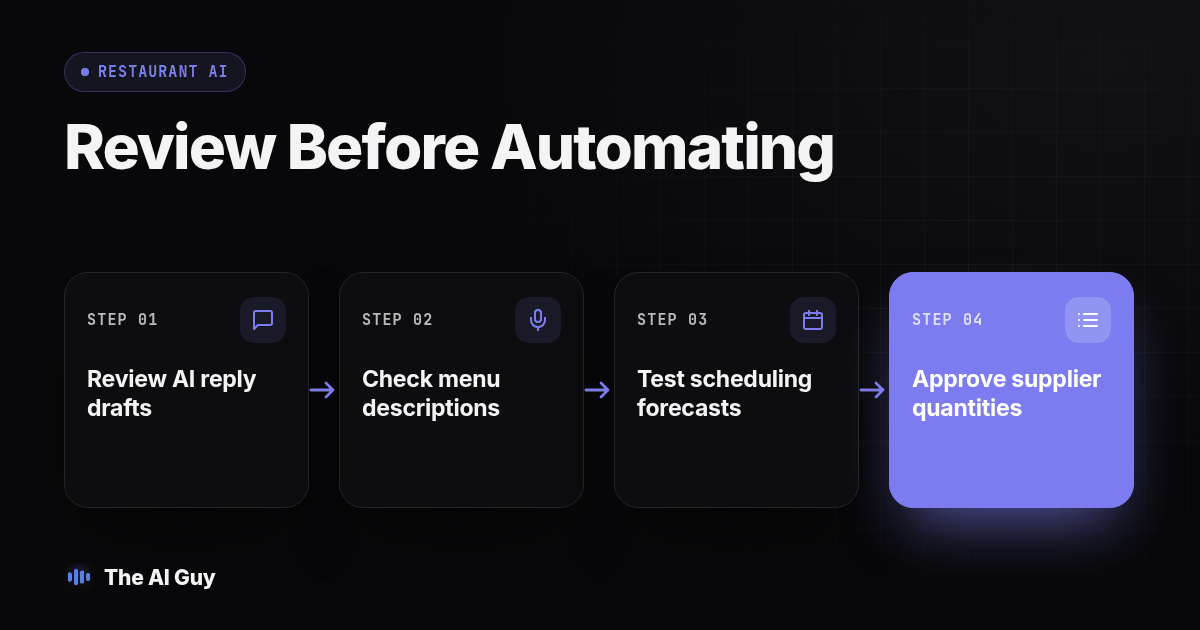
Short answer: Start with AI that drafts review replies or menu copy for a person to check. Test scheduling and supplier order suggestions with historical data and human approval. Skip live phone answers, schedule changes and orders that go out without a person reviewing them until a controlled pilot shows the workflow is reliable.
Restaurant owners asking where to start with AI can begin with a task where a person can check the result before a guest or vendor sees it. This guide compares review replies, menu copy, staff scheduling and supplier orders, then gives you a test procedure to decide whether a tool is ready for a supervised pilot.
Where should an independent restaurant start with AI?
Pick the task where a mistake is cheap and visible to you before it is visible to a customer. That rules out letting AI answer your phone on day one and rules in letting it draft a review reply you read before posting. We use the same filter across every small business we work with, not just restaurants: look for the task with the shortest loop between the AI's draft and a person checking it. If you want the fuller version of that filter, we wrote it out in our guide to choosing your first automation task.
For a typical independent restaurant, that filter sorts the four jobs in this order: review replies first, menu copy a close second, staff scheduling third once the first two are routine, and supplier or inventory ordering fourth because a wrong quantity costs real food and real money. Phone answering and anything that changes a live reservation or a live schedule without review sits at the bottom of the list, not because it never works, but because the cost of a bad answer is higher and harder to catch.
Write that order down somewhere your managers can see it. The point is not that every restaurant must follow this exact sequence. Choose one task, set a review process, and learn from that pilot before adding another tool.
Diagram: a simple ranked list with four rows, labeled Reviews, Menu Copy, Scheduling and Supplier Orders from top to bottom, each row showing a small icon for "who checks the draft" (owner, manager, shift lead) next to it, making the review step visible at a glance.
How should a restaurant use AI on Google and Yelp reviews?
Use AI to draft a reply, never to post one unattended, at least at first. Feed it the actual review text and a short library of your real policies (refund rules, how you handle a wrong order, your hours), then have a manager read and send the draft. The FTC's guidance on soliciting and responding to reviews explains that review practices should not mislead consumers, including selectively soliciting positive feedback or using fake reviews. The same honesty principle is useful for AI-drafted replies: the draft should reflect what actually happened, not a generic apology that could fit any complaint.
We have a full walkthrough of when an AI-drafted reply is safe to send and when it needs a human eye first in our guide on whether AI should reply to your Google reviews. The short version for restaurants: AI is good at drafting a response to a slow table or a cold entree, and bad at knowing whether the guest's specific complaint is still open, whether you comped the meal, or whether this is the third time this guest has complained. Keep a manager in the loop until your drafts stop needing edits for a full month.
Build a simple approved-answer library before you turn this on: your refund policy in one sentence, your allergy and substitution policy, how you handle a kitchen mistake, and what you can promise a guest in writing. A restaurant AI tool overview catalogs review management alongside scheduling and inventory tools. Review products may collect reviews, draft replies and group recurring complaints, helping an owner inspect patterns instead of reading one review at a time.
Can AI actually write menu copy you can use?
Yes, with one condition: you read every line before it goes on a menu, a website or a third-party delivery listing, because AI will confidently describe an ingredient, a spice level or an allergen status it was never told about. Give it your actual recipe notes and ingredient list, not just a dish name, and ask for three short options rather than one long paragraph. Short menu copy is also easier to fact-check line by line.
Treat allergen and ingredient claims as a hard line, not a style choice. If a dish contains nuts, dairy or gluten, that fact has to come from your kitchen's real ingredient list, never from the AI's guess at what a dish "usually" contains. The same caution applies to any health or dietary claim ("vegan," "gluten-free," "house-made") that a guest could reasonably rely on. Keep a one-page source document per dish, the same way you would keep a recipe card, and have whoever wrote the copy point back to it.
Menu copy is a good second task precisely because the review loop is short and the stakes are contained to text you control end to end, unlike a live phone call where the words leave your control the moment they are spoken.
Where does AI help with staff scheduling, and where does it create risk?
AI is genuinely useful for the forecasting side of scheduling: predicting how busy a given shift will probably be based on your own sales history, so a manager starts from a reasonable draft instead of a blank grid. It is much riskier for the part that touches people directly, like publishing a final schedule, swapping a shift without the affected employee confirming, or handling a last-minute no-show.
Keep a human as the final approver on every published schedule, and check your local rules before you let any tool send schedule changes directly to staff. A growing number of cities and states have predictive scheduling or "fair workweek" rules that require advance notice of schedule changes and sometimes extra pay for late changes; those rules vary by jurisdiction, so confirm your own city and state requirements with your labor counsel or your state department of labor before you automate schedule changes, rather than assuming a scheduling tool's defaults already comply.
Use the forecast as a draft the shift lead edits, not a final answer. A forecast that gets the Tuesday lunch rush right and the Friday night rush wrong is still useful if a person catches the miss before the schedule goes out, and useless if nobody checks it until Friday night is already short-staffed.
How should AI handle supplier and inventory orders?
Let AI draft the order, and have a manager confirm the quantities before anything is sent to a supplier. A draft based on recent sales and current stock levels is a reasonable starting point; a wrong case count on heavy or perishable items is real money sitting in a walk-in or a dumpster. Inventory and ordering tools built for restaurants typically work from sales history, recipe costing and invoice scanning to suggest order quantities, which is the same logic you would use by hand, just faster to assemble.
Set a rule before you start: any order above a dollar threshold you choose, or above a quantity threshold for a specific item, needs a manager's sign-off before it goes out, no exceptions during the pilot. Track every AI-suggested order against what you actually used that week for at least a month before you let any order go out without a human reading it first. If the suggested quantities keep drifting from what your kitchen actually uses, the input data (likely your recipe costing or your sales mapping) needs fixing before the tool needs replacing.
Should AI answer your phone during the rush?
This is the task we would push to the back of the line, not because it never works, but because a live caller cannot be un-said the way a draft reply can be un-sent. If you are considering an AI voice agent to pick up reservation calls or carry-out orders when your front of house is slammed, test it on your slowest shift first, with a real fallback to a human for anything outside a narrow script.
The questions that matter are what happens when the caller asks something outside the script, and what happens when no staff member is free to take a transferred call. RizzDial's guide to AI answering service coverage and handoffs describes the transfer and fallback paths to test. Whatever vendor you consider, ask to see the unanswered-transfer path in a live demo.
What should a restaurant skip for now?
Skip anything where the AI acts without a person checking first, especially when a guest, a vendor or an employee sees the result before you do. The table below is our suggested starting order for an independent, single-location restaurant; a multi-location group with a dedicated ops team can safely move faster on some of these.
| Task | Start now | Pilot with review | Skip for now |
|---|---|---|---|
| Draft review replies | Yes | ||
| Draft menu copy | Yes | ||
| Draft staff schedule forecast | Yes | ||
| Draft supplier/inventory orders | Yes | ||
| Send schedule changes to staff automatically | Yes | ||
| Answer the phone for reservations/orders unattended | Yes | ||
| Negotiate or finalize a schedule swap | Yes | ||
| Approve a supplier order above your threshold | Yes |
The pattern across every "skip" row is the same: the AI is acting on a live person without a draft-and-check step in between. Everything in "start now" or "pilot with review" keeps that step intact. For another example of matching AI tasks to review steps, see our guide to AI for HVAC companies.
What should your first 30-day AI test look like?
Run a real pilot before you trust any of this with a live guest, a live schedule or a live supplier order. Adapt the steps below to whichever task you picked first.
- Pick one task only (review replies is the easiest starting point) and name one manager as the person who reads every draft before it goes out.
- Pull your last month of real reviews, menu text or schedules and run the AI tool against that history first, without sending anything, so you can see what it would have produced.
- Compare the AI's drafts against what a manager would have actually written or ordered, line by line, and note every place the draft got an ingredient, a policy or a quantity wrong.
- Fix the input, not just the output: if the AI invented an allergen or missed a policy, the problem is usually the source document it was given, so update that before you re-test.
- Run a second week with the manager still reading every draft, and track how many drafts needed a real edit versus a quick approval.
- Set your own threshold before you see the results: for example, no more than one meaningful edit per ten drafts before you consider loosening the review step.
- Review the full month with whoever owns the task and decide, in writing, whether to keep the manager review in place, widen the task, or stop using the tool.
Keep the same test set the next time you change the tool, the prompt or the source documents, so you can tell whether a change actually helped or just moved the problem somewhere else.
What questions should restaurant owners ask in this AI FAQ?
How much does AI for a restaurant actually cost?
Costs depend on the tool, the features included in your current POS or review platform, and whether a separate service is needed. Check your existing subscriptions first, then ask vendors to identify setup, integration, usage and recurring fees in writing before comparing options.
How long does it take to set up AI for restaurant reviews or scheduling?
It depends on the tool and the condition of your data. Before choosing a start date, ask what information must be connected, how long setup usually takes for a restaurant like yours, and how long you should run drafts alongside your current process before trusting the results.
Will an AI tool actually integrate with our POS or reservation system?
Ask for the specific integration by name before you buy, not a general claim of compatibility. Check which data moves in each direction, whether the connection is direct or uses an export or API, and whether the workflow still works if the connection is interrupted.
What happens if we stop using an AI scheduling or review tool later?
Keep your POS, reservation system and payroll system as the source of truth, and treat the AI tool as a layer on top that you could remove. Before you sign up, confirm you can export your schedule templates, review responses and supplier order history, so switching away does not mean rebuilding from nothing.
If you want a second opinion on which of these four tasks to start with for your own restaurant, contact our team with a plain description of your current review, scheduling and ordering process.