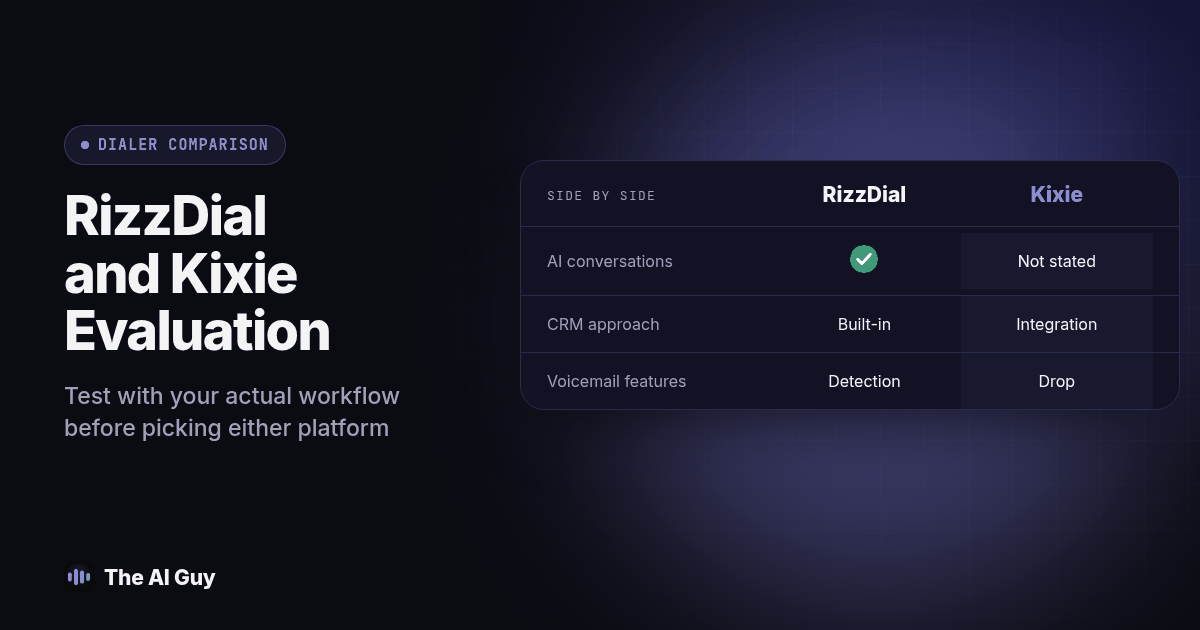
Put RizzDial on the evaluation list when you want to assess AI handled conversations alongside several human dialing modes and a built in customer record system. Evaluate Kixie against the same operating requirements, including its published phone, CRM integration and PowerDialer plans, then choose through a demonstration of your actual workflow.
Those product descriptions come from the vendor pages identified below. I am James Hill, RizzDial's founder, so this is an affiliated comparison. The useful way to handle that relationship is to make the facts traceable, mark unknowns and give you a test that either vendor must pass.
What do the vendors publicly document?
The table is checked October 2026, using public pages retrieved on October 3, 2026. RizzDial's published dialing and CRM overview is the source for its column. Kixie's current plan page is the source for the Kixie column. These are vendor statements about features, not independently measured performance results or guarantees for a particular account.
| Topic | RizzDial | Kixie |
|---|---|---|
| Human calling modes | Predictive, power, parallel and individual click calling are described | Click calling and power dialing on one line or up to four are listed |
| Parallel line selection | A rep can select a maximum of ten | Multi Line plan describes a maximum of four |
| AI conducting conversations | Inbound and outbound voice agents are described | Not stated publicly on the reviewed plan page |
| Customer record approach | Includes its own CRM and connections to external CRMs | CRM integration is listed across the published plans |
| Voicemail related features | Answering machine detection is described | Voicemail drop is listed; human voice detection is described as a premium addition |
| Number management | Rotation and reputation monitoring are described; monitoring is a paid addition | A premium add on is listed |
| Exact cost for your configuration | Not stated publicly for your team and usage | Not stated publicly for your team and usage |
| Recovery time agreed for your setup | Not stated publicly in the reviewed overview | Not stated publicly on the reviewed plan page |
The opening recommendation is about which requirements to investigate, not a conclusion that one product will improve your results. For unknown entries, request documentation before deciding. Not stated publicly means the reviewed page did not establish the answer; it does not mean the capability is absent from every offering.
The number management add on listed by Kixie is called ConnectionBoost, as shown on its plan page. Ask for the specific behavior your configuration will receive before treating its name as a technical specification.
Keep the evidence snapshot with your evaluation. Product pages and account configurations can change, so ask each vendor to identify the plan, options and implementation work needed for your scenario. Resolve a difference between a sales statement and a written specification before signing an agreement.
Which operating model are you trying to support?
Start with your team, not the number of features in the table. Write down who handles calls, where the authoritative customer record lives and what should happen after a conversation. Separate a representative using a dialer from an AI system speaking to the customer. Give each workflow its own requirements and approval process.
If your project combines human calling with autonomous conversation handling, make both paths part of the demonstration. If the project is limited to representatives making calls inside an established CRM process, focus the evaluation on that process. Do not award points for a feature that your team has no approved plan to use.
Consider the administrative owner as well as the caller. Ask who imports records, manages assignments, handles number changes, reviews exceptions and trains new staff. Include those people when writing the scorecard. A feature that appears convenient in a demo may require operating decisions that your current team has not assigned.
Use the AI task selection guide to define the initial assignment. Write a small set of required outcomes and separate them from optional capabilities. This lets you distinguish an unsuitable tool from a suitable tool whose configuration or onboarding work has not yet been completed.
How should you test the customer record workflow?
Bring a fictional contact with the fields your team actually needs. Ask each vendor to demonstrate a normal call, a corrected detail, a changed owner and a follow up task. Inspect the authoritative record after every action. Do not assume that the presence of an integration logo establishes the direction, timing or completeness of every update.
Define which system owns each field. A caller's corrected name, contact preference and appointment status should have a clear update rule. Test a conflict where a staff member edits the record while a conversation is underway. Ask the vendor to show how the conflict is detected and which value becomes authoritative.
Rehearse duplicate prevention. Import the same test contact through a second approved path and inspect the resulting records. Then replay an action after an interrupted connection. The acceptance condition should describe the expected final state, not merely require that the software display a success notification.
Ask for the failure queue. If an update cannot be delivered, identify where the unresolved work appears, who receives it and how it is retried. Require enough information for an employee to reconcile the record without guessing. Use the sales voice-agent testing guide when the workflow also involves an automated conversation.
What should you test beyond the available line count?
Treat the line limits in the table as configuration facts, not a prediction of sales productivity. Write a demonstration that includes an available representative, a busy representative and overlapping live answers. Ask what the customer hears and what the employee sees in each case. Have the vendor explain the controls applicable to the selected mode.
Include a voicemail scenario and a person answering after a pause. Inspect the disposition and any subsequent action. Do not accept an accuracy percentage without a defined test set and evidence. Your evaluation should show whether the selected configuration handles your scenarios acceptably and how staff correct a misclassified result.
Test callbacks using a number assigned to the pilot. Verify who answers, what customer context appears and where the conversation is logged. Ask how the team maintains that route when a representative leaves or a campaign ends. A calling decision should account for the person returning the call, not only the first outbound attempt.
For AI handled calls, add explicit tests for human takeover, corrected information and an unavailable calendar. For representative handled calls, add tests for assignment changes and required dispositions. Keep the two evaluations distinct so a strong result on one workflow does not hide an unresolved issue on the other.
How should you evaluate calling controls?
Have the campaign reviewed before judging any tool ready for outreach. The FCC AI voice ruling places AI generated voices within artificial or prerecorded voice restrictions. The FTC telemarketing guide addresses other calling obligations. Ask qualified counsel to establish which requirements apply to your audience and calling method.
Turn that review into test cases. Include a contact that must not be called, a stop request received while an action is pending and a record with missing eligibility evidence. Have each vendor show the relevant settings and actual queue behavior. A reassuring product label is not a substitute for demonstrating that the prohibited action is prevented.
Inspect overrides and permissions. Ask which users can change suppression settings, import a new audience or restart a campaign. Record who will hold those permissions in your business. Repeat the tests after a list change so you can see whether a new configuration bypasses a rule that worked in the first demo.
Keep an accountable owner for campaign approval and incident handling. If a control fails, pause the affected workflow, preserve the evidence and have the responsible people investigate. Evaluate how easily your team can perform that response in each product without relying on an undocumented support intervention.
How do you compare the complete cost and switching work?
Request written proposals for the same team size, expected usage and required capabilities. Ask each vendor to identify subscription charges, usage, numbers, optional services, implementation and support. Keep the assumptions beside the totals. A comparison with different inclusions is not a useful basis for an owner to approve spending.
Add your own labor estimate for setup, record cleanup, training, quality review and ongoing maintenance. Use actual pilot effort to refine the estimate. The guide to measuring AI time savings helps include review and correction work rather than assuming every automated activity removes an equivalent amount of staff effort.
Ask about exports and termination before migration. Specify the contacts, dispositions, recordings, task history and configuration information your business needs to retain. Request a sample export and have an employee try to use it. Confirm number ownership and any transfer process in writing for your actual account arrangement.
Plan a reversible transition. Keep the old process available until your team verifies routing, records and support responsibilities in the new configuration. Decide how open tasks will be reconciled and who can authorize the switch. Do not move the entire operation because one demonstration call succeeded.
What shared demo procedure should both vendors run?
Use the same fictional records and expected results for both evaluations. Tell the vendors which requirements are mandatory and which are optional. Save the output and any configuration caveats with the scorecard, so a later reviewer can understand the conclusion without relying on memory.
- Show the ordinary representative workflow from contact selection through the final disposition. Inspect the authoritative customer record and the next task, including which employee owns it.
- Run a correction and concurrent edit scenario. Change a contact detail during a call while another staff member updates the same record. Require the vendor to explain and demonstrate the final value and its history.
- Repeat an action after interrupting a connection. Check for duplicate contacts, appointments or tasks. Verify that unresolved writes enter a queue an employee can actually inspect and reconcile.
- Demonstrate the applicable calling mode with representative availability changes and a voicemail example. Record what happened to each attempted contact rather than judging the demo only by completed conversations.
- If AI conversations are in scope, request an unsupported promise and then ask for a person. Check the approved boundary, transfer result and fallback when nobody accepts the handoff.
- Apply a stop preference to a staff test record while another action is queued. Inspect suppression and permissions, then verify that a list change cannot quietly recreate the prohibited action.
- Export the agreed record set and ask an employee to reconcile it. Have that employee also pause the workflow using the handover instructions, without assistance from the person who configured the demo.
- Review the written proposal against the tested configuration. Mark unresolved requirements as unresolved, obtain the missing evidence and approve only the limited scope that passed your acceptance conditions.
This procedure can support either a change or a decision to keep the current setup. The owner should require a specific operational reason for switching, with the migration effort and unresolved risks visible beside the expected benefit.
How should you make the final decision?
Give mandatory requirements priority over a feature count. Reject or defer a configuration that cannot meet an essential record, permission or handoff requirement, even if it performs well elsewhere. For optional features, describe the work they would support and the evidence needed before expanding their use.
Write the decision in plain terms: the approved workflow, selected configuration, responsible owner, acceptance evidence and remaining conditions. Distinguish vendor documentation from what your team actually observed. Keep unsupported performance promises out of the business case and use pilot evidence to inform the next stage.
If you want help preparing the operating brief, contact James about a calling workflow review. Bring the current process, a redacted record and your mandatory requirements. Given my affiliation with RizzDial, insist on the same traceable evidence and acceptance conditions described here when reviewing any recommendation.
What belongs in a RizzDial and Kixie comparison FAQ?
Should line count decide which tool we buy?
I recommend treating it as one configuration requirement. Test representative availability, record accuracy, callbacks, control settings and staff effort before deciding whether a particular calling mode suits your operation.
What does Not stated publicly mean in the table?
It means the specific vendor page reviewed did not establish the answer. Request current documentation for your intended configuration rather than treating an unknown entry as proof that a capability is unavailable.
How can we make the vendor demos comparable?
Provide the same fictional records, required outcomes and exception scenarios. Inspect the resulting records and save configuration details so the decision reflects equivalent assignments instead of unrelated demonstrations.
Should we switch immediately after a successful demo?
I recommend a limited pilot with a reversible transition and an available owner. Reconcile open work, verify exports and support responsibilities, and approve wider use only after the agreed operating conditions are met.