TL;DR: Treat customer data as unapproved until you verify the exact AI account and task. Check the account's training default, retention period, agreement terms and connected apps, then use the least sensitive example that can answer your question. Policies differ by product and change, so use the current vendor page for the account you actually use.
Key Takeaways
- Submitted text must be processed by the service. Check what the provider says about encryption, access, retention and processing.
- ChatGPT Free, Plus and Pro personal workspaces have data sharing enabled by default; you can turn off the model improvement setting. OpenAI says Business, Enterprise and API data is not used to train models by default.
- Anthropic's consumer policy allows use in stated cases such as opt-in, feedback or safety review. Its commercial products default to no training.
- Not training on your data is a different promise than deleting it quickly. Ask for the retention window separately.
- A vague claim like "enterprise-grade security" is not a substitute for a named certification, a signed agreement, or a stated number of days.
We get a version of this question constantly. A founder in a recent workshop asked it point blank: is it safe to give AI tools access to our CRM and bank data at all, or are we exposing clients to save ourselves time? The honest answer is that "AI tools" is not one category with one answer. A phone number pasted into a free ChatGPT account and the same number pasted into a paid Claude for Work workspace go through genuinely different handling, written into each vendor's own policy pages.
This guide covers the moment the data leaves your hands, not your internal rules for who may use which tool. For the staff-facing version of that second question, see our small business AI policy guide, which covers approved tools, task owners and reviewers. This one covers the vendor's side: what happens to a customer's information once it is inside a prompt, and what to check before it gets there.
What Actually Happens to a Customer's Information the Moment You Hit Enter?
The text you submit has to be processed by the service, so do not treat encryption in transit as a promise that the provider never handles readable content. Review the provider's specific explanations of encryption, access, retention and processing before deciding what data belongs in a prompt.
The same structural fact shows up in business messaging. Our sister site's breakdown of iMessage encryption inside a business API makes the point for texting: end-to-end encryption protects the hop between devices, but a hosted sending platform necessarily composes and queues the message in plaintext before that encrypted leg even starts. AI tools carry the identical problem, one layer earlier. An "encrypted in transit" badge on an AI tool's marketing page is true and also beside the point, because what matters for a customer record is what happens on the vendor's servers before and after that transit, not during it.
That is where real differences between tools show up: whether submitted content can be used for training, how long a copy stays after you delete the conversation, and who inside the vendor's organization or downstream integrations may access it. Those three questions have different, checkable answers depending on the product and tier, which is exactly where most owners stop reading the terms.
Does a Paid Plan Automatically Mean the Tool Won't Train on Our Data?
Not automatically. OpenAI's enterprise privacy page, updated January 8, 2026, says ChatGPT Business, ChatGPT Enterprise and API data is not used to train models by default. Its data controls page, checked November 25, 2026, says personal ChatGPT Free, Plus and Pro workspaces have data sharing enabled by default, with an “Improve the model for everyone” setting you can turn off.
Anthropic has a different consumer policy. Its consumer model-training policy, dated March 16, 2026, says chats may be used if you allow it, a conversation is flagged for safety review, or you explicitly provide feedback or opt in. The commercial products policy, dated August 18, 2026, says inputs and outputs from Claude for Work and the API are not used for training by default. Follow the exact product's current policy and account settings.
| Tool and tier | Trains on your input by default? | How you control it | What we found, and when |
|---|---|---|---|
| ChatGPT Free, Plus, Pro (personal workspace) | Data sharing is enabled by default | Turn off "Improve the model for everyone" | OpenAI data controls, checked Nov 25, 2026 |
| ChatGPT Business, Enterprise, API | No | Opt in only, via explicit feedback | OpenAI enterprise privacy, updated Jan 8, 2026 |
| Claude Free, Pro, Max (consumer) | May be used in stated cases, including opt-in, feedback or safety review | Review Privacy Settings and avoid feedback on sensitive conversations | Anthropic consumer policy, Mar 16, 2026 |
| Claude for Work, API, Claude Gov | No | Opt in only, via explicit feedback | Anthropic commercial products policy, updated Aug 18, 2026 |
Read that table as a reason to check the specific product page for whatever tool sits in front of you, not as a reason to trust memory. Policies like these get updated through the year, which is exactly why every row above carries its own date.
Does Not Training on Your Data Mean the Vendor Deletes It Right Away?
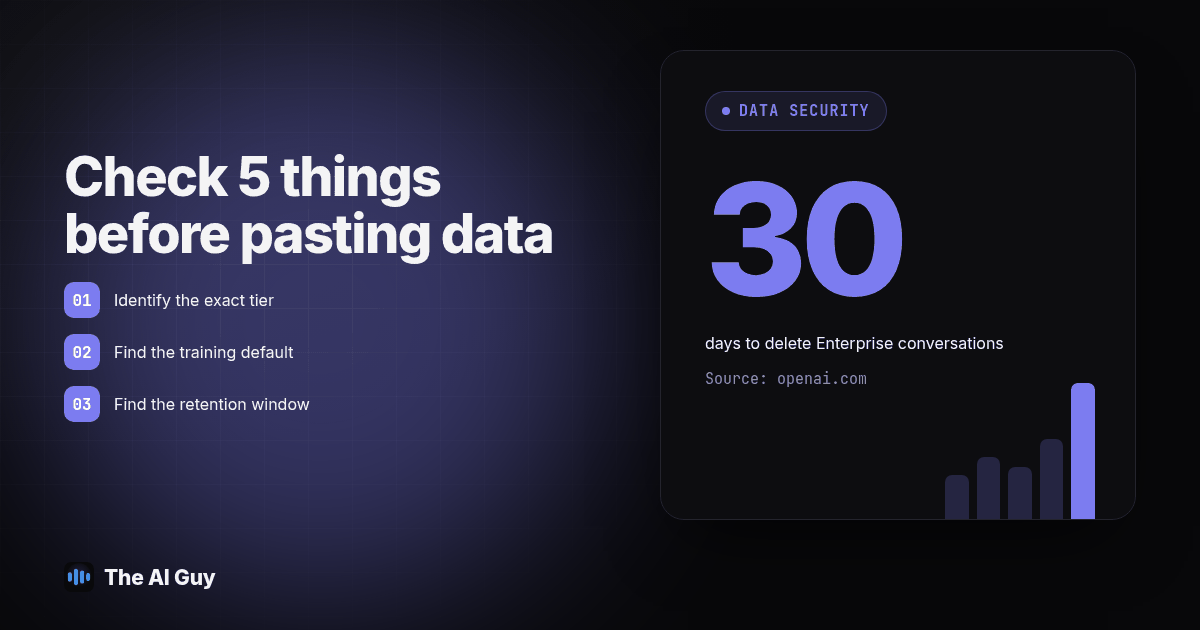
This is the part that trips people up even after they have checked the training setting. A vendor can say it does not train on your inputs while still retaining a conversation for a defined window. OpenAI's enterprise privacy page says deleted Enterprise conversations are removed within 30 days unless the law requires longer retention; Enterprise administrators control retention duration. Business users should check their current plan terms and controls for the applicable deletion and retention rules (OpenAI enterprise privacy). Training is one lever. Retention is a separate lever. Ask about both, because a vendor that only answers the first question has not actually answered your question.
What Should You Check Before You Paste a Real Customer Record Into Any AI Tool?
Run this sequence every time a new tool, or a new feature inside a tool you already use, asks for something that came from an actual customer.
- Identify the exact tier you are signed into, not the brand name. "We use ChatGPT" and "we use ChatGPT Enterprise" are two different privacy postures wearing the same logo.
- Find that tier's training default on the vendor's own privacy or trust page, and screenshot or save the specific sentence, not just the page title.
- Find the retention window separately. A training answer and a retention answer are not the same fact, and a vendor's marketing page will often give you one without the other.
- Check whether the account can request a data processing agreement, or a business associate agreement if the record includes health information. If support cannot produce one, that tells you something about the account tier you are actually on.
- Trace what else the tool is connected to. A standalone chat window and the same assistant wired into your CRM through a plugin or MCP connection carry different exposure, even under identical account settings.
- Write the answer down against the task, the way our AI use policy guide recommends for staff tasks generally: which tool, which tier, which data category is approved, and who checked it.
- Set a recheck date. Vendor policies change; a tool that was training-off in January can ship a new consumer tier in the fall with a different default, the way OpenAI's and Anthropic's own pages above each carry a distinct 2026 update date.
Copy this before you let anyone on your team paste a real customer record into a new AI tool:
- [ ] I know the exact product and tier, not just the brand name
- [ ] I found the training default on the vendor's own policy page, dated
- [ ] I found the retention window, separately from the training answer
- [ ] I confirmed whether a data processing agreement or BAA is available on this tier
- [ ] I checked what else this tool connects to before approving the input
- [ ] I recorded the decision and set a date to recheck it
Screenshot: a side-by-side of a ChatGPT Plus account's "Improve the model for everyone" toggle next to a ChatGPT Business admin console's data controls panel, with the training-default difference between the two circled.
What About Tools That Just Say "Enterprise-Grade Security"?
Treat that phrase as a question, not an answer. A recent roundup of small business AI tools makes exactly this mistake easy to spot: it describes OpenAI, Anthropic, Google and HubSpot as having "enterprise-grade security" and complying "with regulations like GDPR and SOC 2," without naming which product tier that claim applies to (AI tools for small business owners, MindStudio, published May 17, 2026). That same roundup also shows what a specific, checkable claim looks like in contrast: it notes that one tool in its list, Remy, states it is SOC 2 Type 1 and Type 2 compliant and sells a HIPAA business associate agreement as a paid add-on for handling patient data. Whether or not that particular tool fits your business, notice the shape of the claim: a named certification and a specific agreement you can ask to see, not an adjective.
The same source is blunt about the baseline move every small business owner should make regardless of vendor: "use team/business tiers rather than free consumer accounts when handling client data." That advice lines up with everything in the table above. The free tier of a tool is not a cheaper version of the business tier with the same privacy posture; for the platforms we checked, it is a different privacy posture that happens to share a login screen.
How Does This Connect to Your Email Access and Your Team Policy?
This article covers what happens once a customer record is already inside a prompt. It does not cover the separate decision of whether to connect an AI assistant to your email inbox, where the exposure comes from scope and account reach rather than training settings. For that gap, our guide to giving an AI assistant access to your email walks through OAuth scopes, domain-wide delegation and how fast you can revoke access once it is granted.
Once you have the vendor-side answers from this guide, the harder part is getting your own team to check it the same way every time instead of pasting first and asking later. Our AI use policy guide builds the task card and reviewer structure that turns the checklist above into something staff can follow without you standing over their shoulder.
What FAQs Do Small Business Owners Ask About AI Tools and Customer Data?
Is it actually safe to put customer data into mainstream AI tools like ChatGPT or Claude?
It depends on the account tier and what you agreed to, not on the tool's name. A free or personal ChatGPT account trains on your conversations by default unless you turn that off, while ChatGPT Business, ChatGPT Enterprise and the API do not train on your inputs by default. Anthropic's consumer policy allows use in stated cases such as opt-in, feedback or safety review, while its commercial products default to no training. Check the tier you are actually signed into before you decide a customer record is safe to paste in.
Are AI tools secure enough for business use, or is that just marketing language?
Phrases like enterprise-grade security are marketing language until a vendor backs them with a specific, checkable claim: a named certification, a data processing agreement, or a stated retention window. Some tools do back the phrase up with real detail, such as a SOC 2 report or a HIPAA business associate agreement offered as a paid add-on. Ask for the specific document instead of accepting the adjective.
Does paying for a business or team plan automatically stop an AI vendor from training on our data?
Usually yes for the major platforms, but confirm it in writing rather than assuming it from the price. OpenAI's business, enterprise and API tiers do not train on customer data by default, and the free and Plus consumer tiers do, unless you switch off the model-improvement setting yourself. Read the specific page for the product you are on, because the default can differ from the page you remember reading last year.
What should I check in an AI vendor's terms before pasting in a customer record?
Check four things: whether your tier trains on inputs by default, how long the vendor keeps a deleted conversation, whether the vendor will sign a data processing agreement or business associate agreement if you need one, and whether the tool connects to other systems you have not reviewed. If you cannot find a clear answer to any of the four, treat that as the answer and keep the record out.
If an AI tool doesn't train on our data, does that mean our information is deleted right away?
No. Training and retention are separate questions. For example, OpenAI says deleted Enterprise, Edu and Healthcare conversations are removed within 30 days unless legal retention is required, while Enterprise administrators control retention duration. The applicable window can depend on the plan and settings, so ask about the account you use rather than assuming one number covers every tier.
What Should You Do With This Today?
Pick the one AI tool your team uses most on anything that touches a real customer, and run the seven checks above against it this week. Write down the tier, the training default, the retention window and the recheck date, even if the answer turns out to be the reassuring one. If you are not sure which parts of your current AI setup would survive that check, talk to our team about your actual tools and workflow instead of guessing from a vendor's homepage.