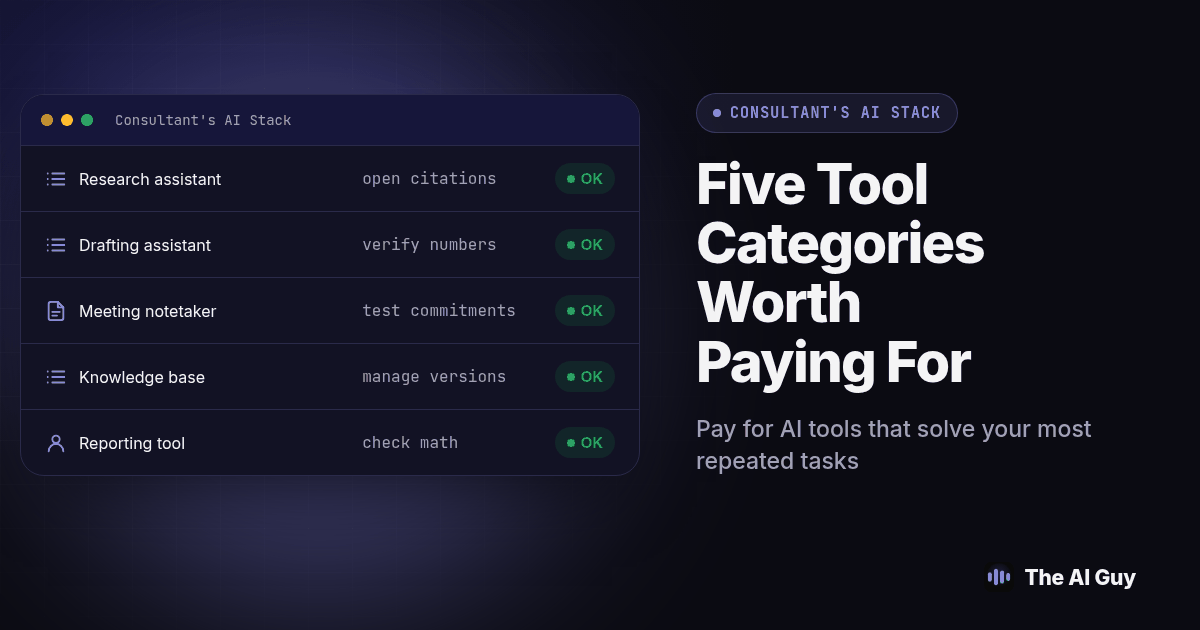
A solo consultant should pay for AI tools only when they solve recurring work: research, proposal drafting, meeting notes, client knowledge management or reporting. Start with the job you repeat most, compare the current plan terms, and verify outputs before using them with a client.
Quick answer: Consider a source-linked research assistant, a drafting tool, a tested meeting notetaker, a client knowledge base and a spreadsheet assistant. Buy only the categories you use repeatedly. Verify outputs and check current vendor terms before sharing client information.
This is written for the person doing the consulting, not the person deciding whether to hire one. We cover that separate decision elsewhere on this site; here, the assumption is that you already run the practice and need to know what to pay for yourself.
What should you check before paying for any AI tool as a consultant?
Before a subscription goes on the card, run it through three questions. Does it show where an answer came from, or does it just assert one? Can you get your own data back out in a usable format if you stop paying? And does the vendor's current terms actually cover the kind of client information you plan to put in, at the tier you plan to pay for?
It is easy to overlook the data question until a client asks where their information went. A polished proposal tool is not useful if using it conflicts with your agreement or the client's expectations. We cover the specific checklist further down, but the habit starts here: read the terms for your actual tier, not the marketing page. The tools worth paying for are the ones you would notice missing within a week, not the ones that sounded useful in a newsletter.
Which AI tool handles research without making up sources?
For market and company research, look for a tool that gives you sources to inspect. Claude web search can provide citations; see Anthropic's documentation, checked November 6, 2026. Perplexity presents source links with answers. Confirm feature access for your account and plan before you subscribe.
Neither tool is a substitute for reading the source. A citation icon next to a sentence tells you where the model looked, not that the sentence is correct. We wrote a full walkthrough on this exact failure mode in verifying the sources behind an AI research answer: open every citation on a claim that would change your recommendation, confirm the page actually says what the summary claims, and note the date, because a six-month-old blog post cited as current market data is a common and avoidable mistake.
Treat the free tier of either tool as a sampling ground, not a production tool. Paid-plan limits and features change, so compare the current plan details against the specific workflow you need before subscribing.
Which AI tool turns research into a proposal draft fastest?
Once research is verified, drafting is a template problem more than an AI problem. The fastest workflow we have found is keeping a locked proposal skeleton (scope, timeline, assumptions, pricing structure, references) in whatever assistant already holds your verified research, then asking it to draft each section from that skeleton plus the specific client facts you supply by hand.
Resist the temptation to let the assistant invent client-specific numbers, timelines or outcomes it was not given. A draft that confidently states a result you never measured is harder to catch after it is dressed up in client-ready formatting than it was as a bare assertion in a chat window. Feed it your actual numbers and your actual scope, and let it handle structure and phrasing, not substance. A smaller, useful second pass: have it read your past proposal against the client's actual brief and flag any section that still references a different client's industry or budget.
Which AI tool should capture your meeting notes and action items?
A dedicated meeting notetaker earns its subscription the first time it saves you from writing up a call from memory. The category includes tools like Otter, Fireflies and Fathom, plus notetaking features now built into some video platforms directly. What separates a useful one from a liability is whether it tells you who committed to what, not just what was said.
Run a short test before you trust any notetaker with a real client call: record a call with yourself and a colleague, say three concrete commitments out loud in different phrasings ("I'll send that by Friday," "let's get that spreadsheet over," "I'm on the hook for the intro"), then check the generated summary against what you actually said. A notetaker that lists all three as action items with the right owner is doing its job. One that drops the indirect phrasing is going to miss real commitments on a live call, not just a test one.
Before you connect any notetaker to your calendar, read its recording and consent policy for your state or your client's state, and get the required consent before the bot joins. That is a legal question tied to where the call happens, not an AI question, and it is worth confirming before the first live call rather than after someone objects to a bot in their meeting.
Which AI tool keeps your client knowledge organized across projects?
The job here differs from research: it is finding what you already established for a client without re-reading every email thread. A workspace feature such as Projects or a searchable notes tool can hold approved terminology, prior decisions and reference material. Our guide to Claude's Projects and custom Skills shows one way to structure repeatable context. Keep your existing filing system as the authoritative copy until exports and access controls are clear.
Whichever tool you pick, the organizing principle matters more than the product: one space per client, with a clear owner for what goes in and a habit of adding the final, corrected version of a deliverable rather than every draft along the way. A knowledge base that fills up with every rough draft and unfinished thought becomes slower to trust than no knowledge base at all.
Screenshot: a consultant's client workspace inside an AI tool, showing a pinned "approved facts" document at the top, a running project timeline below it, and a search bar that returns a single matching answer instead of a list of old drafts.
Which AI tool turns raw data into a client-ready report?
For reporting, the most durable choice is a tool that can work from your own spreadsheet rather than one that asks you to re-describe your data in a chat box. ChatGPT can analyze uploaded spreadsheets, while Gemini in Sheets can help analyze data and create charts. Check the current plan and product documentation: OpenAI's data analysis guide, Google's Gemini in Sheets guide, checked November 6, 2026. Tool outputs still need a human check.
The failure mode to test for is a wrong formula or a miscounted row that still produces a confident-looking chart. Before a generated report goes to a client, open the underlying numbers yourself and recompute at least one total by hand. A chart that looks clean is not proof the math behind it is right.
How do these tools compare side by side?
| Tool category | What it is for | What to check before trusting its output |
|---|---|---|
| Research assistant (Claude, Perplexity) | Market, competitor and company research with cited sources | Open every citation on a claim that affects your recommendation; confirm the date and that the page supports the specific sentence |
| Drafting assistant (same tool as your research, or a writing-focused tool) | Turning verified research and your own facts into a proposal draft | Confirm it did not invent a number, outcome or timeline you never supplied |
| Meeting notetaker (Otter, Fireflies, Fathom, built-in platform notetakers) | Recording calls, transcribing, and listing action items by owner | Test it against a call where you know exactly what was said and committed |
| Knowledge base (Claude Projects and Skills, Notion AI) | Keeping approved facts, terminology and decisions per client across projects | Check who can add or edit the approved version, and whether old drafts get cleared out |
| Reporting tool (Claude, ChatGPT or Gemini working from your spreadsheet) | Turning your own data into charts and a written summary | Recompute at least one total by hand before the report goes out |
What should never go into a general-purpose AI tool without a business agreement?
A common question is whether a tool can safely handle CRM records, bank data or client files. The answer depends on the vendor, account type, contract and settings. The honest answer depends entirely on which tier of which tool you are using, not on the brand name. Check this list against the specific tier you are paying for before anything client-related goes in:
- A client's personally identifiable information (full name plus address, date of birth, or government ID number) without a signed data processing agreement covering that tool and tier.
- Financial account numbers, routing numbers or full card numbers, regardless of tier.
- Protected health information, unless the tool and tier you are using has a signed business associate agreement in place for that specific data.
- Legally privileged correspondence between a client and their attorney, unless your engagement and the tool's terms both clearly permit it.
- A client's trade secrets or unreleased product plans, unless your contract with that client specifically allows third-party AI processing.
- Any data a client's own policy, contract with you, or industry regulator has told you cannot leave their systems, regardless of how useful the tool would be.
- Login credentials, API keys or access tokens belonging to a client, typed into a chat window instead of a password manager.
A free or personal account may not include the commitments your client or contract requires. Review the terms with qualified counsel when the data or engagement calls for it. If a project genuinely needs that level of data handling, that is a conversation with the vendor's sales team about a business or enterprise agreement, not a workaround inside your personal login.
How do you test a new AI tool before you trust it with client work?
Run every new tool through the same short procedure before the first real client use, regardless of which job it is meant to do.
- Pick one real task you already know the correct answer to, such as a past research question, a past proposal section, or a past call you transcribed by hand.
- Run that exact task through the new tool without giving it extra hints beyond what you would normally provide.
- Compare the output to the answer you already know is correct, line by line, not just by general impression.
- Note every place the tool invented a detail, missed a source, or mislabeled who said what.
- Read the tool's terms of service and privacy policy for the tier you intend to pay for, specifically the section on training data and data retention.
- Decide, in writing, which categories of client data this tool is cleared for at this tier, using the checklist above as your baseline.
- Set a reminder to repeat this test after any major update the vendor announces, since a model or policy change can quietly shift both accuracy and data handling.
Keep the written decision from step six somewhere your future self can find it. When a later project tempts you to put something sensitive into a familiar tool, that record saves you from relitigating the same judgment call under deadline pressure.
What FAQ questions should solo consultants ask before paying for AI tools?
How much should a solo consultant expect to spend on paid AI tools?
There is no single number worth repeating here, because every vendor changes its tiers on its own schedule. Compare the paid tier against what a single billable hour is worth to your practice: if a tool saves you that much time most months, it pays for itself. Check current pricing directly on each vendor's site before you commit, not on a blog post that will age.
How long does it take to set up these tools for a one-person practice?
A basic research or drafting workflow can be tried quickly. A client knowledge base or calendar-connected notetaker needs more setup and review. Plan a separate working session for each tool.
Do these tools integrate with Google Workspace or Microsoft 365?
Some research and writing tools work in a browser with copy or export, while meeting notetakers may need calendar or conferencing access. Confirm support for your exact calendar and call platform in the vendor documentation before subscribing; integrations vary and change.
Are these tools compliant enough for confidential client work?
No general-purpose tier is automatically suitable for confidential client work. Review the current terms, data controls and contract for the exact vendor and tier, then compare them with your client agreement and applicable obligations. Some vendors offer different commitments by plan, so do not assume one tier covers another.
What does it cost to switch away from an AI tool later?
The real switching cost is the context the tool has accumulated, not the subscription itself. Export your notes, templates and research trails on a schedule, store them outside the tool, and avoid building a workflow that only works inside one vendor's interface. That keeps a tool change a few hours of setup instead of a rebuild.
What if you need more than your own subscriptions?
Everything above assumes you are running these tools yourself, inside your own practice. Sales follow-up and client intake for a team call for a different scope than a solo subscription stack. MetaTechAi installs AI sales and marketing systems for service businesses with sales teams, a different scope of work than the solo tool stack described here.
For most solo consultants, the five jobs above cover the real workload: a research tool that shows its sources, a drafting tool fed with your own verified facts, a notetaker tested against a known call, a knowledge base with one owner per client, and a reporting tool whose numbers you have checked by hand. Add the client-data checklist as a standing habit, not a one-time read. If you want a second set of eyes on which tools and guardrails fit your specific practice, contact us and we will walk through it with you.