TL;DR: Ask your team directly which AI tools they already use, then check expense reports, browser extension lists, and connected-app logs for the ones nobody approved. Once you know what customer information may have already gone into those tools, write a short policy, swap the risky habit for one approved tool that does the same job, and skip the outright ban, because a ban without a workable alternative can push the habit onto personal devices.
Key Takeaways
- Ask directly first. Staff may be more willing to explain their use if you ask without threatening consequences.
- Expense reports and browser extension lists catch the tools people forgot to mention.
- You cannot undo a paste into a chat window, so focus the policy on what goes in next, not on erasing the past.
- Replace the habit with an approved tool before you ban the unapproved one.
- A ban without a replacement moves the behavior further out of sight, it may not stop it.
Consider a small business where the owner assumes AI use is still hypothetical while staff already use it to draft replies. Someone might paste a customer's complaint into a chatbot without asking because the business has no approval process. This is an illustrative scenario, not a reported client incident.
Netwrix describes shadow AI as AI use without IT approval or oversight. The risk is company information moving through accounts the business cannot review or control. Employees have long found faster ways to work than the ones management signed off on. What changes with AI is how much customer information can leave in one paste, with no record anywhere that it happened.
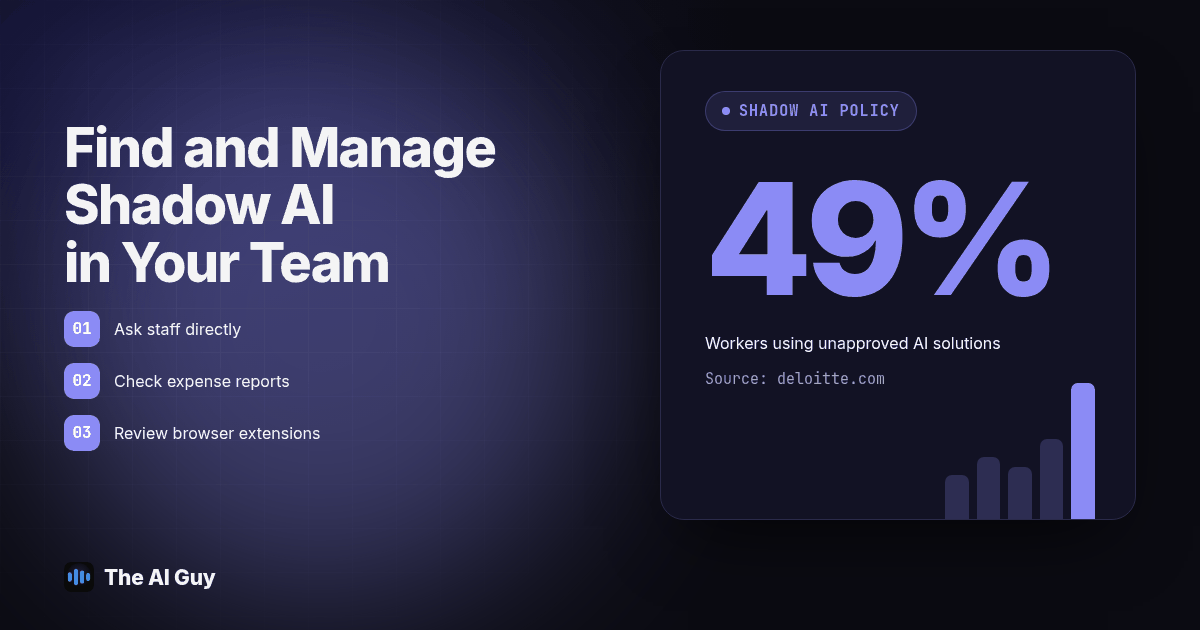
Deloitte's May 2026 Trust ID study found that among workers using AI at work, 49% of respondents reported using unapproved AI solutions, and senior leaders were 32% more likely than staff to use unapproved AI tools. Read that twice. The people writing the AI policy are frequently the same people skipping it. That is not a staff discipline problem you can fix with a stern memo. It is a gap between the tools you have sanctioned and the tools people need to do their job fast, and until you close that gap, the memo will not hold.
How Do You Find Out What AI Tools Your Team Is Already Using?
Start by asking, directly, in a normal meeting, without framing it as an investigation. "What AI tools are you using right now, for what, and do you ever put customer information into them?" works better than a survey with a legal disclaimer at the top, because a survey that smells like a trap gets answered defensively or not at all.
Employees may be more willing to explain their use if the question comes without a threat attached. They are not hiding ChatGPT out of malice. It worked, nobody told them not to, and nobody offered anything better. Say out loud that this is about understanding the current state, not assigning blame, before you ask. Use the conversation to explain what you need to record and give people a private way to report sensitive examples.
Write down everything you hear, even the vague answers like "I use it for emails sometimes." Vague is still useful. It tells you where to look next, and it gives you a starting list of tasks people want AI to help with, which you need later when you pick the replacement.
What Should You Check Beyond Just Asking?
Asking gets you the tools people remember and are comfortable naming. It misses the ones they forgot, assumed were obvious, or didn't think counted as "AI." Three places catch the rest.
Expense reports are easiest. Pull six months and search for AI subscription charges: chat assistants, writing tools, meeting note services, and office AI add-ons, any line item with "AI" in the merchant name. An employee who expensed a personal ChatGPT subscription because it helped them finish reports faster has been telling you about their AI use for months, you just weren't reading that column.
Browser extensions are the second place. For enrolled Chrome browsers with reporting enabled, Google documents an apps and extensions usage report. It can show installed extensions and requested permissions, including tools nobody mentioned in the meeting. Having an office software subscription alone does not guarantee that visibility. No device management yet? Ask your IT provider to pull what they can see, and treat anything you can't see as unresolved, not safe.
Connected-app and single sign-on logs are the third. Review the access your identity provider records for third-party apps, including tools connected to email or calendars. Google Workspace documents how administrators review third-party app requests. Ask your administrator which granted-access records and logs your setup retains. These records help identify connections, but they do not show every standalone chatbot session or every pasted prompt. Netwrix reports that 21% of surveyed organizations have full visibility into sensitive data flowing into AI tools, while 31% can fully prevent it reaching external tools or personal accounts. These are survey findings, not a measurement of your business.
What Customer Information May Have Already Left Your Business?
Here is the uncomfortable part: you probably cannot fully reconstruct what already went into an unapproved tool. There is rarely a log that captures the exact text someone pasted six weeks ago, and asking an employee to remember the precise wording of a customer complaint they summarized in March is not a reliable audit method. Accept that limit early, preserve available records, and stop further exposure while your advisor assesses what already happened. Do not delete chats or logs as a cleanup shortcut.
Ask pointed questions about patterns instead. Did anyone paste a customer email, a support ticket, a signed contract, or a spreadsheet of accounts into a chat tool to summarize or rewrite it? Did anyone upload a PDF with account numbers, addresses, or payment details to get a quick answer about its contents? If the answer is yes, or "probably," your next move is to find out whether that tool's terms allow your data to train its models, whether it retains inputs, and whether you owe the affected customer anything under your existing obligations. That's a conversation for your attorney or compliance advisor, not a DIY legal judgment. If you need to know what to strip out of a document before anyone runs it through AI again, our existing guide on removing customer information from a PDF before AI covers the redaction steps.
How Do You Write the Policy Once You Know What's Happening?
Write the policy around the behavior you actually found, not a generic template pulled from a search result. A policy built from your own discovery conversation names the tools staff recognize, which makes it far more likely to get followed.
Keep it short enough that someone reads the whole thing in five minutes. State which tools are approved, what information never goes into any AI tool regardless of approval status (account numbers, payment details, health information, anything a customer gave you in confidence), and who reviews AI-assisted output before it reaches a customer. Our one-page AI use policy guide and small business AI policy staff rules both cover the structure in more depth if you're starting from nothing.
Build in an amnesty window. Tell staff that reporting current AI use, even the parts they assumed were against the rules, will not bring discipline, because the goal is an accurate map, not a punishment list. You lose honest reporting the moment someone fears a consequence for admitting what they've already been doing.
How Do You Replace the Risky Habit With an Approved Tool?
A policy that only removes an option, without replacing it, asks people to go back to the slower way of working after they've already found the faster one. Most will not go back quietly. They'll keep using the unapproved tool, just more carefully, which is the opposite of what you wanted.
Match the replacement to the task people named in your discovery conversation. If three people were using a free chatbot to draft customer emails, get them a business-tier account under your company's terms, not a personal one, and set expectations about what customer detail stays off-limits even inside the approved tool. If someone was uploading spreadsheets to summarize account data, check whether your existing CRM or accounting software already has a scoped AI feature with suitable permissions and data terms. A built-in feature can still send information to another provider, so verify its processing, retention, and access terms before approving it.
The replacement doesn't need to be exotic. It needs to cover the same job, live inside an account your business owns and can audit, and be as easy to reach as the tool people found on their own. If AI needs to touch your sales pipeline or talk to leads directly, that's a bigger build than a staff policy covers. MetaTechAi's guide to AI governance for a service sales team is a useful next read if your AI use is heading that direction.
Why Does Banning AI Outright Usually Make Shadow AI Worse?
A flat ban can feel like the responsible move. It also tends to backfire in a predictable way: it doesn't remove the underlying motivation, that staff believe AI helps them finish work faster, so the behavior doesn't disappear. It moves somewhere you can't see it.
Once banned without a replacement, staff who relied on the tool move to a personal phone or a device your company doesn't manage. You lose the one advantage you had, visibility, the moment it becomes forbidden instead of unapproved but discoverable. Prohibition without a path forward just adds a reason to hide the behavior.
A ban can still be right for specific high-risk tasks: payment details, health information, decisions needing a licensed professional. Blanket prohibition usually trades a visible habit for an invisible one. Pick off-limits tasks narrowly, and approve something for everything else.
What Should a Shadow AI Discovery and Remediation Plan Look Like?
Use this seven-step order. It is built to move fast, because the longer the gap between finding out and acting, the more customer information passes through tools you still haven't reviewed.
- Schedule the direct conversation this week. Tell staff upfront there is an amnesty for past use, then ask what AI tools they use and for what tasks. Write every answer down, including the vague ones.
- Pull six months of expense reports. Search for AI-related subscription charges and flag anything you don't recognize for a follow-up question with the employee who expensed it.
- Check browser extensions and connected-app logs. Use your device management console or ask your IT provider to pull the list; treat gaps in visibility as unresolved, not as evidence of safety.
- Ask about customer data specifically, by pattern, not by incident. Did anyone paste a customer email, upload a document with account numbers, or summarize a support ticket in an AI tool? Note the task type, not an exact memory of the content.
- Loop in your attorney or compliance advisor if the answer to step 4 is yes. Decide together whether any notification or retention review is required under your existing obligations before you move on.
- Write the one-page policy from what you actually found, naming the tools staff recognize, the information that's always off-limits, and who reviews AI-assisted work before it reaches a customer.
- Stand up one approved tool for the most common task you uncovered, and tell staff it replaces the unapproved version, effective immediately, with no penalty for the switch.
| Discovery method | What it catches | What it misses | Typical effort |
|---|---|---|---|
| Direct conversation | Tools staff remember and are willing to name | Tools they forgot or don't think of as "AI" | Low, one meeting per team |
| Expense report review | Paid subscriptions, including reimbursed personal accounts | Free-tier tools with no charge | Low, a few hours with finance |
| Browser extension / device audit | Installed AI extensions on managed devices | Personal devices and unmanaged browsers | Medium, needs IT or an MSP |
| Connected-app / SSO logs | Tools granted access to email, calendar, or files | Tools used standalone with no account connection | Medium, needs admin console access |
Treat the effort column as a planning estimate. Before closing the review, ask one employee to repeat a common task using fictional customer details in the approved tool. Confirm the account belongs to the business, the input follows the policy, and a named reviewer checks the output. Record any failed check and fix it before allowing real customer work.
Run all four discovery methods the same week if you can. Each catches something the others miss, and together they give a far more complete picture than any one method alone.
What Are the FAQs About Shadow AI for Small Business Owners?
Is it safe to let employees connect AI tools to our CRM or bank data?
Treat any connection to a system of record as a separate decision from using AI for drafting text. Require a named approver, a written reason, and a review of what the connection can read and write before anyone links an AI tool to a CRM, accounting platform, or bank feed. Review the provider's data terms, retention settings, and security controls as well as the permissions. A familiar tool name is not enough evidence to approve access.
Does writing a policy fix shadow AI by itself?
No. A policy without an approved alternative just tells staff to stop doing the thing that was saving them time, and many will keep doing it quietly instead. Pair the policy with at least one approved tool that covers the task people were already solving, so staff have a practical way to follow the rule.
What does it cost to set up an approved replacement tool?
It depends on the task and the tool, and we are not going to hand you a made-up number here. Price the specific replacement for the specific task, a business-tier chat account, a scoped CRM AI feature, a document assistant, against what the current habit is actually costing you in exposure, then decide.
How long does a shadow AI discovery and remediation pass actually take?
Use one to two weeks as a planning window for a first pass: asking directly, pulling expense reports, checking browser extensions, and drafting the policy. This is a suggested schedule, not a measured average or a completion promise. Missing records, sensitive data exposure, and outside review can extend the work.
If we ban AI tools outright, are we compliant?
A ban is not the same thing as compliance, and it is not the same thing as safety. An unenforced ban still lets staff use personal phones and unmanaged accounts, which is worse for oversight than an approved tool with a clear data boundary and a named reviewer.
What Should You Do First?
Pick this week's one conversation: ask your team what they're already using, with the amnesty stated out loud first. Pull the expense reports while that's fresh. Write the policy from what you learn instead of a template, and get one approved tool in front of people before you tell anyone the old way is off-limits.
If you want help turning what you find into a policy your staff will follow, plus picking the right tool for the task you uncovered, contact AI Guy and bring your discovery notes. We'll work from the real list, not a hypothetical one.