TL;DR: Pick the recording category first, a bot that joins the call or bot-free local capture, based on whether an unfamiliar bot on a sales or client call is a problem for you. Test the free tier of one tool from each category on five real meetings before paying anything, checking transcription accuracy on names and numbers, calendar and CRM sync, and what happens to the recording afterward. Once you pick a tool, verify every summary before anyone acts on it.
A small business owner searching "ai meeting notes app" is usually past wondering whether these tools work. The real question is which one fits a five or ten person team without becoming another subscription nobody checks. The right choice changes depending on whether you record sales calls, internal standups, or client calls where a visible bot might affect the conversation. Here is what actually separates these tools, and a test to run before you commit a team to any of them.
What should you compare before picking one?
Skip the feature list on the homepage. Treat transcript and summary quality as things to test, not promises to accept. Four things actually change your day to day experience: how the tool records (bot or no bot), what the free tier really caps, whether it writes anywhere outside itself, and what happens to the audio once the meeting ends.
Each of those has a wrong answer for some business, and it's rarely the same wrong answer twice. A ten person agency running sales calls back to back cares about CRM sync more than a two person clinic does; the clinic cares more about where the recording lives. Decide which of the four matters most for your meetings before comparing a single tool by name.
Bot or bot-free: which recording method fits your meetings?
This split matters more than any feature comparison. A bot-based tool like Otter or Fireflies joins your Zoom, Google Meet, or Teams call as a named participant, visible in the attendee list, and streams the audio to the vendor's servers to transcribe. A bot-free tool like Granola, or Fathom in its beta bot-free mode for Mac, captures audio directly on your own device, what your speakers play and your microphone hears, with no separate participant on the call.
Neither wins outright. A bot joining an internal standup is a non-event. The same bot joining a first sales call with a nervous prospect, or a client intake call, can change how the other person talks. Granola describes its approach directly: "Granola captures your meeting audio locally on your device. No bot joins the call," per granola.ai/ai-meeting-assistant. Fathom now offers "Choice of bot-free (in beta) or bot capture" on its own pricing page, per fathom.ai/pricing, which tells you the market has decided this is a real decision, not a minor preference.
Test this before assuming you know your answer: record one actual sales or client call with a visible bot in the participant list, and watch whether the other person reacts. If nobody blinks, a bot-based tool with a wider feature set is fine. If you catch yourself explaining the bot before the call starts, go bot-free.
How accurate is the transcription, and how do you test that yourself?
A vendor accuracy claim cannot tell you whether a tool will handle your particular meetings. What you can test in ten minutes is whether a tool gets your business right: the names of your actual clients, product names, figures read aloud, and any jargon specific to your field.
Run the same five minute recorded clip through two tools and compare the transcript against what was actually said, word for word, wherever names and numbers appear. Include ordinary conversation as well as proper nouns and fast numbers in your test. This is also where checking AI meeting notes for wrong task owners becomes relevant immediately, not after months of use.
Does it connect to your calendar and CRM, or just sit in your inbox?
Check calendar support against the account your team actually uses. A calendar connection may display upcoming calls, while automatic capture also depends on the app, meeting platform, host permissions, and your recording settings. Test a recurring meeting and an externally hosted call separately.
CRM integration is different, and it's where the free-to-paid line usually sits. Fireflies lists integration and API capabilities by plan, so verify your required connector in its current feature matrix at fireflies.ai/pricing. Fathom lists CRM field sync and Deal View on Business, per fathom.ai/pricing. If a sales team is the reason you're evaluating this category, read the actual CRM integration page, not the general feature list, and confirm which fields on which object get written.
This matters because a summary that writes itself into a deal record without a human checking it can quietly change how your sales team reads a deal's progress. The same discipline that applies to reviewing lost-deal reasons for sales coaching applies here: a CRM field populated by an AI summary is a claim, not a verified fact, until someone checks it against what was actually said.
What do the free tiers actually give you before you pay anything?
Here are useful starting points from the vendors' plan pages, checked October 9, 2026. Recheck the limits before a rollout:
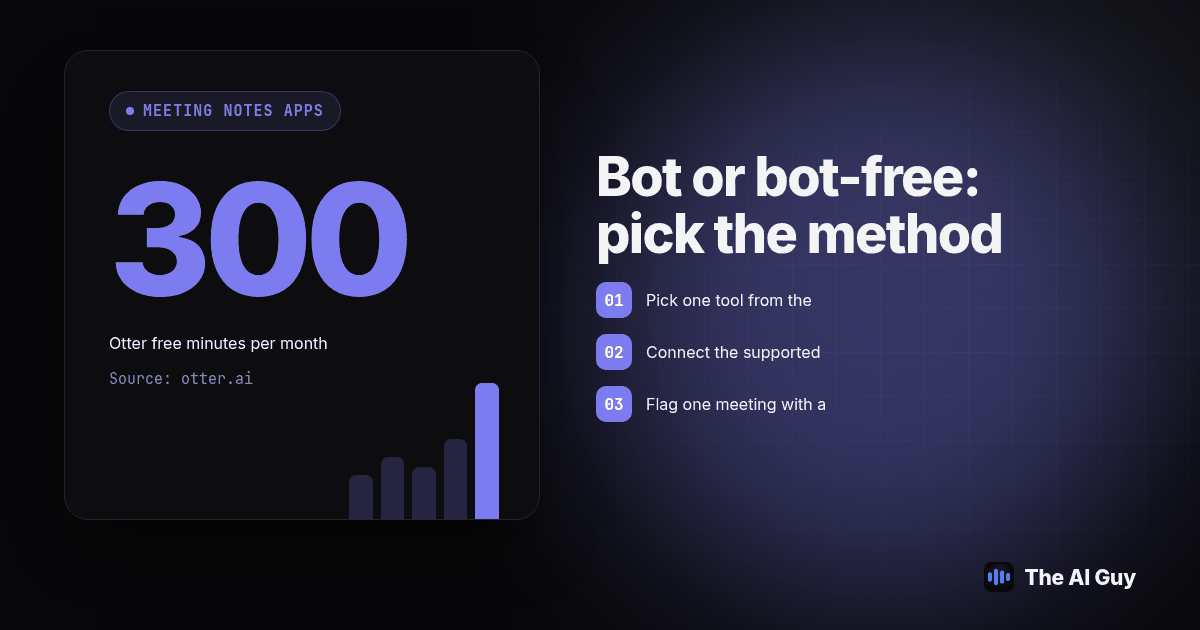
- Otter: the free Basic plan includes 300 transcription minutes per month, a 30 minute cap per conversation, and only 3 lifetime file imports for the life of the account, per otter.ai/pricing.
- Fathom: the free plan includes unlimited recordings and transcriptions across Zoom, Meet, and Teams, plus an instant AI call summary. Paid tiers expand advanced summaries, action items, and assistant features; check any limited free access, per fathom.ai/pricing.
- Fireflies: the free tier includes meeting transcription and basic AI summaries; check the feature matrix for integration access and API limits, per fireflies.ai/pricing.
- Granola: has a free Basic plan with limited meeting history; Business adds unlimited history and advanced integrations, per Granola's plan comparison.
Free access is useful for a pilot, but capture, history, summaries, exports, and integrations have separate limits. Decide which of those your team needs in month one versus which you're paying for "just in case."
How does each tool handle your meeting data once the call ends?
Check each vendor's security documentation before putting real client information into a pilot. Recording method alone does not establish where processing happens, how long transcripts remain, or who can open a shared note. Separate audio retention from transcript retention in your comparison sheet.
Granola's security explanation names external transcription and AI providers and says notes are stored in a US-hosted AWS environment. It describes real-time desktop transcription without stored audio recordings, with temporary audio caching on mobile. Device capture therefore does not mean that all processing stays on your laptop. Ask about access, deletion, and model-training settings as separate questions.
Test sharing with a harmless sample meeting. Open the shared link from an account outside your workspace, then remove its access and try again. Decide who may share notes externally and who handles deletion requests. Tell participants what you are using before capture begins; a hidden participant icon is not a reason to skip that conversation.
Which category fits which kind of meeting?
| Category | How it records | What the free tier gives you | Who it fits | What to verify before you commit |
|---|---|---|---|---|
| Bot-based cloud notetaker (Otter, Fireflies) | A visible bot joins the call and streams audio to the vendor's servers | A capped amount of transcription time or basic summaries; Otter caps free use at 300 minutes a month, 30 per call, per otter.ai/pricing | Teams running meetings mostly over Zoom, Meet, or Teams who want hands-off calendar auto-join | Whether the monthly cap resets or is lifetime, and the stated audio retention window |
| Bot-free local capture (Granola, Fathom's bot-free beta for Mac) | Software on your device captures speaker and mic audio; no separate bot appears | Granola Basic limits history; Fathom lists unlimited recordings and basic summaries, per fathom.ai/pricing and Granola plans | Sales, intake, or client calls where an unfamiliar bot in the participant list could change how the other person talks | Which desktop platforms are supported, and whether it still works on a phone dial-in instead of the desktop app |
| CRM-connected workflow (check each vendor and plan) | Bot or local capture, plus a direct push of summaries or action items into a CRM record | Connector access and field-writing capabilities depend on plan and CRM, per fireflies.ai/pricing and fathom.ai/pricing | A sales team that wants the call summary attached to the deal automatically, not copy-pasted by a rep | Exactly which CRM fields get written, and whether a human reviews the summary before it changes a pipeline stage |
How do you test an AI meeting notes app before committing a team to it?
Run this before rolling a tool out past yourself. It takes about a week of normal meetings, not a dedicated testing sprint.
- Pick one tool from the bot-based category and one from the bot-free category. Use the free tier of each; don't pay for anything yet.
- Connect the supported calendar and configure capture separately. Arrange five suitable meetings with participants informed. For bot-free software, start capture on the device; do not assume a calendar connection starts recording. Use the same scripted sample in both tools when simultaneous capture is unavailable.
- Flag one meeting with a client name, a figure spoken aloud, and a piece of your own industry jargon. This is the transcript accuracy test applied to your actual business.
- Open both transcripts the same day and check the flagged meeting word for word against a permitted reference recording or a prepared script with known answers, specifically the proper nouns and numbers.
- Note which free tier limit you hit first: recording minutes, summary access, export restrictions, or searchable history. Record the actual restriction rather than assuming unlimited recording means unlimited access to every feature.
- Export one transcript and one summary from each tool, and confirm you can open the exported file outside the original app.
- Decide based on the category, not the brand name. If the bot-free tool handled your client call better and the bot-based tool was fine for your internal standup either way, running two tools for two meeting types is a legitimate outcome, not a failure to pick one.
Once you've picked a tool, what's the next step?
Picking the tool isn't the finish line. Every AI meeting notes app, regardless of category, can assign a task to the wrong person, invent a deadline, or misread a declined request as accepted. That's not a reason to avoid the category; it's a reason to build the same verification habit you'd want from a new employee's first week of notes. Our guide to checking AI meeting notes for wrong task owners, invented actions, and changed deadlines walks through that review, and it applies whether your notes came from a bot-based tool or a bot-free one.
If you're also trying to tell whether switching tools actually saved your team time, or just moved the work from typing notes to checking an AI summary a second time, measure the task itself before and after rather than trusting the feeling that the new tool is faster. A tool that cuts five minutes of note-taking while adding fifteen minutes of correcting a wrong task list has not saved you anything.
What FAQs come up when a small business is choosing one of these tools?
Do AI meeting notes apps have a free plan, or do I have to pay before I can test one?
These tools offer free access, but the limits differ. Otter's free Basic plan caps you at 300 transcription minutes a month with a 30 minute limit per conversation, per otter.ai/pricing. Fathom's free plan has no published minute cap on recording or transcription, while paid plans expand advanced AI features, per fathom.ai/pricing. Run real meetings through the free tier for a week before deciding anything else.
How long does it take to set one of these tools up for a small team?
Setup time depends on permissions and devices. Test calendar access, capture, sharing, and export on one account first. A desktop capture workflow also needs installation and audio permissions on each recording device. Allow a week as your own pilot schedule, not a vendor setup guarantee, before expanding to the team.
Will it connect to the calendar and CRM we already use?
Check your exact calendar account, meeting platform, CRM, and plan. Fireflies publishes an integration matrix, and Fathom lists CRM field sync on Business, per Fireflies plans and Fathom plans. Confirm which fields get written with a sample record before enabling automatic updates.
Is my meeting data private, and who can see the recording?
Check processing, retention, and sharing separately. Granola uses external transcription and AI providers and stores notes in a cloud environment, according to its security documentation. Bot-free capture does not mean offline processing. Test who can open a shared note and confirm how recordings, transcripts, and notes are deleted.
How hard is it to switch tools later if this one does not work out?
Easier if you export as you go. Check transcript and summary exports separately from historical search, tags, and CRM fields; do not assume an export transfers the whole workspace. Export one real transcript and one real summary before you commit a team, and confirm you can open them outside the original app.
How can you get help choosing a meeting notes workflow?
If you want a second opinion on which category fits how your team actually runs meetings, talk to AI Guy and bring one real meeting recording you're willing to share. Describe your recording setup, review process, and CRM requirements so the conversation starts with the work you need done.